What Is an Electronic Receipt? A Simple Guide for Businesses
An electronic receipt, or e-receipt, is really just what it sounds like: a digital proof of purchase. Instead of a physical piece of paper, you get a digital record that’s sent and stored electronically. It’s got all the same official info as a traditional receipt, making it just as valid, but with a huge advantage—it’s instant, searchable, and you can’t accidentally throw it in the trash.
So, How Do They Actually Work?
Think of an e-receipt as the modern, digital twin of the classic paper one you'd get at a store. They both do the same job: confirm a transaction took place. The big difference is how they're delivered and stored. Instead of a flimsy slip of paper that fades, tears, or vanishes into a cluttered wallet, you get a permanent digital file.
This shift to digital isn't just for big corporations; it’s become the go-to for everyone from freelancers to local shops. The essential information is all there, which is why e-receipts are perfectly valid for returns, warranty claims, and—most importantly—tax records.
Every legitimate e-receipt needs to include a few key things:
- Merchant Details: The name and contact info of the seller.
- Transaction Date and Time: Exactly when the purchase happened.
- Itemized List: A clear breakdown of what was bought, including quantities and prices.
- Total Amount Paid: The final bill, showing any taxes or discounts applied.
Going digital is more than just a convenience; it's a huge market. The digital receipts market is valued at around $1.73 billion in 2024 and is expected to keep growing fast. It’s a clear sign that businesses and customers are embracing this smarter way of handling transactions.
An electronic receipt is more than just a paper substitute. It’s a smart tool that simplifies record-keeping, cuts down on waste, and gives customers a better experience. It turns a quick transaction into an organized, lasting digital record.
To get a better handle on digital financial documents, it’s also helpful to understand what an e-invoice is, since it works on similar principles. Both are about moving towards more secure and efficient paperwork.
And whether you're sending a simple payment confirmation or a detailed sales record, a professional look matters. You can browse different receipt templates to find a style that fits your business perfectly.
Electronic vs Paper Receipt a Quick Comparison
Still weighing the pros and cons? Here's a quick side-by-side look at how digital and paper receipts stack up. This table breaks down the key differences at a glance.
| Feature | Electronic Receipt | Paper Receipt |
|---|---|---|
| Storage & Access | Stored digitally, easily searchable. | Physical storage, prone to loss or damage. |
| Durability | Permanent, doesn't degrade. | Fades over time, can be easily torn or ruined. |
| Environmental Impact | Eco-friendly, no paper or ink required. | Contributes to paper waste and deforestation. |
| Cost | Minimal to no cost for sending and storing. | Ongoing costs for paper rolls and ink. |
| Convenience | Sent instantly, easy to organize and forward. | Must be physically handed over and stored. |
| Data & Analytics | Can be integrated with software for insights. | Manual data entry required for analysis. |
As you can see, electronic receipts offer a clear advantage in almost every category, making them a smarter choice for modern businesses and consumers alike.
Why Digital Receipts Became the New Standard
The move to electronic receipts wasn't some sudden revolution. It happened gradually, growing right alongside the way we shop and pay for things. Think about it: the whole thing really kicked off with the explosion of e-commerce. When you buy something online, you need a digital proof of purchase. It's not optional; it's essential.
As we all got comfortable with online shopping, getting that instant email confirmation for an order became second nature. Before long, that expectation started bleeding over into our real-world shopping trips.
With digital wallets and tap-to-pay becoming the go-to payment method, the final step—getting a crinkly paper receipt that's destined for the trash—just started to feel clunky and old-fashioned. We wanted a record of our purchase that was as smooth and modern as the payment we just made.
The Shift in Consumer Expectations
This isn't just a niche preference; it's a massive shift in what people want. The numbers tell the story. As digital payments took over, so did the demand for digital proof. Just look at the insane growth of digital wallets. A decade ago, they were a novelty. Now, they're on track to have over 5 billion users by 2026.
This fundamental change in how we pay naturally changes what we expect after we pay. You can discover more about these payment trends to see just how deeply connected they are to customer habits.
A digital receipt is no longer a "nice-to-have" feature. It’s a logical and essential step for any business aiming to meet modern customer needs and stay relevant in an increasingly paperless economy.
The market growth speaks for itself. It’s projected to jump from $1.73 billion in 2024 to over $5.1 billion by 2033. That’s a huge leap.
With a steady annual growth rate of 11-16%, it's crystal clear that electronic receipts are here to stay. For businesses looking to keep up, adopting professional tools is easy. You can find everything from a customizable gas receipt template for fuel stops to specialized formats like a parking receipt for just about any industry you can think of.
Thinking about switching to electronic receipts? It's more than just a trend—it's a smart move that pays off in real-world savings, streamlined operations, and even happier customers. Going paperless touches everything from your bottom line to your brand's reputation. Let's dig into what that actually looks like.
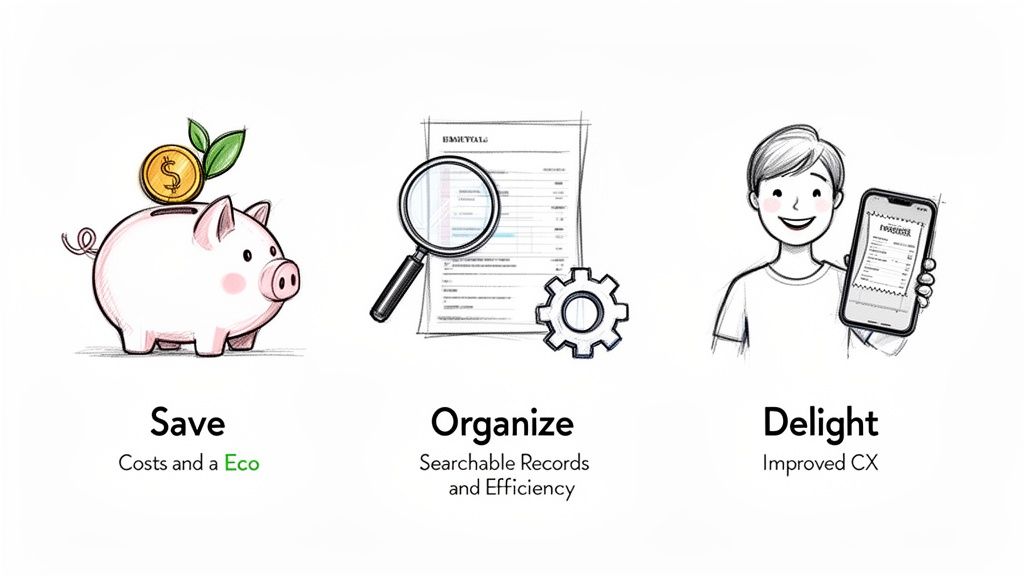
Save Money and Align with Eco-Values
The first win is obvious: you stop spending money on paper. Think about it—no more thermal paper rolls, ink cartridges, or printer maintenance. Those little costs sneak up on you, but they add up to a significant chunk of change over the course of a year.
But it’s not just about the budget. Going paperless shows you’re in tune with what modern customers care about. Most paper receipts get tossed within hours, yet they take a surprising amount of natural resources to create. When you offer a digital option, you're signaling a commitment to sustainability. In fact, roughly 75% of shoppers now prefer a digital receipt. You can read the full research about these consumer trends to see just how much this preference has grown.
Streamline Your Operations
Let's be honest, paper is messy. Digital records, on the other hand, are a dream for organization. Every transaction is logged into a searchable database, making tasks that used to be a headache almost effortless.
- Effortless Expense Tracking: Need to find a specific sale? Just search by date, customer, or amount. It takes seconds.
- Simplified Tax Preparation: You can export your sales data directly into your accounting software. No more tedious manual entry or worrying about typos.
- Faster Returns and Warranties: A customer needs to make a return but lost their receipt? No problem. You can pull up their purchase history instantly.
By digitizing your transaction records, you turn a simple proof of purchase into a powerful organizational tool. This efficiency gives you back valuable time to focus on growing your business.
This level of organization makes creating professional documents a breeze. For example, starting with a Generic POS Receipt template ensures you capture all the essential details consistently, making every record clean and ready for whatever you need it for.
Common Ways to Deliver Electronic Receipts
So, you’ve made the sale. Now, how do you get that electronic receipt into your customer's hands? Unlike just handing over a slip of paper, the digital world gives us a few different ways to do this, and the best one really depends on what you sell and what your customers prefer.
Think about it: a freelance web designer isn't going to send a text receipt for a $5,000 project. They'll likely send a professional, detailed PDF using a freelance receipt template that the client can easily file away. On the other hand, the coffee shop on the corner just needs to fire off a quick email for a $5 latte. It’s all about context.
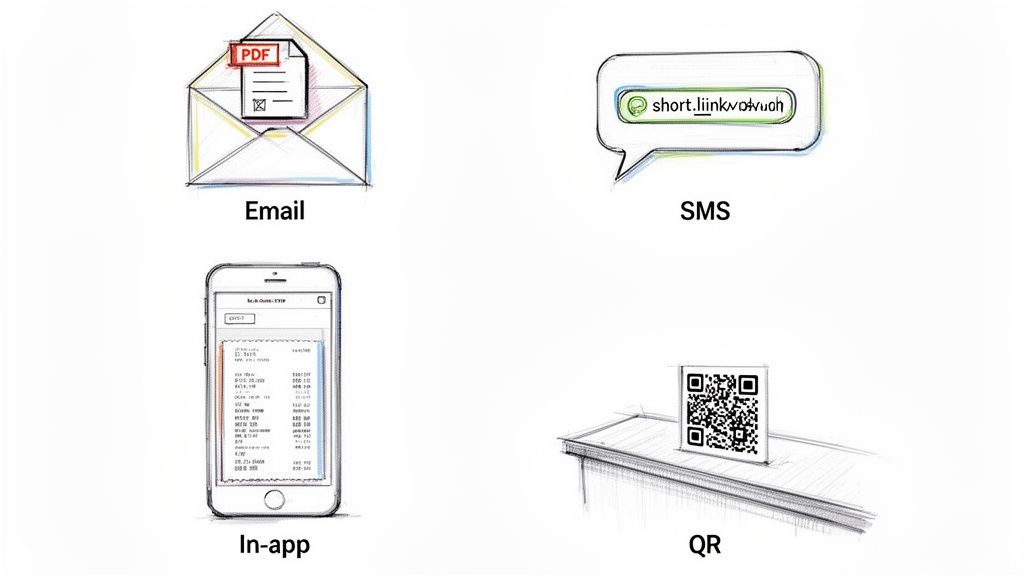
Most Popular Delivery Methods
Picking the right channel comes down to a mix of speed, formality, and what’s easiest for your customer. Let's break down the go-to options most businesses are using.
- Email Attachments: The classic PDF attachment. This is a solid, reliable choice that feels official and creates a permanent record. It's perfect for bigger-ticket items or B2B deals where clients need something formal for their bookkeeping. Using a sharp, customizable sales receipt template here really helps you look professional.
- Embedded in Email: Lots of retailers now just put the receipt right in the body of the email itself. Customers love this because it’s instant—no attachments to download or open, just scroll and see. A grocery receipt template is a great example of this in action.
- SMS or Text Message: When speed is everything, a quick text with a link to the receipt is a fantastic option. This is a game-changer for places like food trucks, pop-up shops, or market stalls where people are on the move. Even a simple cash receipt template works perfectly for these quick transactions.
- In-App Purchase History: If you run a subscription service, an e-commerce store, or have a customer app, keeping receipts in their account is the way to go. It gives them one central place to find every single purchase they've ever made with you.
The goal is to make receiving and storing the receipt as seamless as the purchase itself. Offering multiple options can cater to different customer needs and improve their overall experience.
How to Create a Professional Electronic Receipt
You don't need a fancy accounting degree or expensive software to start sending polished, professional electronic receipts. It’s actually a surprisingly simple process that can make your business look more established and tidy up your bookkeeping in just a few minutes.
The whole process really comes down to a few key steps that anyone can follow.
First, you need a starting point. Instead of trying to build a receipt from a blank document, it's way easier to start with a pre-designed template. This saves a ton of time and makes sure you don't forget any crucial details. It also gives you a consistent, clean look for every transaction, which is great whether you’re a freelancer or running a small shop like a taxi service.
Once you’ve picked a template you like, it’s time to make it your own. This is where you’ll add your business name, pop in your logo, and list your contact info. Doing this doesn't just make the receipt official—it reinforces your brand every time you make a sale.
Itemizing and Finalizing Your Receipt
After you've branded your template, the next job is to fill in the actual transaction details. You’ll want to create an itemized list of what was sold, including how many of each item, the price per item, and any taxes that apply.
A good receipt tool will handle all the math for you, calculating the subtotal and the final amount due. This is a huge help, as it cuts down on the risk of human error and keeps things accurate for both you and your customer. Getting this part right is what makes your e-receipt a legitimate document.
Finally, you just need to generate the file and send it off. The most popular format is a PDF because it looks the same on any device and can’t be easily altered. You can then attach it to an email or send it directly through a messaging app. If you're a visual learner and want to see how digital elements like these are put together, check out this handy qrstar's creation demo.
Creating a professional electronic receipt isn't about having technical skills; it's about using the right tools. An intuitive platform can turn a complicated task into a simple, three-step process anyone can master.
This is exactly where online receipt generators come in. You can use them to create professional receipts in seconds with a huge library of templates at your fingertips. Whether you need a simple sales receipt or something more specific like a restaurant receipt, these tools give you the power to produce high-quality, valid documents on the spot.
Answering Your Questions About Electronic Receipts
Jumping into a new way of doing things, even something as simple as electronic receipts, always comes with a few questions. Let's tackle some of the common things small business owners and freelancers ask when they're thinking about ditching paper.
Are Electronic Receipts Legally Valid for Taxes?
Yes, absolutely. Tax authorities like the IRS are perfectly happy with digital receipts. As long as the receipt has all the critical information—who you paid, when you paid them, what you bought, and the total amount—it's just as good as a paper one.
In fact, they're often better for tax time because you can't lose them in a shoebox, and they're a breeze to search for and organize.
The key is completeness, not the format. A well-organized digital file with all the required transaction data is perfect for your records and fully compliant for any financial or tax-related needs.
Do I Need Special Software to Create Them?
Not at all. While fancy point-of-sale (POS) systems can spit them out automatically, you don't need one to start.
There are plenty of free online tools out there built for people just like you. You can whip up a professional-looking receipt right from your web browser—no tech skills required. You can start with something straightforward like a simple service receipt template or get more detailed with a hotel receipt template.
How Do I Handle Customer Privacy?
This one's a big deal. The best approach is to be a minimalist: only ask for what you absolutely need to send the receipt, which is usually just an email address or a phone number.
Always ask for their permission first. It's just good practice. Using a secure tool that processes everything on your own device adds a great layer of protection, since it means customer data isn't sitting on some third-party server.
What if I Make a Mistake on a Receipt?
We all make them! But for accounting and legal reasons, you should never go back and edit a receipt you've already sent.
The proper way to handle it is to void the original one and issue a brand-new, corrected receipt. Another option is to issue a credit note that references the original. This keeps your bookkeeping clean and shows both you and your customer a clear paper trail of the correction.
Ready to create professional, compliant electronic receipts in seconds? At ReceiptMake, we offer over 100 free templates to get you started without any sign-ups or software. Try it for free today.

