
Create a Flawless Taxi Receipt Template in Seconds
Let's be honest, the difference between a smooth expense claim and a rejected one often comes down to a single piece of paper: your taxi receipt. A flimsy, handwritten note from the driver just won't cut it when your reimbursement—or your tax return—is on the line.
Why a Professional Taxi Receipt Is Non-Negotiable
If you travel for work, you know that transportation is a constant and necessary expense. But without the right documentation, those costs can easily become a personal liability instead of a legitimate business deduction. A crumpled note scribbled on the back of a business card often lacks the critical details your accounting department or the tax authorities need, leading to frustrating and costly rejections.
This is a classic headache for anyone on the road for business. Picture this: you get back from a week-long trip, and you hand over a stack of taxi receipts. Your finance team needs to see the driver's name, the vehicle number, and a clear breakdown of the fare. If that information isn't there, your claim gets kicked back, and you're stuck waiting—or worse, paying out of your own pocket.
Maximize Your Deductions, Stay Compliant
For freelancers and the self-employed, every single deductible expense matters. A professional taxi receipt is your proof when it's time to claim travel costs during tax season. Sloppy records can attract an audit or lead to missed tax benefits, which directly hits your bottom line.
A clear, detailed receipt is undeniable proof of a business expense. It protects you from scrutiny and makes sure you can confidently claim every dollar you're entitled to.
This isn't just about good habits; it's a fundamental part of being financially responsible. Small businesses that track every penny rely on solid documentation for accurate bookkeeping and budgeting. Using a digital tool to generate a clean taxi receipt template is a simple, instant, and free way to solve these common problems.
Here’s why a standardized receipt makes all the difference:
- Faster Reimbursements: It has all the information your accounting team needs, so there's no need for endless back-and-forth emails.
- Audit-Proof Records: It provides the detailed proof tax agencies demand, safeguarding your deductions.
- Financial Clarity: It helps you accurately track your business travel spending, which leads to better financial planning.
While having a proper receipt is almost always necessary, it's worth noting the very limited situations where you might be able to claim on tax without receipts in Australia, which really just reinforces how crucial good documentation is. For other types of transactions, a versatile Sales Receipt Template or a straightforward Cash Receipt Template can also be incredibly useful tools to have on hand.
Anatomy of a Professional Taxi Receipt
Think of a good taxi receipt not just as proof of payment, but as the complete story of a trip. For it to hold up for an expense report or a tax filing, it needs to be detailed and unambiguous. It’s like a puzzle where every piece of information must be present for the full picture to be clear and legitimate.
First things first, you need the basics. This includes the taxi company's name, address, and phone number. You'll also need the date of the ride and a unique receipt or transaction number. These simple details establish the who, when, and where, setting the foundation for a credible document.
Breaking Down the Fare
After the header information, we get to the heart of the receipt: the itemized fare breakdown. This is where a lot of hastily written or generic receipts completely miss the mark. A professional receipt doesn't just show a final number; it shows exactly how you got there.
A proper breakdown should always include:
- Base Fare: The flat fee for just starting the ride.
- Distance Traveled: The total mileage or kilometers covered.
- Rate per Mile/Kilometer: The specific cost for each unit of distance.
- Time-Based Charges: Any extra costs from waiting or time spent in traffic.
This level of detail isn't just nice to have—it's often a hard requirement for corporate expense policies. It provides total transparency into how the final cost was calculated. This principle of itemization is crucial across all kinds of expense documents, whether it’s a detailed service invoice or a simple Parking Receipt.
This flowchart shows why so many different people depend on this level of detail.
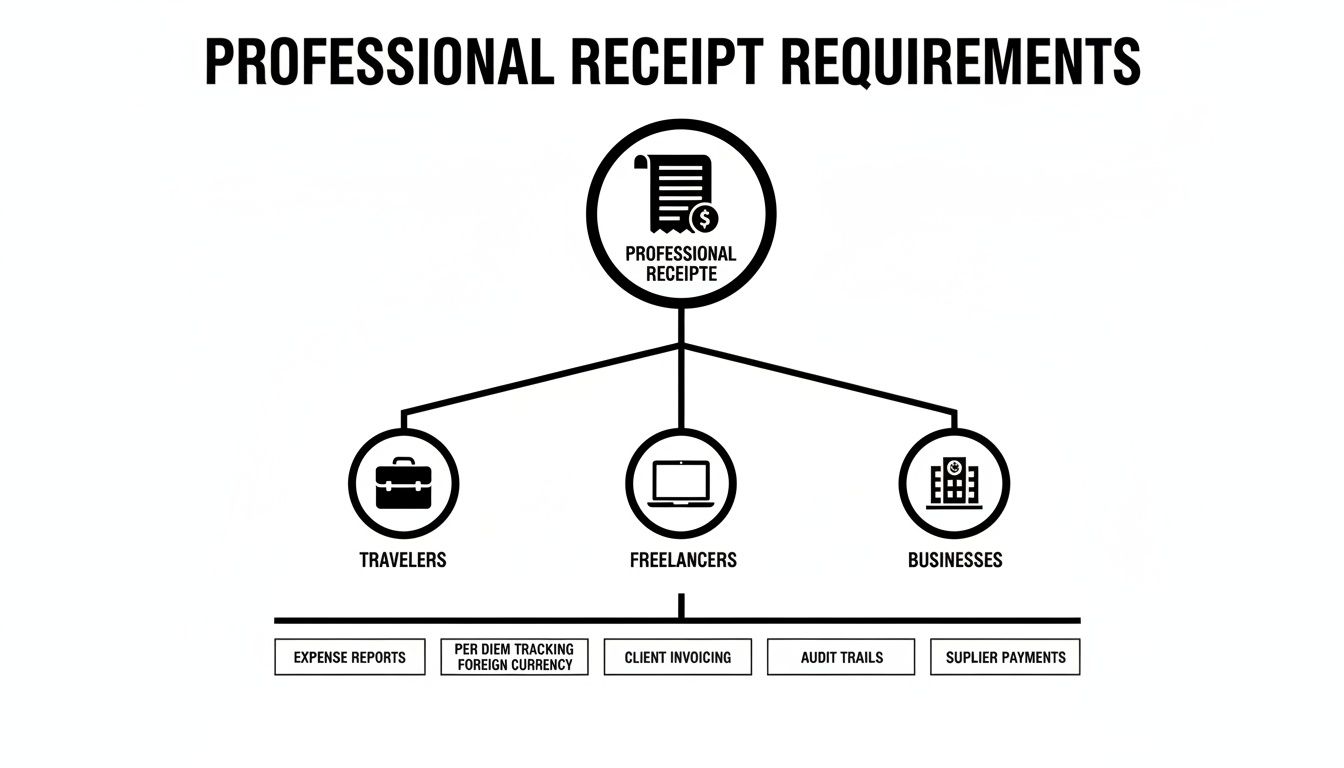
As you can see, from freelancers to corporate managers, everyone needs clear, professional documentation to keep their finances in order.
To help you get this right, here’s a quick-glance table of the fields your receipt absolutely needs.
Key Fields Your Taxi Receipt Must Include
| Field | Purpose | Example |
|---|---|---|
| Taxi Company Info | Identifies the service provider. | ABC Cabs, 123 Main St, (555) 123-4567 |
| Receipt Number | Provides a unique identifier for tracking. | #001254 |
| Date & Time | Specifies when the trip occurred. | Oct 26, 2023, 2:15 PM |
| Passenger Name | Associates the receipt with a specific person. | John Doe |
| Pickup/Drop-off | Details the journey's start and end points. | 456 Oak Ave to 789 Pine St |
| Itemized Fare | Breaks down how the total was calculated. | Base: $3.50, Distance: $12.50 |
| Surcharges/Tolls | Lists any additional, separate charges. | Airport Surcharge: $5.00 |
| Tax | Shows the applicable sales tax. | Tax (8.25%): $1.73 |
| Tip / Gratuity | Records the amount paid to the driver. | Tip: $4.00 |
| Grand Total | The final amount paid. | Total: $26.73 |
| Payment Method | Shows how the fare was settled. | Credit Card (Visa **** 1234) |
Having all these fields in your template from the start saves a lot of headaches later on.
Don't Forget Surcharges and Totals
A truly complete taxi receipt template also has dedicated spots for all the extra charges that can pop up during a ride. Listing these as separate line items is key to avoiding any confusion and ensuring the receipt is fully compliant.
Some of the most common additional fields are:
- Tolls: Any road tolls paid along the route.
- Surcharges: Fees for things like extra luggage, airport pickups, or late-night trips.
- Taxes: Any local or state sales taxes that apply.
- Tip/Gratuity: The amount given to the driver, which is often a reimbursable business expense.
Of course, the receipt must end with a clear Grand Total and state the Method of Payment (like cash, Visa, or Amex). In major cities, it's estimated that over 70% of corporate taxi trips demand this level of detail for reimbursement. Without it, around 15% of expense claims get rejected outright due to missing information. That adds up to millions in unclaimed deductions. You can discover more insights about these taxi receipt standards to see just how critical each field is.
The real goal of a well-designed taxi receipt is to answer every possible question before it's even asked. When you include a detailed, itemized breakdown, you create a document that is audit-proof and ready for any expense report.
Using a pre-made template is the easiest way to make sure nothing gets missed. It's the same reason people use a Gas Receipt Template that itemizes the fuel type, gallons, and price per gallon—clarity and completeness are non-negotiable for all types of expense documentation.
Creating Your Taxi Receipt in Under a Minute
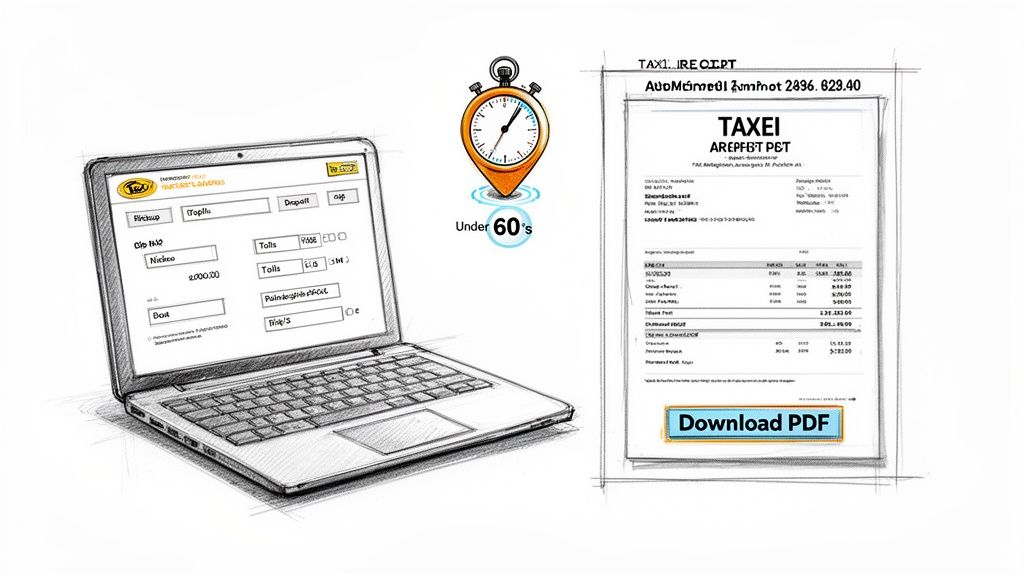
Forget about wrestling with clunky software or trying to make a spreadsheet look like a receipt. Honestly, who has time for that? Creating a professional taxi receipt should be quick and painless. With the right tool, you can generate a perfect, ready-to-submit receipt in less time than it takes to get across town.
The whole idea is to keep it simple. You start with a template that’s already set up with all the fields you need. This takes all the guesswork out of it, so you don't forget important details like the taxi company’s info or a unique receipt number. The goal is speed, but without cutting corners on accuracy.
A Real-World Example: The Airport Run
Let's walk through a super common scenario to see how easy this is. Picture this: you just grabbed a cab from downtown to the airport for a work trip and now you need a receipt for your expense report.
First things first, head over to the dedicated taxi receipt tool at ReceiptMake. You'll see a clean, simple form waiting for you with all the essential fields. Just start plugging in the details—the taxi service name, the date, and your name. For the trip itself, you’d type "Downtown Business District" for the pickup and "International Airport" for the drop-off.
As you fill this out, you’ll notice a live preview on the side of the screen updates with every entry. This is a game-changer. It lets you see exactly what the final receipt will look like, making it easy to spot a typo before you’re done. It’s a simple feature that makes a huge difference in getting it right the first time.
Itemizing Fares and Other Charges
Now, let's get to the numbers. A clearly itemized receipt is what makes an expense report go smoothly. For our airport run, let’s say the fare was broken down like this:
- Base Fare: The initial charge for the ride, say $3.50.
- Distance Charge: The cost based on how far you went, maybe $22.75.
- Toll Fee: Your route went through a toll, so you’ll add that as a separate $5.00 line item.
- Tip: You tipped the driver $6.00 for getting you there on time.
You just enter each of these on a new line. The best part? The tool handles all the math, calculating the subtotal, any taxes, and the final grand total for you. This built-in calculator means no more manual math errors, so you can be sure the numbers add up perfectly.
The live preview turns a boring form into an interactive workspace. You’re not just filling out fields; you’re watching your professional receipt come together in real-time. It gives you total control and confidence in the final document.
Instant Download and Printing
Once you've entered all the info and given the preview a quick once-over, you’re done. There’s no need to create an account or jump through any hoops. Just hit the download button and you'll get a high-quality PDF instantly.
That PDF is ready to go. You can email it straight to accounting, upload it to your expense software, or just save it for your own records. Need a paper copy? You can print it right from your browser. The whole thing, from start to finish, genuinely takes less than a minute.
Adding a Professional Touch to Your Template
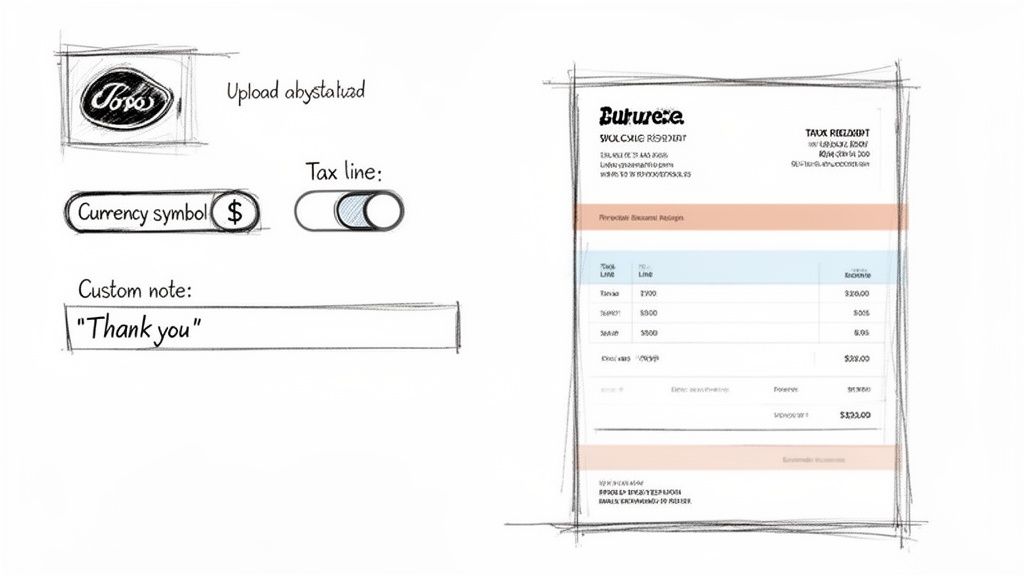
Sure, a generic receipt works. But a custom one tells your passengers you’re a serious professional. It’s not just about looks; personalizing your taxi receipt template is about building a solid brand, whether you’re a one-person operation or managing a whole fleet. Just adding your company logo can instantly make a simple slip of paper feel like an official document.
This little bit of effort goes a long way in building trust and making your business stick in a customer's mind. Think about it from the passenger's perspective: a business traveler who gets a clean, branded receipt is far more likely to remember your service for their next trip. It’s a quiet but powerful marketing move that doesn't cost you a dime.
Fine-Tuning Your Receipt Details
Beyond a logo, there are a few other tweaks you can make that turn a good receipt into a great one. These details show a level of care that customers notice and, more importantly, that accounting departments need.
Here are a few key customizations I always recommend:
- Currency Symbol: If you operate near an international border or often drive tourists and business travelers, being able to switch the currency symbol (like from $ to € or £) is a game-changer. It clears up any confusion and makes life so much easier for passengers filing expense reports.
- Specific Tax Lines: Tax rules can be a headache, and they change from one city to the next. A solid template lets you add and label specific tax lines like "City Tax" or "VAT," keeping your receipts compliant. It’s the same level of detail you’d expect on a proper Invoice Template.
- Custom Notes: Don't overlook the notes section! It's your space to add a personal touch. A simple "Thank you for riding with us!" or crucial info like a lost-and-found contact number can make a real difference.
These small changes transform a standard document into a tailored piece of communication. After all, with 80% of major markets now legally requiring receipts for fares above a certain amount, getting it right is non-negotiable. One recent survey even found that 65% of staff struggled with messy manual receipts, which led to a 22% error rate. This is why clear, digital solutions are so important. You can discover more about taxi receipt requirements and see why these details are so critical.
Customization isn't just about looking good. It's about creating a receipt that meets all the legal checkboxes while serving as one last, positive interaction with your customer. A clean, branded receipt backs up the quality of your service.
At the end of the day, these professional touches just make the entire process smoother for everyone involved. For a great example of another highly specialized document, check out our Donation Receipt Template. It has specific fields that are essential for non-profit accounting. Applying that same mindset to your taxi receipts shows you’re committed to getting things right.
A Guide to Record-Keeping and Legal Compliance
A proper taxi receipt isn't just proof of payment—it's a crucial legal document. If you're a freelancer or run your own business, detailed records are your best friend come tax time, especially when you need to claim travel as a business expense. A good receipt is often what separates a successful deduction from a rejected one.
Without solid documentation, you're leaving money on the table. Tax authorities are pretty clear about what they need to see for a valid business expense, and a simple credit card statement usually doesn't cut it. They want an itemized receipt that tells the whole story of the transaction.
Get Your Digital Records in Order
Creating a digital taxi receipt template is a great first move, but what you do with it afterward is just as important. The key is to build a simple, repeatable system that keeps your receipts organized and accessible, not just dumped into a random folder full of PDFs.
I always recommend starting with a consistent naming system for your files. It’s a small habit that pays off big time when you're scrambling to find a specific receipt from six months ago. A straightforward format that works well is:
- YYYY-MM-DD_Taxi_ClientName-or-Purpose
- For example: 2023-10-26_Taxi_SmithProject
Using a system like this lets you sort your files by date and immediately see why you took the trip. It’s a clean, no-fuss way to keep things tidy.
Protecting Your Privacy and Securing Your Files
Once you’ve saved your receipt, it’s smart to think about privacy and backup. Before you archive or share a receipt, give it a quick scan for any personal information you might not want floating around. If you're dealing with sensitive client details, using a tool that can redact sensitive information from your digital files is a lifesaver.
The real power of a digital receipt system is its reliability. You need your records to be organized, secure, and ready to prove your expenses are legitimate whenever you need them.
The move to digital has been huge. U.S. businesses reimburse an estimated $18 billion in taxi expenses annually, and for those claims, a staggering 90% require itemized receipts for audits. One report even found that missing data can get 12% of claims thrown out, which is a lot of lost money. ReceiptMake’s simple layout helps you nail all the required fields, making it easy to use with any expense tracking app. You can learn more about these compliance trends to see just how much the details matter.
Finally, always back up your files. Store your receipts in a secure cloud service like Google Drive or Dropbox. This protects you if your computer dies and makes sure your records are always within reach. A solid organization and backup system turns your receipts from mere PDFs into a powerful financial archive, just like you would for a Hotel Receipt or any other important Business Receipt.
Got Questions About Your Taxi Receipts?
Even when you've got a great tool in your hands, a few questions are bound to come up as you're putting together a taxi receipt template. Let's clear up some of the common ones so you can create your receipts with confidence, knowing they'll pass muster for any expense report or tax filing.
Most of the time, people just want to be sure that a digital receipt is as good as a paper one. Will my boss or the tax office accept it? The short answer is yes, absolutely.
Are These Digital Receipts Actually Legit?
They sure are. In most places, including the U.S., a digital receipt is just as valid as a paper one, provided it has all the necessary details. The IRS, for instance, just needs to see who the vendor was, the date, the total amount, and what service you paid for.
The receipts you create with our tool are designed to tick all those boxes. We make sure every essential field is there, so they're completely reliable for business expenses and tax deductions. The important thing is having all the information, not the format it comes in.
Can I Use This Template for Uber or Lyft?
You can, but we actually have better options for that. While our standard taxi template is flexible, you'll get a more authentic-looking result by using our specific Uber Receipt Template or our Lyft Receipt Template.
If you're in a pinch, though, the taxi template works just fine. Just pop the ride-sharing company's name into the "Business Name" field and fill out the rest of the trip info like you normally would.
Think of a template as a framework. As long as the core information is accurate and present, the document is compliant. The goal is a clear, indisputable record of the transaction.
How Do I Add a Tip to the Receipt?
Adding a tip couldn't be easier. Our templates have a line just for "Tip" or "Gratuity." When you enter the amount there, the tool automatically adds it to the total, so all the math is handled for you and everything is clearly itemized for reimbursement.
If you happen to be using a template that doesn't have a dedicated tip line, no problem. Just add it as a new line item. Type "Tip" in the description and enter the amount. It keeps everything clean and transparent.
What if I Spot a Mistake After I've Downloaded the Receipt?
We’ve all been there—you download the file and immediately see a typo. Fixing it is simple. Here at ReceiptMake, we don't store your data, so there's no complicated account to log into or file to retrieve.
You just hop back on the site, pull up the taxi receipt template again, and enter the correct information. The live preview helps you catch most mistakes before you download, which is a real time-saver.
Ready to create a professional receipt in just a few clicks? With ReceiptMake, you can generate a perfect taxi receipt or browse over 100 other templates. It's completely free, and you never have to sign up. Start creating your perfect receipt now.

