
How to Make a Receipt The Simple and Professional Way
Learning how to make a receipt is pretty straightforward. You can use a template or a generator, pop in your business details, list out the products or services, tally up the total with taxes, and record how they paid. That’s it. This creates a clean, professional document that acts as proof of purchase, which is crucial for both you and your customer.
Why a Professional Receipt Is Non-Negotiable
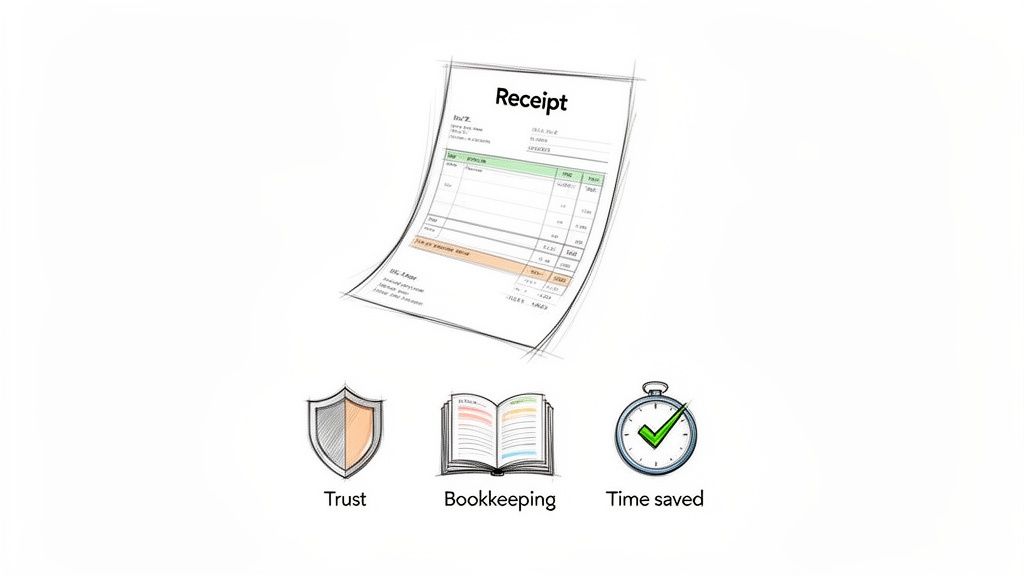
A well-made receipt does so much more than just acknowledge a payment. Think of it as a fundamental tool for building customer trust and keeping your own finances in order. Whether you're a freelancer, a small shop owner, or running a local service, taking a moment to create a proper receipt is a business practice that pays off in big ways.
Build Credibility and Trust
When a customer gets a clear, detailed, and branded receipt, it quietly reinforces that your business is legitimate and professional. A hastily scribbled note or a generic email confirmation just doesn't inspire the same confidence.
A polished document, on the other hand, tells them you're organized, reputable, and that you value their business. It’s a small touch that builds trust and encourages people to come back. For instance, a crisp document like a Retail Receipt Template gives off the professional vibe customers expect from an established store.
Simplify Your Financial Life
Let's be honest—disorganized finances are a nightmare. Professional receipts are the foundation of good bookkeeping, making everything from tracking income to prepping for tax season worlds easier.
Instead of digging through a chaotic pile of mismatched notes and emails, you’ll have a consistent, organized record of every single transaction.
A clear receipt provides an indisputable record of a transaction. It protects both you and your customer by detailing exactly what was purchased, when it was purchased, and how much was paid, eliminating potential disputes down the road.
This clarity is absolutely essential for keeping accurate financial statements and truly understanding how your business is performing.
Streamline Operations and Save Time
Making receipts by hand is slow and full of opportunities for mistakes. Thankfully, digital tools have made this process incredibly simple, letting you generate a perfect receipt in just a few seconds.
Using a dedicated tool not only gets rid of calculation errors but also keeps all your receipts looking uniform and professional. Whether you're running a bustling cafe and need a Cafe Receipt Template or managing a storefront, moving to clear, digital documentation is a smart move for efficiency and a better customer experience.
What Makes a Receipt Look Professional?
A great receipt tells the complete story of a transaction, clearly and concisely. Every piece of information, from your business name to the final total, plays a role. When you get these details right, you’re not just handing over a piece of paper; you're providing a document that prevents confusion, builds customer trust, and makes your own bookkeeping a whole lot easier.
Let's break down the essential parts that turn a simple slip of paper into a truly professional receipt.
Your Business Identity and Contact Info
Right at the top, your receipt needs to introduce your business. Think of this as your professional handshake—it establishes your brand and gives the customer everything they need to get in touch later.
- Your Business Name: This should be front and center.
- Logo: While optional, a logo makes your receipt instantly recognizable and reinforces your brand. It just looks better.
- Contact Details: Always include your address, phone number, and email. This is crucial if a customer needs support, wants to process a return, or simply wants to do business with you again.
The Core Transaction Details
Next up are the nuts and bolts of the sale itself. This information is non-negotiable for accurate financial tracking and serves as the official record. A unique receipt number is especially important—it’s like a fingerprint for each transaction, making it simple to find a specific sale if a customer has a question or when you're reconciling your books.
Don't forget the date and time. This timestamps the transaction, which is critical for handling returns, managing warranties, and general accounting. If you're billing for services over time, like freelance projects, a specialized Contractor Receipt Template can be a lifesaver, as it includes fields specifically for service dates.
From my experience, the single biggest cause of customer disputes is a vague line item. "Misc. Goods" on a receipt is a recipe for confusion. "Men's Blue Cotton T-Shirt - Large," on the other hand, leaves zero room for doubt.
An Itemized List of What Was Sold
This is the heart of the receipt. A clean, itemized list shows the customer exactly what they paid for. I've seen firsthand how vague descriptions lead to frustrating follow-up emails and phone calls.
Be specific. A restaurant, for instance, should list every dish and drink separately. Using a dedicated Restaurant Bill Template helps lay this out logically, with clear columns for quantity, item name, and price. This clarity isn't just for the customer—it’s essential for managing your inventory and tracking sales accurately.
The Financial Summary: Breaking Down the Total
Finally, the bottom of the receipt needs to do the math. This section should leave no ambiguity about the final amount paid. It must include:
- Subtotal: The total cost before taxes or discounts.
- Taxes: Clearly show the tax rate and the total tax amount.
- Discounts or Tips: List any applied discounts or gratuities as separate line items.
- Total Amount: The final, bolded number showing what the customer actually paid.
- Payment Method: Note whether it was cash, credit card, bank transfer, etc.
A well-structured receipt doesn't have to be complicated. Even a basic Cash Receipt Template from ReceiptMake covers all these bases, giving you a solid foundation.
Essential vs. Professional Receipt Fields
So, what's the difference between a receipt that just "gets the job done" and one that truly reflects a professional operation? A basic receipt might cover the legal minimums, but a professional one provides the clarity and detail that prevents problems down the road.
Here’s a quick comparison:
| Field | Basic Receipt | Professional Receipt |
|---|---|---|
| Business Name | ✔️ Included | ✔️ Prominently displayed |
| Logo | ❌ Not included | ✔️ Included for branding |
| Contact Info | May have an address | ✔️ Full contact details (address, phone, email) |
| Receipt Number | ❌ Often missing | ✔️ Unique number for every transaction |
| Date & Time | ✔️ Date is usually there | ✔️ Specific date and time of sale |
| Itemized List | Vague descriptions | ✔️ Detailed, specific descriptions of each item/service |
| Subtotal | ✔️ Included | ✔️ Clearly labeled subtotal |
| Tax | May be included in total | ✔️ Separate line item showing tax rate and amount |
| Total | ✔️ The final amount | ✔️ Bolded and unmistakable |
| Payment Method | ❌ Often missing | ✔️ Clearly states how the customer paid |
As you can see, the "professional" elements are all about adding clarity, branding, and traceability. These details build customer confidence and make your financial records much easier to manage.
Getting Started: How to Create Your First Receipt
Alright, you know what goes into a good receipt. Now, let's actually make one. The best part is, you don’t need to be a designer or an accountant to create something that looks sharp and professional. It’s a lot easier than you think, especially with the right tools.
Using a simple generator like https://receiptmake.com/ can take you from zero to a finished, professional-looking receipt in a matter of minutes. The whole process is really just about plugging in the right information where it belongs, and a good template will walk you through it.
Start with the Right Template for Your Business
Every business has its own quirks, and your receipt should reflect that. The first thing you'll want to do is pick a template that’s built for your specific industry. This is a huge time-saver because the layout and fields are already tailored for the kind of transactions you handle every day.
Think about it this way:
- A local clothing boutique needs to clearly list out products, sizes, and prices. A Retail Receipt Template is perfect for this.
- A neighborhood coffee shop will need a bill that has a clear spot for a tip and room for modifiers on an order. A Cafe Receipt Template is ideal.
- A freelance graphic designer will want to detail project phases, hourly rates, and specific payment terms, which is totally different from a product sale. A Contractor Receipt Template would work well.
Choosing the right template from the get-go makes sure you’re not missing any crucial details.
Add Your Branding to Make It Yours
Once you’ve got a template, it's time to add your personal touch. This is what separates a generic slip of paper from an official business document.
First, upload your logo. It’s a small step, but it instantly makes the receipt look more legitimate and reinforces your brand. Then, add your business name, address, phone number, and email. This isn't just for looks; it gives your customers a direct line to you if they have any questions. It’s all about building trust.
This process turns a simple receipt into another touchpoint for your brand.
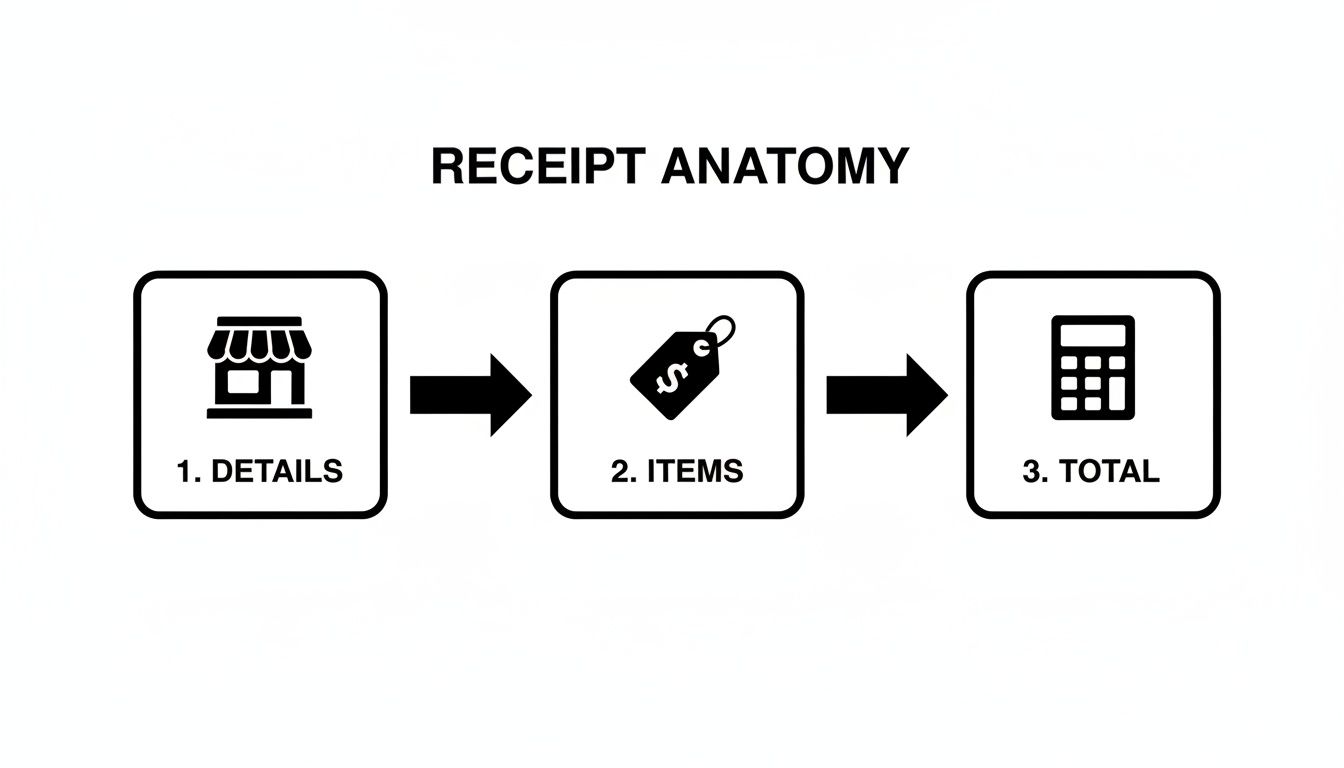
As you can see, it really boils down to three core parts: your details, the itemized list, and the final calculations.
Itemize Everything and Let the Math Happen for You
This is where accuracy is king. You need to list every single product or service on its own line. My advice? Be specific. "La Marzocco Espresso Machine" is way better than "Kitchen Appliance." Clarity prevents future headaches for both you and your customer.
For each item, plug in the quantity and the price per unit. A good receipt tool will automatically calculate the line total for you, and you’ll see the subtotal update as you go.
Next, you'll add any taxes or discounts. If you gave a 10% new-client discount, just enter it, and the total will adjust. Same for sales tax. This is a lifesaver—it completely removes the risk of manual math errors, which is one of the most common mistakes I see on handwritten receipts.
I can't tell you how many times I've seen small businesses short-change themselves because of a simple addition mistake on a paper receipt. Using a tool with automatic calculations is a game-changer. It protects your bottom line and keeps everything transparent for the customer.
The move to digital is undeniable. The global market for digital receipts hit $1.732 billion and is expected to explode to $9.145 billion by 2035—that's a 16.33% annual growth rate. This trend is being led by industries like fashion and food service, where businesses are slashing paper costs and getting more efficient.
When you're all done, you can download the receipt as a clean PDF to print or email directly to your customer. To put these ideas into action, you can download a smart receipt tool to help generate professional receipts quickly and easily.
Receipts Aren’t One-Size-Fits-All: Tailoring Them to Your Industry
Sure, a generic receipt gets the job done. But a receipt that’s actually designed for your specific industry? That shows you’re a pro. The details a freelance writer needs to show a client are worlds away from what a busy coffee shop needs to track. When you create a receipt that fits your niche, you answer questions before they’re even asked and keep your own records perfectly organized.
Think about it: a restaurant receipt needs a clear line for a tip. A contractor's receipt has to separate labor hours from material costs. These aren’t minor tweaks; they make a massive difference in clarity and professionalism.
For Retail and E-commerce Shops
In retail, it’s all about the product. Your receipt is the official record of a sale, and it’s your first line of defense for returns, exchanges, or warranty claims. A vague description like "Shirt" just isn’t going to cut it when a customer comes back a week later.
Your itemized list needs to be specific. I'm talking:
- Product Name: "Men's Classic Fit T-Shirt"
- Key Attributes: Don’t forget the size ("Large") and color ("Navy Blue").
- SKU or Item Number: This is a must-have for your own inventory management.
A good Retail Receipt Template already has fields for all of this, so you're not starting from scratch. Here's a pro tip: add your return policy directly to the bottom of the receipt. It saves everyone a headache later.
For Restaurants and Cafes
The food service world has its own rhythm. A restaurant or café receipt needs to handle things like order modifications, tips, and maybe even a table number. Your customers want to see exactly what they’re paying for, especially if they asked for special changes.
For example, a solid Cafe Receipt Template should have room for modifiers, like listing "Extra Shot" or "Oat Milk" right under "Large Latte." And most importantly, it needs a dedicated, unmistakable spot for a tip. Having separate lines for the subtotal, tip, and final total avoids any confusion and makes sure your staff gets what they've earned.
A well-designed receipt is an unsung hero of the customer experience. When a customer can easily understand their bill, from the extra avocado they added to the tip they left, it ends their visit on a positive and transparent note.
For Freelancers and Service Providers
When you're a consultant, designer, or contractor, your "product" is your time and skill. Your receipt has to reflect that value by detailing the services you provided, not just listing a final number. Being vague here is a surefire way to get follow-up questions and slow down your payment.
A service-based receipt should clearly break down:
- The Service You Performed: Be specific, like "Initial Website Design Mockup" or "Emergency Plumbing Repair."
- Your Hours and Rate: Spell it out (e.g., "5 hours @ $75/hour").
- Project Details: Reference a project name or invoice number so your client can easily connect the dots.
Using a Contractor Receipt Template gives you a professional framework to lay all this out. This kind of detail doesn't just justify your fee; it reinforces the value you delivered. As more small businesses go digital, the demand for simple tools like this is booming in the receipt and expense management software market. Learn more about these consumer trends on Adweek.com.
Smart Tips for Receipt Management and Record Keeping
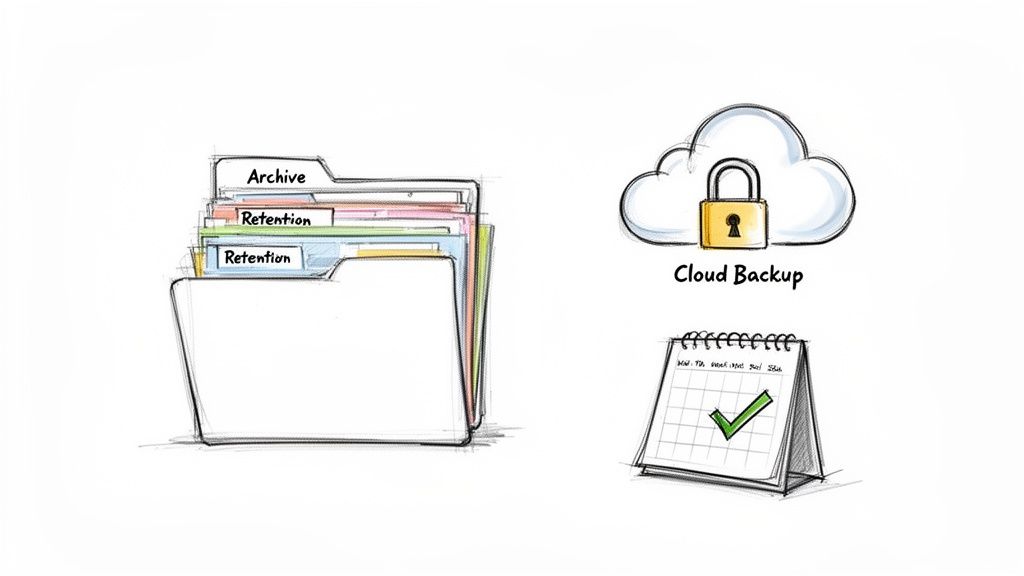
Knowing how to create a solid receipt is one thing, but what you do with it afterward is where the real work begins. Good receipt management is about more than just dodging a shoebox full of crumpled paper—it's about protecting your business, making tax time a breeze, and leaving a good impression on your customers.
The first rule? Get a system and stick to it. Whether you’re organizing files into digital folders by month or using dedicated software, consistency is everything. When everything is organized, you can pull up any transaction in seconds, which is a lifesaver during an audit or when a customer calls with a question about a past purchase.
How Long to Keep Your Receipts
For tax purposes, the standard advice is to hold onto business receipts for at least three years. Personally, I'd stretch that to seven. Many financial advisors recommend it, and it keeps you covered for the period most audits or amendments could pop up.
Storing receipts digitally isn't just about convenience; it's a security measure. Physical receipts can fade, get damaged, or be lost. A digital copy is a permanent, secure record that protects your business's financial history.
This is where digital creation tools really pay off. When you use a Gas Station Receipt Template or a Pharmacy Receipt Template from a tool like ReceiptMake, you get a perfect PDF copy right from the start. No scanning needed, just a clean, legible record ready to be filed away.
Enhancing the Customer Experience
Think of your receipt as the final handshake of a transaction. It’s your last point of contact, so why not make it count? It’s more than proof of payment; it's a chance to communicate and add a little extra value.
Consider adding a few of these helpful touches:
- Return Policy: A clear and concise return or exchange policy at the bottom manages expectations and helps head off potential disputes.
- Thank You Note: A simple "Thank you for your business!" feels personal and makes customers feel valued.
- Contact Information: Beyond the basics, why not add your hours of operation or a link to your social media pages?
These small details transform a bland document into a genuinely useful resource for your customer. The way we pay is changing, too. Cash now accounts for only 46% of global transactions as digital payments take over. In fact, the digital receipts market is projected to hit $2.015 billion by 2025, which tells you just how important these documents are becoming. If you're curious about the data behind this shift, you can explore the full global payments report from McKinsey.
Using a flexible Travel Receipt Template makes it easy to customize these fields and keep your receipts in step with modern customer expectations.
Got Questions About Making Receipts? We’ve Got Answers.
As you get the hang of creating receipts, a few questions almost always pop up. Let's clear up some of the most common ones so you can handle your record-keeping like a pro.
What’s the Real Difference Between an Invoice and a Receipt?
This is a big one, and it’s easy to mix them up. But getting this right is fundamental. Here’s the simple breakdown and the key difference between an invoice and a receipt:
- An invoice is a request for payment. Think of it as the "bill" you send before you get paid.
- A receipt is proof of payment. This is the "thank you" you give after the money is in your account.
So, one asks for the money, and the other confirms you received it. Simple as that.
Are Digital Receipts Just as Good as Paper Ones?
Yes, 100%. As long as a digital receipt has all the essential information, it's just as legally valid as a paper copy. Honestly, they're often better because they don't fade, get lost, or end up crumpled in a wallet.
Tax authorities like the IRS are perfectly fine with digital records. The only catch is that they must be clear, accurate, and stored somewhere safe. Generating a PDF with a tool like our Pharmacy Receipt Template is a great way to create a permanent, professional digital copy.
Ugh, I Made a Mistake on a Receipt. What Now?
It happens to the best of us. If you’ve already sent a receipt and then spot an error, the fix is straightforward: issue a corrected version right away.
Don't just edit the old one. Create a brand-new receipt with all the right details. To keep things clean, label it clearly as a "Corrected Receipt" and give it a new, unique number. It’s also a good idea to add a small note referencing the original, incorrect receipt number. This keeps your records transparent and shows your customer you’re on top of things.
Ready to create flawless receipts every time? ReceiptMake offers over 100 professional templates for any industry. Design, customize, and download your perfect receipt in seconds—completely free. Get started at https://receiptmake.com.

