Simple Receipt Template Free: Create Pro Invoices in Seconds
Let's be honest, creating receipts from scratch is a huge time-sink. Using a simple receipt template, free to download, is easily the quickest way to get professional, accurate records for every transaction. It cuts out the manual guesswork and frees you up to focus on what actually matters—your customers.
Why Bother With a Simple Receipt Template?
If you're a freelancer or run a small business, you know that every minute spent on admin is a minute you're not earning. Trying to create receipts manually in Word or Excel isn't just a headache; it's a drain on your most valuable resource—time. This is where a good receipt template stops being a "nice-to-have" and becomes a must-have tool.
This isn't just about making life easier. It's about tackling a real business problem head-on. A staggering 82% of U.S. small business owners say cash flow management is their biggest worry. Fiddling with manual receipts in programs like Word or Excel can eat up an average of 2.5 hours every week. A ready-made template helps you get paid faster, keeps your records straight, and makes you look like a pro. You can read the full research about small business challenges to see just how common these issues are.
Manual Invoicing vs Template-Based Receipts
See the clear advantages of using a free receipt template over traditional, time-consuming methods.
| Task | Manual Method (Word/Excel) | Using a Receipt Template |
|---|---|---|
| Creating a Receipt | Manually type all info, format columns, and check formulas. | Fill in a few pre-set fields. The layout is already done. |
| Calculations | Double-check all math for subtotals, taxes, and totals. | Calculations are automated and instant, eliminating errors. |
| Branding | Cumbersome to add and position logos or branding consistently. | Upload your logo once; it appears perfectly every time. |
| Time Spent | 5-10 minutes per receipt, often longer with complex orders. | Under 60 seconds per receipt. |
It's pretty clear that templates save not just time but also a lot of potential headaches.
Key Benefits of Using a Free Template
Moving away from manual methods to a template-based system pays off immediately. It doesn’t matter if you run a small shop or a busy cafe—the upside is undeniable.
- Look More Professional: A clean, well-designed receipt inspires trust. Using something like a Cafe Receipt Template gives your business an instant credibility boost.
- Save a Ton of Time: Forget fighting with spreadsheet columns or text boxes. A pre-made template lets you create a new receipt in seconds.
- Get the Numbers Right: Automated calculations for taxes, subtotals, and totals mean no more human error. This prevents payment mix-ups and makes bookkeeping so much easier.
When you standardize your receipts, you create a perfect paper trail. This consistency is vital for keeping your finances in order, preparing for tax season, and handling any customer questions later on. A clear Retail Store Receipt puts all the important details right where they need to be.
Choosing the Right Free Receipt Template
Let’s be honest, scrolling through endless receipt templates can feel like a chore. With so many options out there, how do you find the right simple receipt template free of charge that actually works for your business?
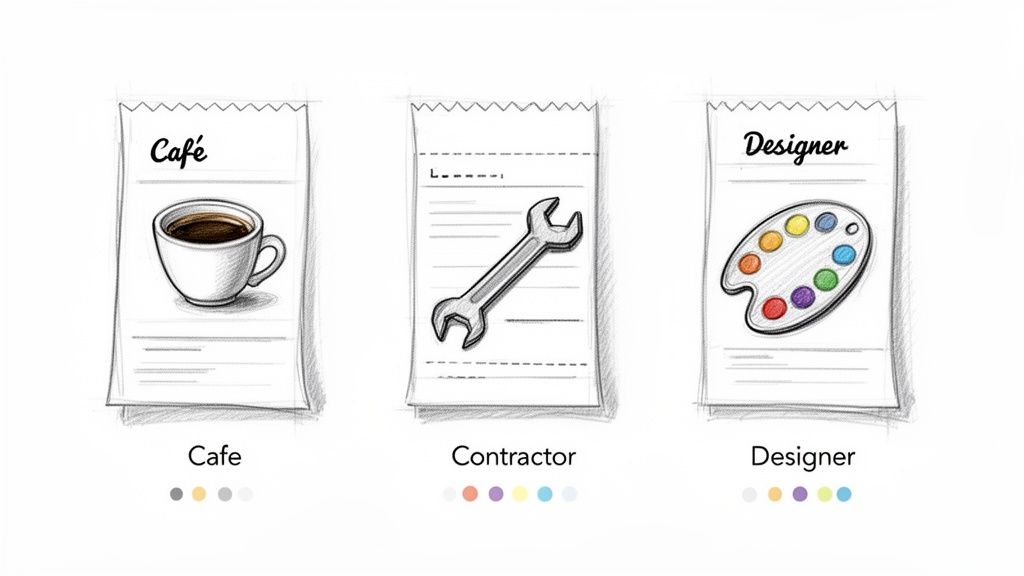
The secret is to stop thinking about it as "just a receipt." A cafe owner has completely different needs than a freelance web developer, and the right template reflects that. It’s all about matching the layout to what you do every day to keep things professional and clear for your customers.
The need for simple digital tools like this exploded after 2020. In fact, searches for 'free receipt template' shot up by a massive 350% as more businesses went digital. It’s expected that over 70% of freelancers worldwide will rely on these kinds of tools by 2025 to handle their finances without forking over money for expensive software. You can discover more insights about this trend on Bookipi. This just shows how vital it is to pick one that truly fits.
Matching Templates to Your Industry
Take a moment and think about what your customer actually needs to see on their receipt. A generic, one-size-fits-all template might get the job done, but one tailored to your field shows you’re a pro.
For Food Service: Running a diner or coffee shop? A Restaurant Bill Template is a must. You need specific fields for a tip line and table number—details that are crucial for you but completely useless for anyone else.
For Retail Sales: If you're selling products, whether it's clothing or electronics, clarity is everything. A good Sales Receipt Template gives you clean columns for item names, SKUs, quantities, and your return policy. It makes the whole transaction feel smooth and trustworthy.
For Service Providers: As a freelancer—maybe a designer, writer, or mechanic—you're selling your time and expertise. A Contractor Receipt gives you the space to break down your services, list hourly rates, and itemize materials. This prevents any awkward questions about what, exactly, the client is paying for.
Choosing a template built for your specific industry isn't just about convenience—it's about accuracy and professionalism. A well-suited receipt answers customer questions before they're even asked, building trust and ensuring you get paid faster. It makes your small operation look polished and efficient.
Making the Template Your Own: Adding That Branded Touch
A generic receipt gets the job done, but a branded one tells your story. This is your chance to take a simple, clean receipt template and turn it into a memorable piece of your business. A professional look isn't just for the big guys; it’s a powerful signal of trust and quality for any business, big or small.
First thing's first: your logo. It’s the face of your brand, so make sure it's placed clearly at the top. For a more automated approach, you could even explore using a company logo API to pull it in automatically.
Next up, color. Swap out the default colors for your own brand palette. When your receipts match your website, your business cards, and your signage, you’re creating a cohesive and memorable brand experience.
Don't Forget the Nitty-Gritty Details
Beyond the look and feel, your receipt needs to have all the right information to be truly professional and legally sound. Think of it as your business’s official handshake.
- Your Company Info: Make it easy for customers to get in touch. Your business name, address, phone number, and email should be front and center.
- Tax Details: Always include your Tax ID or VAT number. This isn't just a good practice; it's often a legal must-have and helps your customers with their own accounting.
- A Unique Receipt Number: Every single receipt needs its own unique number. This is a lifesaver for tracking sales or looking up a transaction if a customer has a question down the road.
Getting these details right is non-negotiable. They turn a simple slip of paper into a document that works for both you and your client.
A well-crafted receipt does more than confirm a payment. It reinforces your brand and builds customer confidence. Little things, like a personalized "Thank you!" or clearly stated payment terms, can transform a routine document into a positive final touchpoint.
Even a specific template, like one for a Gas Receipt Template, can be completely transformed with these elements. You can pop in your logo, add your business info, and include a friendly message like "Thanks for fueling up with us!" It’s these small touches that make customers feel valued and keep them coming back.
Adding Line Items and Ensuring Calculation Accuracy
The heart of any good receipt is the itemized list. This is your chance to clearly lay out every product or service the customer is paying for, which is crucial for both their records and yours. It’s the best way to prevent confusion or disputes down the road. Thankfully, a solid simple receipt template free of charge handles this part beautifully.
When you're adding items, be specific. Instead of a vague entry like "Consulting," try something like "Social Media Strategy - 3 Hours." This little bit of detail gives your client a clear picture of the value you provided and makes your own bookkeeping a whole lot easier.
We've come a long way from the old carbon copy receipt books of the 19th century. Today's digital tools are a lifesaver, especially when you consider that 91% of small businesses don't have a dedicated accountant. In fact, businesses that switch to automated templates see a 72% drop in tax-related errors, which can save a ton of money and headaches. You can learn more about the history and impact of receipt templates if you're curious.
Automatic Calculations Are Your Best Friend
Let’s be honest, doing math by hand is where things go wrong. A good template takes human error out of the equation by crunching the numbers for you.
- Subtotal: The template tallies up your line items in real-time as you add them.
- Taxes and Discounts: Just pop in your local tax rate or a discount percentage, and it’s applied instantly and correctly.
- Grand Total: The final amount owed is always updated, giving you 100% accuracy without touching a calculator.
I see this all the time with freelancers using a Service Receipt Template. They'll list their services, see the subtotal, and then easily add a 10% new-client discount. The template does all the math perfectly, so they look professional and the numbers are right.
This automation turns what used to be a tedious task into a quick, painless process. And if your business has unique needs, like adding a tip, a specialized template like a Hotel Receipt Template often has those fields built right in, keeping everything just as accurate.
How to Download and Share Your Finished Receipt
Alright, you've put the finishing touches on your receipt, and it looks great. Now, how do you get it into your customer's hands? The goal here is a smooth, professional handoff, whether you're emailing it or printing it on the spot.
Getting It To Your Customer
For sending a digital copy, your best bet is always to download the receipt as a PDF. A PDF is the gold standard because it looks the same everywhere—on a phone, a laptop, you name it. Your branding and all the details stay perfectly intact, which keeps things looking professional. Just attach it to an email with a clear subject line, something like "Your Receipt from [Your Business Name]."
If you're dealing with a customer face-to-face, you can print a physical copy right from your browser. It’s quick and easy. Many businesses, especially in retail, use thermal printers for this since they're so fast. If you're curious about the tech, this article on What Is Thermal Printing is a great read.
Here’s a pro tip for your own bookkeeping: get into the habit of using a consistent naming convention for your saved files. Something like
[ClientName]-[ReceiptNumber]-[Date].pdfworks wonders. Trust me, this tiny step will save you a massive headache when you're trying to find a specific transaction later.
No matter how you choose to deliver it, the whole process is fast. Using a solid Receipt Generator means you can go from customizing to sending in less than a minute. It keeps your business moving and your customers happy.
Common Questions About Free Receipt Templates
When you start using a free receipt template, it's natural for a few questions to come up. Getting those sorted out is key to feeling confident that the receipts you're creating are professional and, more importantly, correct. Let’s walk through some of the things people ask most often.
Are Receipts Made With These Templates Legally Valid?
The short answer is yes. For most business and tax purposes, a receipt you create from a good template is perfectly valid. As long as you fill it out correctly, it contains all the details that tax authorities (like the IRS) need to see, especially for any purchase over $75.
So, what are those essential details?
- Your business name and address
- Your customer’s information
- A clear, itemized list of what was sold
- The date of the transaction and a unique receipt number
- Any taxes and, of course, the final total
Getting these elements right makes your receipt a legitimate proof of purchase. Some templates are even designed for specific industries. For example, a Restaurant Bill Template has dedicated spots for tips, which is crucial for accurate bookkeeping in that business.
That said, it never hurts to run a sample by your accountant. They'll know the specific rules for your area and can give you the final green light.
Can I Add My Own Logo and Business Information?
Of course! That's one of the best parts. A solid receipt generator lets you upload your logo, plug in your company name, address, and contact info, and even add your tax ID number.
This simple step takes a generic receipt and turns it into a professional, branded document that reinforces who you are. Think about a freelance photographer using a Service Receipt Template; adding their logo and studio address makes the receipt feel official and helps build that all-important client trust. The whole process is usually drag-and-drop simple, no design skills needed.
Is My Data Safe When Using an Online Receipt Maker?
This is a really important question. With a privacy-first tool like ReceiptMake, everything you type in is processed right inside your web browser. Nothing gets saved to some distant server.
This means your business details, your client's name, and what they bought are never stored by the platform. Once you close that browser tab, the data is gone.
This "local processing" approach is a huge plus. It ensures total confidentiality for both you and your customers, whether you're making a simple sales slip or a detailed Hotel Receipt Template with sensitive guest information. You get the tool without sacrificing your privacy.
Ready to create professional, accurate receipts in under a minute? With ReceiptMake, you can choose from over 100 templates, customize them with your branding, and download a perfect PDF every time—all for free and with no sign-up needed. Start making better receipts today at https://receiptmake.com.

