Free Restaurant Receipt Template For Professionals
A professional restaurant receipt template is more than just a piece of paper—it's the last handshake you have with your customer. Think of it as a simple, powerful tool that turns a basic transaction record into a final, positive impression long after the meal is over. It’s your last chance to show your brand's attention to detail and professionalism.
Why a Great Receipt Is Your Last Impression
Your restaurant receipt is a quiet marketing asset. Sure, its main job is to give a clear record of the sale for both you and your customer, but its impact goes so much deeper. A well-designed receipt doesn't just list food and prices; it builds trust, makes your accounting easier, and cements your brand identity.
This final touchpoint is easy to overlook, but it’s a huge opportunity. A messy or confusing receipt can sour an otherwise wonderful dining experience. On the other hand, a clear, branded receipt tells your customers you’re competent and you care about the small stuff.
The Three Core Functions of a Receipt
A modern restaurant receipt really serves three key purposes. Once you understand them, it’s clear why customizing your receipt is a smart business move, not just another chore.
A Clear Communication Tool: First and foremost, it gives customers a transparent, itemized breakdown of their meal. This clarity helps prevent any confusion over charges and makes sure everyone feels they've been treated fairly.
An Essential Accounting Record: For your restaurant, it's a critical document for daily cash-outs, tracking sales, and handling taxes. For your customer, it's what they need for an expense report or just to keep their personal budget in check.
A Subtle Branding Asset: It's also a final piece of branding that lands directly in your customer's hands. Adding your logo, brand colors, and a simple thank-you message can transform it from a boring bill into a memorable brand reminder.
A descriptive and well-organized receipt helps customers recognize their purchases, which can prevent frustrating and costly payment disputes down the line. It’s a proactive step in building customer confidence.
Ultimately, a flexible template lets you create a document that works for everyone. Whether you need a standard Restaurant Bill Template or something specific like a Cafe Receipt Template, the goal is the same: deliver clarity and professionalism from start to finish. This small detail shows you value their business and gives them one more reason to come back.
The Anatomy Of A Perfect Restaurant Receipt
What's the difference between a crumpled, confusing receipt and a professional one that actually helps the customer? It all comes down to its anatomy. A great restaurant receipt is laid out logically, giving diners all the information they need in a way that’s easy to understand and legally sound.
Think of it as a blueprint for clarity. This blueprint has two main parts: the non-negotiable elements you absolutely need for financial accuracy, and the thoughtful touches that make the customer experience better. Getting both right is the secret. The essentials are the foundation, and the extras are the welcoming decor.
With diners spending a whopping $895.1 billion on prepared food in 2024, the sheer number of daily transactions makes clear, reliable receipts essential. And since 90% of the million-plus restaurants in the U.S. are small businesses, having a flexible restaurant receipt template is crucial—it needs to work just as well for a single food truck as it does for a multi-state chain. You can learn more about the industry's scale from these recent restaurant industry statistics.
Must-Have vs. Nice-to-Have Receipt Elements
So, what information is mission-critical, and what's just a helpful extra? The table below breaks down the core components you need for compliance versus the optional details that can boost customer service and even act as a subtle marketing tool.
| Element Category | Must-Have Fields | Nice-to-Have Fields | Primary Purpose |
|---|---|---|---|
| Business Identity | Restaurant Name, Address, Phone, Tax ID | Logo, Website, Social Media Handles | Legal Compliance, Branding |
| Transaction Details | Itemized List, Subtotal, Sales Tax, Final Total | Server Name, Table Number, Order Number | Financial Accuracy, Internal Tracking |
| Payment & Gratuity | Date & Time of Transaction, Final Amount Paid | Suggested Tip Calculations (15%, 18%, 20%) | Proof of Purchase, Customer Convenience |
| Customer Engagement | N/A | QR Code for Feedback, Special Offer, Wi-Fi Password | Marketing & Relationship Building |
This breakdown helps you prioritize. The "Must-Have" column keeps you compliant and your books in order, while the "Nice-to-Have" column is where you can really improve the customer's final impression of your restaurant.
Must-Have Elements For Compliance
These are the absolute essentials. Your receipt needs them to be a valid proof of purchase, and they’re critical for your accounting, tax records, and protecting your business if a dispute ever comes up.
- Your Business Information: At a minimum, this includes your restaurant’s full name, address, and phone number. Your tax identification number (TIN) is also often required by law.
- Itemized List of Purchases: Don't just list a total. Every single food and drink item needs its own line with its price right next to it. Vague descriptions are a fast track to customer confusion and frustration.
- Key Financial Totals: The receipt has to clearly show the subtotal (the cost before tax), the exact amount of sales tax you're charging, and the final total the customer owes.
This infographic really drives home how a single receipt does multiple jobs for a restaurant—it's a tool for communication, accounting, and branding all at once.
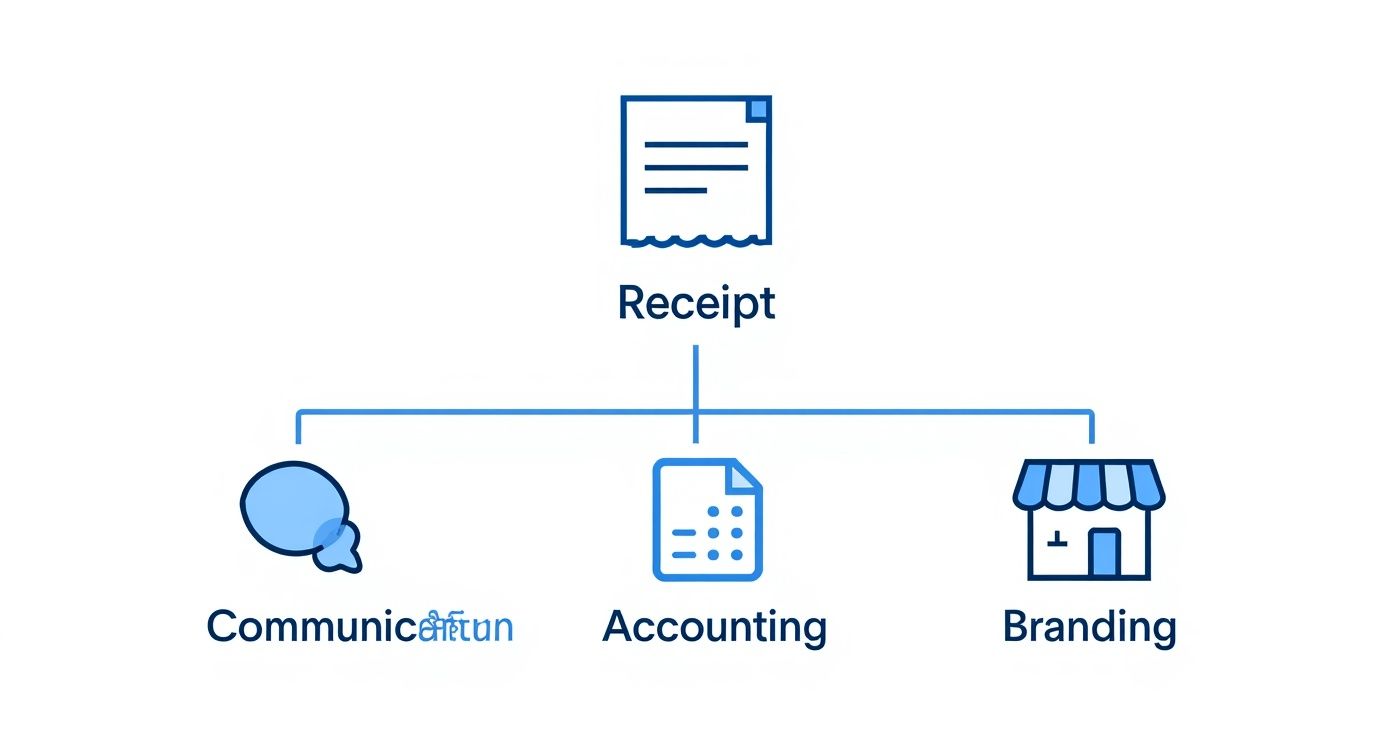
It’s a great reminder that a receipt is way more than just a bill; it’s a hardworking document that supports your entire operation.
Nice-to-Have Fields for Better Service
While these elements aren't legally mandatory, they can make a huge difference in the customer experience and even give you some useful business insights. They show you’ve put some thought into the customer’s journey, right up to the very end.
A great receipt answers questions before the customer has to ask them. Adding details like suggested tip amounts or a server's name makes the final interaction smoother and more personal.
These small additions can turn a routine transaction into a positive final impression. You don’t need all of them, but consider adding a few to your layout.
- Server and Table Information: Putting the server’s name and the table number on the receipt helps you track things internally and makes the service feel more personal.
- Suggested Tip Calculations: This is a big one. Listing pre-calculated tip amounts (like 15%, 18%, and 20%) is a huge convenience for customers and often leads to better tips for your staff.
- Payment Details: Showing the payment method (Visa, AMEX, etc.) and the last four digits of the card gives the customer a clear record for their own files.
- A Call to Action: A simple QR code can do so much! Link it to a feedback form, a special offer for their next visit, or your social media pages. This turns a piece of paper into a marketing opportunity. For a fantastic example of a clean and effective layout, check out our professional Restaurant Bill Template.
Designing Receipts for Clarity And Brand Power
Think of your restaurant receipt as the final handshake with your customer. It’s more than just a list of charges; it’s a reflection of your brand's attention to detail. A messy, confusing receipt can sour an otherwise great meal, but a clean, well-designed one ends the experience on a high note. The trick is to create something that's both easy to read and looks sharp, turning a simple piece of paper into a subtle marketing tool.
The best designs are all about guiding the eye. Generous white space keeps things from feeling cluttered and makes important details, like the final total, jump right out. A clear, legible font is also non-negotiable—nobody wants to squint to figure out their bill, so skip the fancy, tiny text.
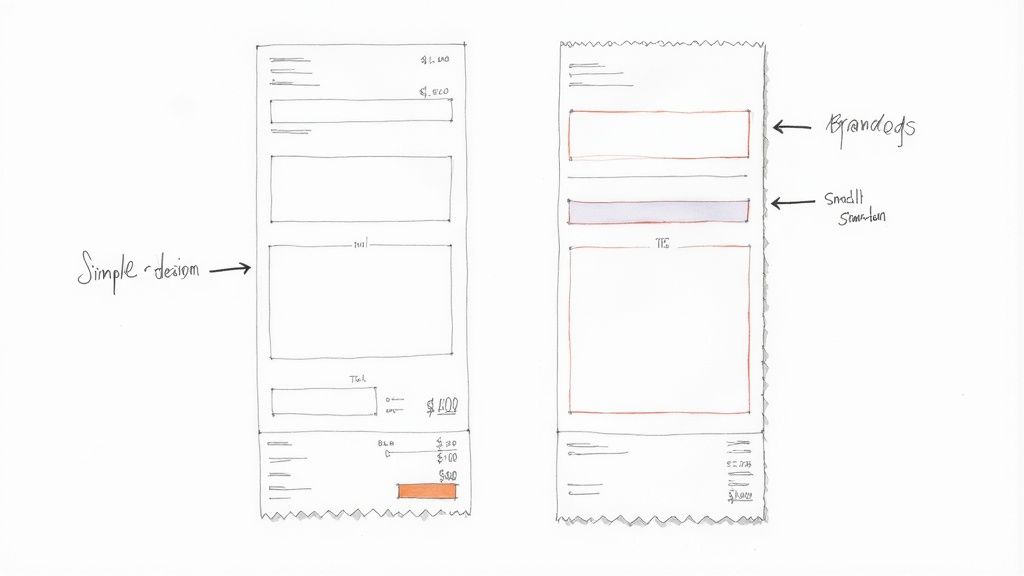
Print vs. Digital Design Considerations
How you hand over the receipt—on paper or on a screen—completely changes the design game. Each format has its own set of rules for what looks and works best.
For classic printed receipts, you have to think practically:
- Contrast is king: There's a reason most receipts are black ink on white paper. It just works. Make sure your printer isn't running low on ink, as faded text is impossible to read.
- Size constraints: Most thermal printers use a standard paper width. Your template has to fit within those dimensions, or you'll risk cutting off crucial info.
- Create a clear hierarchy: Use bolding and smart spacing to make the subtotal, tax, and grand total the most prominent things on the page. Customers want to find these numbers fast.
When you send digital receipts via email or text, you get to have a bit more fun:
- Think responsive: Your receipt has to look just as good on a big computer monitor as it does on a tiny phone screen.
- Use your brand colors: Digital gives you the freedom to go beyond black and white. Weaving in your brand’s color palette makes the receipt feel more personal and memorable.
- Add interactive elements: This is where digital really shines. You can include clickable links to your website, social media profiles, or even a quick survey to get feedback.
Reinforcing Your Brand Identity
At the end of the day, your receipt should feel like it belongs to your restaurant. Consistency is what builds a memorable brand, and that starts with putting your logo right at the top. It’s an instant visual cue that connects the transaction back to the experience.
A well-designed receipt does more than just list charges; it carries your brand's story. By aligning the design with your restaurant's aesthetic, you create a cohesive experience from the moment a customer walks in to the moment they review their bill.
Whether your vibe is clean and minimalist or bold and contemporary, your design should be deliberate. For a straightforward, no-fuss look, a Simple Receipt Template is a great place to start. If your restaurant has a more current feel, a Modern Receipt Template can offer a sleeker presentation that perfectly matches your brand's personality.
Customizing Receipts for Different Service Types
Let's be honest: a one-size-fits-all receipt just doesn't cut it in the restaurant world. The needs of a customer enjoying a three-course dinner are worlds apart from someone grabbing a quick lunch to go. When you tailor your receipts for each service type—dine-in, takeout, or delivery—you eliminate confusion and polish the customer's experience from start to finish.
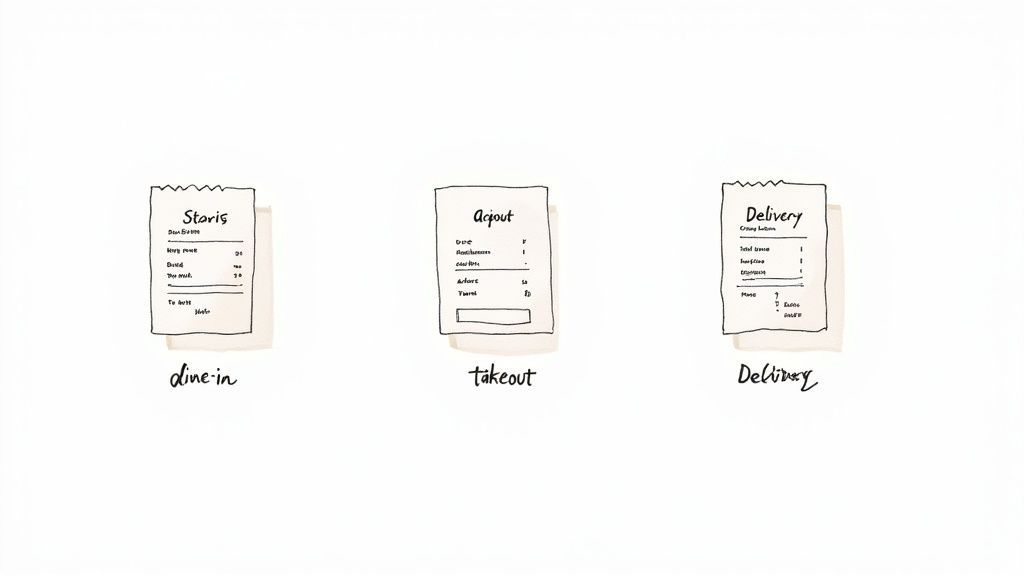
This simple act of customization shows you're thinking about the customer's entire journey with your restaurant. It makes sure the last thing they receive from you is relevant, clear, and genuinely helpful.
Receipts for Dine-In Service
For your dine-in guests, the receipt is the grand finale of their meal. The name of the game here is clarity, especially when it comes to payment and tipping.
- Table and Server Information: Including the table number and your server's name is great for your own records, but it also adds a nice, personal touch for the guest.
- Clear Tipping Lines: You absolutely need a dedicated line for the tip and another for the final total. Many restaurants find that adding suggested tip percentages (15%, 18%, 20%) is a helpful nudge that diners really appreciate.
- Split Bill Details: If a group splits the bill, the receipt has to clearly show how it was divided, whether that’s by specific items or into equal shares.
Adapting for Takeout and Delivery
Once an order leaves your four walls, the receipt transforms into a vital confirmation and tracking tool.
For takeout orders, you’ll want to highlight:
- Order Number: This is the most crucial piece of information for a customer picking up their food. It’s the key to making sure they walk out with the right bag.
- Pickup Time: Listing the estimated pickup time helps manage expectations and keeps things running smoothly for your front-of-house team.
For delivery orders, a few extra details are necessary:
- Delivery Address: Having the customer double-check this on the receipt can prevent a world of headaches and lost meals.
- Delivery Fees and Driver Tips: These should always be itemized separately from the food cost. Transparency is key.
- Driver Details: Including the driver’s name or a delivery partner ID can be incredibly useful if there’s a need to track the order down.
Streamlining for Quick Service Restaurants
Quick Service Restaurants (QSRs) are all about speed, and their receipts need to match that pace. As the restaurant industry continues to bounce back, QSRs have consistently led the pack by doubling down on efficiency. This has resulted in simpler, more focused receipts that often promote loyalty points or special offers to keep customers coming back.
In a fast-paced setting, the receipt has to be instantly scannable. Key details like the order number and total should jump off the page, helping to keep the line moving and customers happy.
For QSRs, less is more. A stripped-down template is your best bet. You can see a great example of this in action with a clean and simple layout like this McDonald's Receipt template, which is built for high-volume, speedy transactions. The whole point is to give customers proof of purchase without any distracting clutter.
How to Make Your Own Restaurant Receipt in Minutes
You don't need a graphic designer or a complex accounting system to create a polished, professional receipt. Honestly, you can knock one out in less time than it takes to brew a pot of coffee. The trick is using a simple, guided process that covers all the bases without any of the usual technical headaches.
Following a few quick steps will give you a document that’s not just ready for your books but also adds a nice, professional touch to your brand. Let's walk through how to get it done.
Step 1: Pick a Starting Point
The fastest way to get going is to choose a template designed for restaurants. This gives you a solid foundation with all the right fields already in place, so you’re not staring at a blank page. Find a design that feels like your restaurant, whether you run a laid-back cafe or a more formal dining room.
For example, something clean and straightforward like a Food Truck Receipt Template is a great starting point for most casual spots because it’s so easy to read.
Step 2: Add Your Branding and Business Info
Next, make it yours. This is where you add your restaurant's personality and make sure the receipt is legally sound. Drop in your restaurant's name, address, and phone number right at the top. The most important part? Upload your logo. It’s what makes the receipt instantly recognizable and keeps your brand front and center.
Here's a look at how simple the interface is for plugging in your details.
As you type your info into the fields on the left, you'll see the receipt on the right update in real-time. It gives you total control over how everything looks.
Step 3: List the Items and Let the Math Happen
Time to enter the food and drinks. List each item on its own line along with the price. A good receipt tool will handle the math for you by automatically calculating the subtotal, which is a huge help in avoiding simple mistakes.
After you've listed everything, just plug in your local sales tax rate. The tool will figure out the tax and add it to the subtotal to give you a perfect grand total. This kind of automation is a lifesaver, especially when you consider that 97% of restaurants are dealing with labor shortages. Efficiency is everything. It's why most restaurants now rely on three or more tech platforms to keep things running smoothly. If you're curious, you can dig into more data on how technology is shaping the restaurant industry.
Step 4: Final Touches and Export
Last but not least, add any final touches that improve the customer's experience. This could be a simple "Thank you for dining with us!" message, a dedicated line for tips, or a quick note about your specials. Little details like these show you care.
Once you’re happy with how your custom receipt looks, it’s ready to go.
- Download: Save it as a PDF or JPG file, perfect for digital records or for printing later.
- Print: If you need a hard copy right away, you can send it directly to your printer.
And that's it! In just a few minutes, you can generate a professional restaurant receipt that’s ready for your customers.
Common Questions About Restaurant Receipts
Even with the perfect restaurant receipt template, you're bound to have questions. Getting the details right—both practical and legal—is about more than just looking professional. It’s about creating a document that’s compliant, efficient, and works for both your restaurant and your customers.
Let's walk through some of the most common questions and get you some straightforward answers.
What Legal Information Must Be on My Receipt?
Think of your receipt as an official, legal document. It needs to have certain key pieces of information to be valid. While the specific rules can change a bit depending on where you are, a few things are non-negotiable.
You absolutely must include your full business name and address, your tax identification number (like a TIN or VAT number), the date of the sale, and a clear, itemized list of everything purchased with individual prices. And of course, it has to show the subtotal, sales tax, and the final total paid. It's always a good idea to double-check your local and state rules just to be safe.
Are Digital Receipts as Valid as Paper Ones?
Yes, they absolutely are. Digital receipts sent over email or text are just as legally sound as printed ones, and frankly, they're becoming the new normal. They save money, are better for the environment, and even open up some clever marketing doors.
Just make sure you get your customer's permission before sending one. You'll also want to be sure the format is easy to read on a phone and simple for them to save. A clean, flexible Blank Receipt Template is a great starting point for building a digital-friendly version.
A digital receipt is your chance to keep the conversation going. You can add links to your social media, a quick survey about their experience, or a discount for their next visit. It turns a simple proof of purchase into a real marketing opportunity.
How Do I Add Suggested Tips to My Template?
Adding suggested tip amounts is a small touch that makes a big difference. It's a great way to improve your customer's experience and give your staff a little boost. Most templates have a spot where you can add custom text fields to do this.
The trick is to base the tip percentages on the pre-tax subtotal, not the final amount. This is the industry standard and what customers expect. Just be sure to label each suggestion clearly. For example:
- 15% Tip: $X.XX
- 18% Tip: $Y.YY
- 20% Tip: $Z.ZZ
This simple convenience takes the guesswork out of tipping for your guests and often leads to more consistent (and generous) tips for your crew. It’s an easy feature to add to any standard Cash Receipt Template you use for table service.
Should My Receipt Change for Online Orders?
Definitely. Receipts for online, takeout, or delivery orders need a bit more information to prevent any mix-ups. Since the customer isn't right there with you, the receipt is their main point of reference for the whole transaction.
For these types of orders, it's smart to add:
- An online order confirmation number so it's easy to look up.
- Pickup or delivery details, like the estimated time or the delivery address.
- A clear line item for any delivery or service fees.
Adding these details provides clarity and gives the customer everything they need to know about their order. It just makes the whole process smoother for everyone. For a solid example of a delivery-focused layout, take a look at the Uber Receipt Template.
Ready to create a flawless restaurant receipt in just a few clicks? With ReceiptMake, you can choose from dozens of professional templates, customize every detail, and generate a print-ready or digital receipt in seconds—all for free. Try ReceiptMake today and give your customers the clear, professional final impression they deserve.

