Restaurant POS System Comparison A Guide to Finding the Best Fit
Picking a restaurant POS system used to be about one thing: taking payments. Not anymore. Today, you’re choosing the central nervous system for your entire operation. A smart restaurant POS system comparison shows that the "best" system isn't about a long list of flashy features; it's about finding the perfect match for your specific business—whether you're running a high-traffic coffee shop, an intimate full-service restaurant, or a growing franchise.
This guide will give you a straightforward way to look at the top systems, focusing on what actually makes a difference in your day-to-day and helps you grow.
How to Choose the Right POS System
Let's be honest, this is a big decision. The right Point of Sale (POS) system can make your restaurant run like a well-oiled machine, while the wrong one can create daily headaches for you and your staff. We've moved far beyond the simple cash register. Modern POS platforms are the command center for everything from orders and payments to inventory and customer loyalty.
The secret to getting it right is to look past the marketing hype. You need to zero in on how a system will actually work within the four walls of your restaurant.
The industry is booming, and for good reason. The global restaurant POS market was valued at a staggering $12.3 billion in 2024 and is on track to hit $30.48 billion by 2035. This explosion is all about the move to flexible, cloud-based systems that give owners real-time data and the ability to scale.
The 5 Key Factors to Compare
To cut through the noise, we'll break down our comparison across five core areas. Getting a handle on these is the first step to finding a system that feels like it was built just for you. For a deeper dive into specific brands and their features, check out this detailed guide to restaurant POS system comparison.
| Decision Factor | Why It Matters for Your Restaurant | What to Look For |
|---|---|---|
| Software Model | This dictates how you access your data, how flexible the system is, and your long-term costs. | Cloud-based for flexibility vs. on-premise for stability; intuitive interface; offline mode for internet outages. |
| Hardware Investment | This is all about your upfront cost and how smoothly your team can work during a busy service. | Proprietary terminals vs. iPads; durable, spill-proof screens; handheld devices for tableside ordering. |
| Payment Processing | This can be a huge hidden cost. It directly impacts your bottom line on every single sale. | In-house vs. third-party processors; transparent, flat-rate fees vs. complex interchange-plus models. |
| Core Features | The tools must match your service style, whether you're a quick-service spot or a fine-dining establishment. | Customizable floor plans, kitchen display systems (KDS), ingredient-level inventory, sales reports. |
| Integration Power | Your POS needs to play nice with the other software you rely on, like accounting or online ordering. | An open API for custom connections vs. a closed ecosystem with a limited app store. |
In the end, you're not just looking for a transaction machine. You're looking for a partner that can support your growth. And remember, while the POS is your workhorse, you can always find tools for specific situations. If you're doing an off-site event or a pop-up, a simple bakery receipt template or a generic receipt template can give you the branding flexibility your main system might not offer on the fly.
Comparing Core POS Features for Daily Operations
Choosing a restaurant point-of-sale system isn't about ticking boxes on a feature list. It's about how that system actually fits into the rhythm of your day. A feature that's a lifesaver for a busy coffee shop could easily become a bottleneck in a fine-dining restaurant. Let's break down how the big players—Toast, Square for Restaurants, Lightspeed Restaurant, and Clover—handle the day-to-day grind.
This diagram shows the main things you need to think about when picking a POS, from the software itself to the hardware and payment options.
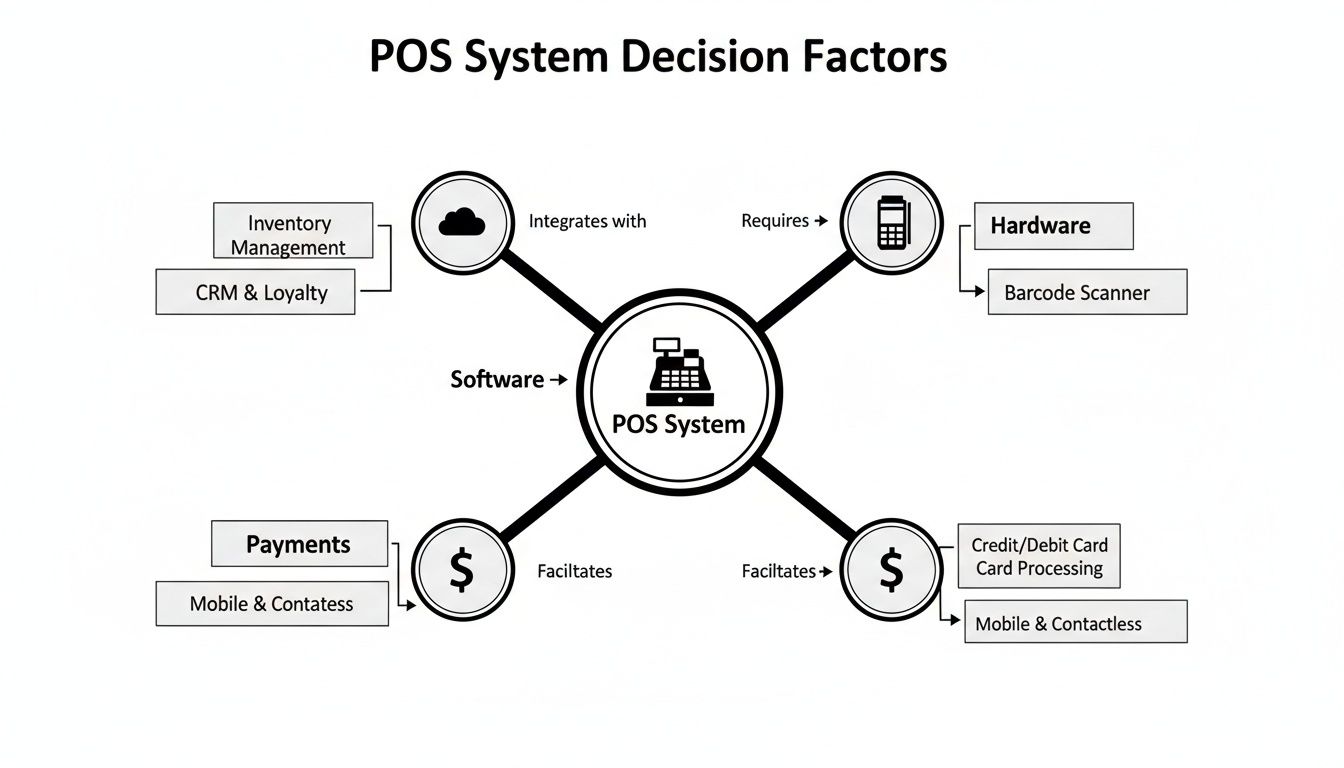
Ultimately, the right choice comes from finding a balance between these three areas that perfectly matches how your restaurant works and what you can afford.
Order Management and Workflow Flexibility
The order flow is the heartbeat of your restaurant, and each POS system is built with a different service style in mind.
For a quick-service spot or a cafe, it’s all about speed. Square for Restaurants really shines here. Its interface is famously intuitive, which means you can get new staff trained and taking orders in no time. The clean layout helps cashiers fly through transactions, which is absolutely essential for keeping lines moving during the lunch rush.
On the other hand, a full-service restaurant needs a more powerful toolkit. This is where Toast comes in. Its system is built around robust table management and handheld ordering devices that let servers fire courses, handle special requests, and take payments right at the table. This drastically improves table turn times and cuts down on order mistakes. A key difference is that Toast's hardware is purpose-built to survive the chaos of a restaurant, unlike systems that just use regular iPads.
Lightspeed Restaurant sits comfortably in the middle, offering deep customization that works for both counter service and full-service dining. Its real strength is its detailed modifier system and flexible floor plans, making it a great fit for restaurants with complex menus or unique seating arrangements. Clover also offers plenty of flexibility, but you’ll often find yourself relying on its app market to add the specific functions you need.
The big takeaway here is that your POS has to match your service style. Toast's durable, all-in-one hardware is designed for a frantic Saturday night, whereas Square's simplicity is perfect for a high-volume, no-fuss counter operation.
Payment Processing and Guest Experience
A smooth payment experience isn't a bonus anymore—it's a basic expectation. Your guests want options, whether it's tapping a card, using their phone, or splitting the bill without a fuss. While all four of these systems handle modern payments well, they each have a different approach.
Square is the king of simplicity. It offers transparent, flat-rate processing that is incredibly easy to understand. Their hardware, like the Square Terminal, makes things like splitting checks and accepting contactless payments feel effortless for everyone involved.
Toast, by contrast, bundles its payment processing directly into its platform. While this means you can't shop around for a different processor, it guarantees that every part of your system works together perfectly, and you only have one company to call for support. Lightspeed and Clover give you more freedom, often letting you pick from a list of payment processors. This can be a huge plus if you want to hunt for the most competitive rates.
Sometimes, a standard receipt just doesn't cut it, especially for large parties or private events. For those situations where you need something more polished, you can use a custom restaurant bill template to maintain a professional look that reflects your brand.
Before we dive into a direct comparison, let's lay out how these systems stack up on the core features we've discussed.
Core POS Feature Comparison Matrix
This table gives a side-by-side look at the essential features that will impact your daily operations. It's designed to help you see, at a glance, where each system excels.
| Feature Category | Toast | Square for Restaurants | Lightspeed Restaurant | Clover |
|---|---|---|---|---|
| Ideal Restaurant Type | Full-service, multi-location, enterprise | QSR, cafes, food trucks, small restaurants | Full-service, bars, fine dining, cafes | QSR, retail-hybrids, small to mid-size |
| Order Management | Excellent. Handhelds, advanced course firing. | Very Good. Simple, fast interface for high volume. | Excellent. Highly customizable modifiers/floor plans. | Good. Solid core features, expandable with apps. |
| Payment Processing | Integrated (in-house processor only) | Integrated (in-house with flat rates) | Flexible (choice of multiple processors) | Flexible (choice of multiple processors) |
| Kitchen Display System | Excellent. Deeply integrated with reporting. | Good. User-friendly and straightforward. | Very Good. Advanced routing and customization. | Good. Solid KDS, often via app integrations. |
| Inventory Management | Very Good. Strong native tools and integrations. | Basic. Item-level tracking, best for simple menus. | Excellent. Ingredient-level tracking, robust reporting. | Good. Basic native tools, expandable via apps. |
As you can see, the "best" choice really depends on what you need. A system with "excellent" inventory might be overkill for a cafe, while "basic" inventory would be a disaster for a fine-dining establishment.
Kitchen Display Systems and Order Accuracy
Your Kitchen Display System (KDS) is the critical link between your front-of-house staff and your kitchen crew. A good one slashes ticket times and reduces errors, which leads directly to happier customers.
Toast's KDS is woven directly into its platform, providing powerful tools like production reports and cook-time tracking. This data helps managers spot and fix bottlenecks in the kitchen, making the whole operation more efficient.
Lightspeed’s KDS is also a top contender, praised for its customization. You can set it up to automatically route specific dishes to different prep stations—a must-have for a kitchen with separate grill, fry, and sauté stations. Square and Clover offer reliable KDS solutions that are easy to use, making them great choices for smaller kitchens that don't need a ton of advanced analytics. Plus, many systems now include integrated POS loyalty programs that can be managed right from the terminal.
Inventory Management Capabilities
Getting a handle on your inventory is one of the fastest ways to control food costs and boost your bottom line. The best POS systems do more than just count what you have; they offer ingredient-level tracking, send you low-stock alerts, and help you manage purchase orders.
Lightspeed really stands out here with one of the most powerful inventory systems available out-of-the-box. It tracks your ingredients in real-time as dishes are sold, giving you incredibly accurate data for reordering and figuring out which menu items are most profitable. Toast also has strong inventory tools, especially when you connect it with their xtraCHEF add-on for a deeper dive into your costs.
Square provides basic inventory tracking that's perfect for many smaller operations. It focuses on counting menu items rather than individual ingredients, which is often all a cafe or food truck with a simple menu really needs. Clover's inventory functions can be beefed up significantly with apps from its marketplace, so it can grow with you.
This move toward data-driven management is becoming the norm. In fact, over 83% of US restaurants are expected to be using cloud-based POS systems by 2025. The reason is simple: restaurants report an 86% success rate in increasing order values by using the data their POS provides.
Breaking Down Pricing Models and Hardware Costs
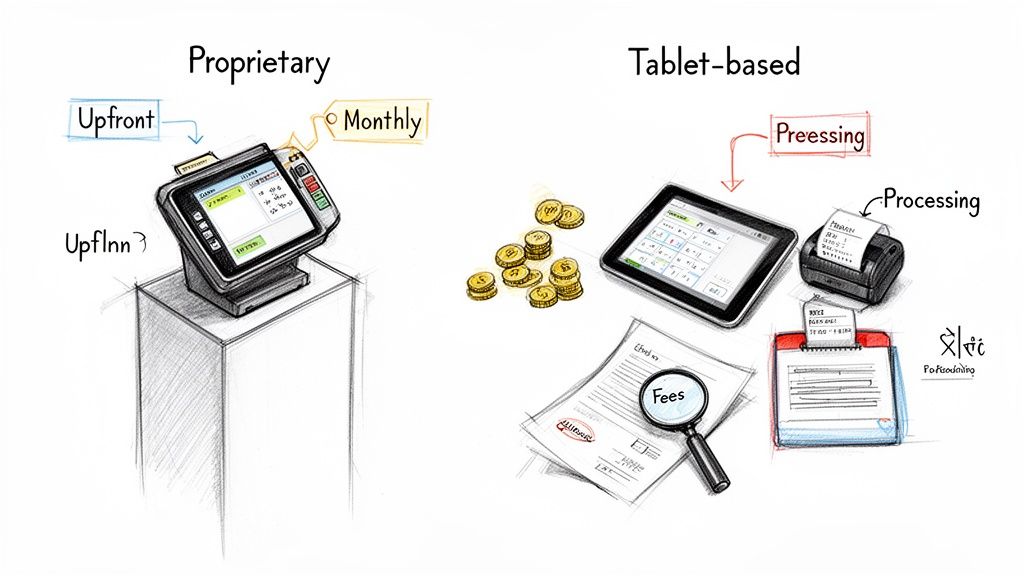
Figuring out the true cost of a restaurant POS system can feel like you're trying to read a menu in a foreign language. It's not just about the monthly software fee you see advertised. The total cost is a tricky mix of payment processing rates, the initial hardware investment, and other potential fees that can sneak up on you. If you don't get a handle on this from the start, a system that seems like a bargain can quickly become a major expense.
It’s no surprise that investing in this tech is a huge priority for restaurant owners. In fact, a whopping 52% of all restaurants are planning to sink money into new or upgraded POS systems in 2025. This push is all about boosting efficiency and making guests happier. A significant chunk of that—44% of owners—are specifically focused on refreshing their hardware to keep pace, according to a recent report on restaurant tech trends. You can read the full research on restaurant POS statistics to get a better sense of where the industry is heading.
Software Fees: The Monthly Bill
The easiest cost to understand is the monthly software subscription. These fees can run anywhere from $60 to over $300 per terminal, and what you pay really depends on the provider and how many features you need.
- Entry-Level Plans: Systems like Square for Restaurants often have a free or super cheap starting plan, which is a lifesaver for brand-new spots or food trucks. The catch? You might pay higher payment processing rates to make up for the low software cost.
- Mid-Tier and Enterprise Plans: On the other hand, providers like Toast and Lightspeed have tiered pricing that unlocks more powerful tools, like deep-dive analytics, multi-location management, and API access. Your monthly bill climbs as you add more terminals or features.
The key is to look past the base price. Many companies tack on extra charges for things like online ordering, loyalty programs, or advanced inventory tools. Always ask for an itemized quote so you know exactly what you’re paying for each month.
The Payment Processing Puzzle
Payment processing fees are almost always the biggest—and most confusing—ongoing expense. This is where a slice of every sale goes, usually calculated as a percentage plus a small fixed fee (for example, 2.6% + 10¢).
You'll generally run into two models here:
- Integrated Processors: Companies like Toast and Square are all-in-one shops. You have to use their payment processing. The big plus is simplicity—one point of contact, one bill, and everything just works together. The downside is you're stuck; you can't shop around for better rates.
- Third-Party Processors: Systems like Lightspeed and Clover give you more freedom, letting you choose from a list of compatible processors. This gives you the leverage to negotiate for the best rates, but it can make troubleshooting a bit more complicated if something goes wrong.
Understanding your own business is critical here. A coffee shop with tons of small transactions might do better with a lower fixed fee, while a fine-dining restaurant should probably focus on finding the lowest percentage rate.
Hardware: The Upfront Investment
Your initial hardware purchase can be a pretty hefty one-time cost, and it's a major point of difference when comparing restaurant POS systems.
Proprietary Systems (Toast, Clover)
These guys sell their own custom-built, branded hardware. The terminals are tough, often spill-proof, and designed from the ground up for a chaotic restaurant environment. This usually means a super reliable, seamless setup, but it comes with higher upfront costs and locks you into their ecosystem. If you ever decide to switch POS providers, that expensive hardware becomes a fancy paperweight.
Tablet-Based Systems (Square, Lightspeed)
These systems run on everyday hardware like iPads. This approach gives you a ton of flexibility and a much lower initial cost, especially if you already have some tablets you can use. The trade-off is durability. Consumer-grade tablets just aren't built for the abuse of a busy service, so you'll need to invest in rugged cases and stands to make them last.
Even with a top-tier POS handling daily sales, you don't have to rely on it for everything. For one-off events, catering gigs, or pop-ups, you might just need a simple, branded receipt. Instead of paying for extra software, a free tool like a cafe receipt template or a generic POS receipt can give you professional-looking documents on the fly. It's a smart way to maintain a consistent brand look in any scenario.
Matching the Best POS to Your Restaurant Type
A one-size-fits-all POS system is a myth. The features that make a system perfect for a bustling fine-dining spot will absolutely cripple a quick-service cafe. To make the right call, you have to look past the marketing and match the software's core strengths to how you actually run your business day-to-day.
Don't fall for generic advice. The smartest approach is to dig into how a POS platform solves the specific problems your service model creates. The right system should feel less like a tool you have to work around and more like a natural extension of your team's workflow.
For Quick-Service Restaurants (QSRs) and Cafes
In the QSR world, speed is the name of the game. Every single second you can shave off a transaction directly impacts your revenue and keeps the line moving, especially during that chaotic lunch rush. The best POS systems for this fast-paced environment are built for one thing: rapid, high-volume orders with an interface a new hire can pick up in minutes.
Square for Restaurants consistently comes out on top for this reason. Its clean, intuitive design lets cashiers fly through orders without getting lost in clunky menus.
A few standout features really make it shine for QSRs:
- Conversational Modifiers: Your team can punch in customizations as the customer is saying them, which drastically speeds up the ordering process.
- Simple Training: The interface is so user-friendly that it cuts down on training time, getting new employees on the floor and taking orders faster.
- Integrated Online Ordering: Square’s ecosystem makes adding an online and mobile ordering channel incredibly straightforward—a must for any modern QSR.
While Square nails simplicity, a growing bakery or cafe with more complex inventory might start to feel its limitations. For those situations, you can handle special orders or large catering jobs with outside tools. Using a dedicated bakery receipt template, for instance, lets you create detailed, branded receipts without messing with your core POS setup.
For Full-Service Dining and Fine Dining
Full-service restaurants operate on a totally different rhythm. The focus shifts from pure transaction speed to mastering table management, ensuring flawless communication with the kitchen, and crafting a perfect guest experience from the moment they book a table to when they pay the check.
Toast has carved out its reputation by living and breathing this environment. The entire platform is built around the complex dance of a dining room floor, giving you powerful tools to manage everything from the front door to the back of the house.
One of the biggest differentiators for Toast is its hardware. While iPad-based systems offer flexibility, Toast's terminals are purpose-built to survive the heat, spills, and general chaos of a professional kitchen. That durability translates to better reliability in the long run.
Here’s where the system really excels for full-service spots:
- Advanced Table Management: You get customizable floor plans, table timers, and server section assignments that help hosts and managers optimize seating and turn tables more efficiently.
- Robust Handheld Devices: The Toast Go® 2 handhelds are a game-changer. Servers can take orders, fire courses to the kitchen, and process payments right at the table, which slashes errors and boosts efficiency.
- Deep KDS Integration: The kitchen display system is woven tightly into the POS, giving you incredible data on ticket times and overall kitchen performance.
For Bars and Nightclubs
The bar and nightclub scene has its own unique set of demands. You need lightning-fast transactions for a packed bar, incredibly precise inventory tracking (down to the half-ounce of every pour), and the absolute necessity of managing complex tabs.
Lightspeed Restaurant is a major contender in this arena, largely thanks to its powerful inventory and reporting functions. It gives bar owners granular control over their most valuable—and easily lost—assets.
Its key strengths include:
- Ingredient-Level Inventory: You can track every liquor and beer pour in real-time. This helps you spot over-pouring, reduce waste, and keep your costs in check.
- Fast Bar Tabs: Staff can easily start, manage, and split tabs, even when the bar is three-deep. Pre-authorizing cards is a lifesaver, ensuring every tab gets closed out at the end of a long night.
- Customizable Workflows: The system is flexible enough to handle a venue that does it all—craft cocktails, high-volume beers, and even a late-night food menu.
For Food Trucks and Mobile Operations
If you run a food truck or pop-up, you need a POS that is compact, tough, and works no matter what. Offline functionality isn't just a nice-to-have feature; it's what keeps you in business when the Wi-Fi at a festival is spotty or nonexistent.
For these operations, a tablet-based system like Square or Clover Go is almost always the best fit. They strike the perfect balance between portability and power.
- Offline Mode: Both systems can keep taking card payments even if the internet goes down, and they'll process everything automatically once you're back online.
- Compact Hardware: All you really need is an iPad and a small card reader. This simple setup saves precious counter space in an already tight truck.
- Flexible Data Plans: You can run these systems on your tablet's cellular data, giving you the freedom to set up shop and take payments anywhere you can get a signal.
Taking a Look at Integrations and Software Ecosystems
A modern restaurant POS is no longer just a fancy cash register. It's the command center for your entire operation, linking every piece of tech you use. Its real muscle comes from how well it talks to your other software, whether that's your accounting platform or the delivery apps that bring in half your business. When you're doing a restaurant pos system comparison, the software ecosystem is a huge, often underestimated, piece of the puzzle.
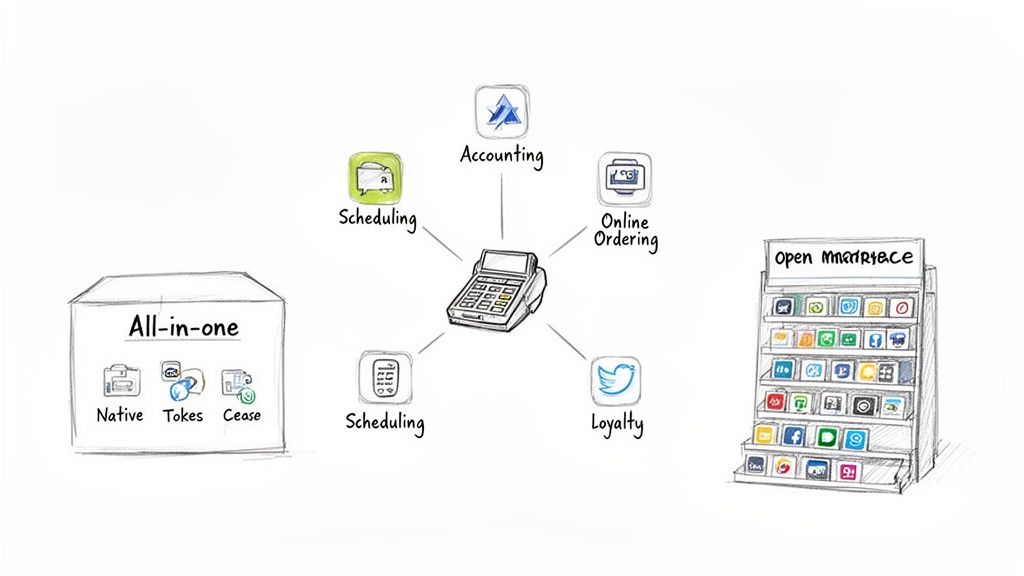
You’ll find this choice usually boils down to two main philosophies: the "all-in-one" closed system or the flexible, open marketplace approach. Each one completely changes how you run your restaurant, handle your data, and plan for the future.
The All-In-One Closed Ecosystem
Some of the big players, like Toast, build their systems as a complete, self-contained package. Think of it as a "walled garden." They create and offer their own tools for everything you could need—payroll, loyalty programs, online ordering, you name it.
The biggest upside here is guaranteed compatibility. Since one company built everything, it all just works together. No fuss. You have one number to call for support, one interface to learn, and reports that pull data from everywhere. It definitely makes life simpler.
The trade-off, and it's a big one, is you give up flexibility. If you love your current scheduling tool or rely on an accounting program they don't support, you're often out of luck. You’re either forced to switch or stuck trying to make things work with clunky manual processes. You're buying into their way of doing things, period.
A closed ecosystem is all about simplicity and reliability, but it comes at the cost of choice. It’s a great fit for new restaurants or for owners who want a single, cohesive system and don't want the headache of managing different software vendors.
The Flexible Open Ecosystem
On the other side of the coin, you have providers like Lightspeed Restaurant. They champion an open ecosystem that revolves around a huge marketplace of third-party apps. Their POS is the solid foundation, and you build on top of it by plugging in specialized tools that do exactly what you need.
This freedom to pick and choose is the main attraction. You can connect your POS to the absolute best software out there for any given job.
- Accounting: Automatically send your daily sales to QuickBooks or Xero. This alone can save you hours of mind-numbing data entry.
- Online Ordering: Pull orders from Uber Eats, DoorDash, and others directly into your kitchen display system. No more juggling multiple tablets.
- Employee Scheduling: Link up with a tool like 7shifts to build schedules and compare your labor costs against sales in real time.
- Loyalty Programs: Integrate with dedicated loyalty platforms to create customer retention campaigns that a built-in module could never match.
The potential catch is that you're the one managing all these different pieces. If something breaks, you might find yourself stuck between two different support teams pointing fingers at each other. Still, for restaurants that already have a set of tools they love or have very specific operational needs, this freedom is non-negotiable. It means your POS can grow and change right alongside your business. And for quick, one-off needs, you always have the option to use a simple external tool, like a generic POS receipt for a pop-up event.
Got Questions About Restaurant POS Systems? We’ve Got Answers.
Choosing a restaurant point-of-sale system is a big decision, and it’s natural to have a few questions. After breaking down all the features, pricing, and software options, it’s time to tackle some of the most common things owners ask when comparing systems.
Think of this as the final checklist to help you make your choice with total confidence. Let’s get into it.
What Is The Most Important Feature in a Restaurant POS System?
Honestly, this completely depends on your restaurant's style. For a busy quick-service spot, nothing beats a lightning-fast ordering and payment workflow. Every second counts, and a clunky system can mean long lines and lost money.
But for a full-service restaurant, the game changes. Here, it’s all about great table management and a kitchen display system (KDS) that just works. You need to juggle reservations, track how long tables have been seated, and make sure orders fire to the kitchen perfectly.
That said, there's one feature every single restaurant needs: robust, easy-to-understand reporting. Good data on your sales, what’s selling (and what’s not), and labor costs is the bedrock of smart business decisions.
Should I Choose a POS with an Integrated Payment Processor?
Going with a POS that has its own built-in payment processor, like Toast or Square, definitely makes life easier. Everything is in one package, you have one company to call for support, and setup is a breeze. It’s designed to work together flawlessly.
The catch? You might be stuck with their rates and can't shop around for a better deal. This is what we call vendor lock-in. A system that lets you use a third-party processor gives you the freedom to hunt for lower fees, but it can get complicated if something goes wrong—you might end up playing phone tag between the POS company and the processor.
It’s the classic trade-off: convenience versus control. An integrated system simplifies your life, while a flexible one gives you the power to find the best possible transaction rates.
To figure out what’s best, run the numbers on your expected sales volume and average ticket size. That will show you which model makes the most financial sense in the long run.
How Much Does a Restaurant POS System Typically Cost?
The price can swing pretty wildly, so you need to look at the total cost over time, not just the sticker price. You’ll usually run into three main costs:
- Monthly Software Fees: These can be anywhere from $60 to over $300 per terminal, based on the features you need.
- Payment Processing Fees: This is a constant cost, often around 2.6% + 10¢ per transaction. It adds up fast.
- Upfront Hardware Costs: This could be a few hundred bucks for an iPad setup or several thousand for a full-blown, multi-station system.
My advice? Always map out your estimated costs over three years. It’s the only way to get a true comparison and avoid getting lured in by a low initial price that hides higher long-term fees.
Can I Use External Tools for Custom Receipts?
Yes, absolutely! Your main POS is built for speed and handling thousands of daily transactions, which means it isn’t always great at creating specialized documents. This is where an outside tool can be a lifesaver.
For instance, if you're hosting a private event or handling a huge catering order, a standard little sales slip just won't cut it. Using a free tool like the ReceiptMake service receipt template or their food receipt template lets you create a professional, branded document that fits the occasion without having to mess with your core POS settings.
Ready to create professional, customized receipts for any situation? With ReceiptMake, you can generate beautiful, free receipts in seconds using over 100 realistic templates. No sign-ups, no software to install—just choose a template, fill in your details, and download your high-quality PDF. Streamline your record-keeping and impress your customers by visiting https://receiptmake.com today.

