Record Retention Requirements for Businesses: A Guide
Think of record retention requirements as the official rulebook for how long your business needs to hang onto different types of documents. It’s not just about hoarding paperwork; it's a strategic system for managing everything from tax returns and employee files to contracts and receipts.
These rules aren't arbitrary. They're set by law and regulatory bodies to meet legal and operational needs. Most records need to be kept for three to seven years, but some, like corporate formation documents, are permanent fixtures. Get this wrong, and you could be looking at some serious fines and legal headaches.
Why Business Record Retention Matters
Imagine your business records are like the foundation of a house. You don't see them every day, but they're absolutely essential for keeping the whole structure stable and secure. A smart record retention policy is much more than a box-ticking exercise—it's your first line of defense against audits, lawsuits, and financial chaos.
A clear policy gives you a defensible framework for managing your company's information from creation to destruction. It's the proof you need to back up your tax deductions, demonstrate compliance, and protect your company if you end up in a legal dispute. Without it, you’re flying blind and leaving your business exposed.
The Core Pillars of Record Retention
When you get down to it, a good system for managing record retention requirements for businesses really boils down to three main goals.
- Stay on the Right Side of the Law: Following the rules set by agencies like the IRS, the Department of Labor, and OSHA is a must. A formal retention schedule is your game plan for meeting these obligations and avoiding expensive penalties.
- Keep Risks in Check: When you systematically get rid of old records you no longer need, you shrink your liability. After all, if a piece of data doesn't exist anymore, it can't be stolen in a data breach or requested during a lawsuit.
- Run a Smoother Operation: When your team knows exactly what to keep, where to find it, and for how long, they stop wasting time digging through old files. This organized approach also slashes the costs of both physical and digital storage. A great starting point is standardizing your financial documents, and using a consistent receipt template from ReceiptMake can help you build that consistency from day one.
More Than Just a Safety Net
Beyond just playing defense, a thoughtful approach to record retention can actually give you powerful insights into how your business is doing. All that organized data is a treasure trove for spotting financial trends, reviewing project histories, and making smarter decisions about the future.
A proactive record retention policy transforms your archives from a dusty liability into a strategic asset. It's about building a reliable corporate memory that supports growth, defends against threats, and demonstrates unwavering integrity.
This isn't just a niche concern, either. The global market for record-keeping systems is expected to balloon from US$ 22.76 billion in 2025 to US$ 52.88 billion by 2032. As you can see in the Coherent Market Insights report, this explosive growth signals a massive shift toward more systematic information management in every industry.
What Records to Keep and For How Long
Figuring out what to keep and what to shred can feel like a high-stakes guessing game. Without a clear plan, you risk either tossing a critical document too early or drowning in a sea of outdated files. The key is to create a logical roadmap for your records, so you know exactly what needs to stay and for how long.
The best way to start is by breaking down that mountain of paperwork into manageable categories. Think of it like organizing a closet—you wouldn’t just throw everything onto one shelf. Separating your files by type, like tax, HR, and legal, makes the whole process less overwhelming and far more effective.
Ultimately, you're keeping these records for three big reasons: business stability, legal compliance, and financial insight. A solid retention policy supports every part of your organization, from day-to-day operations to long-term strategy.
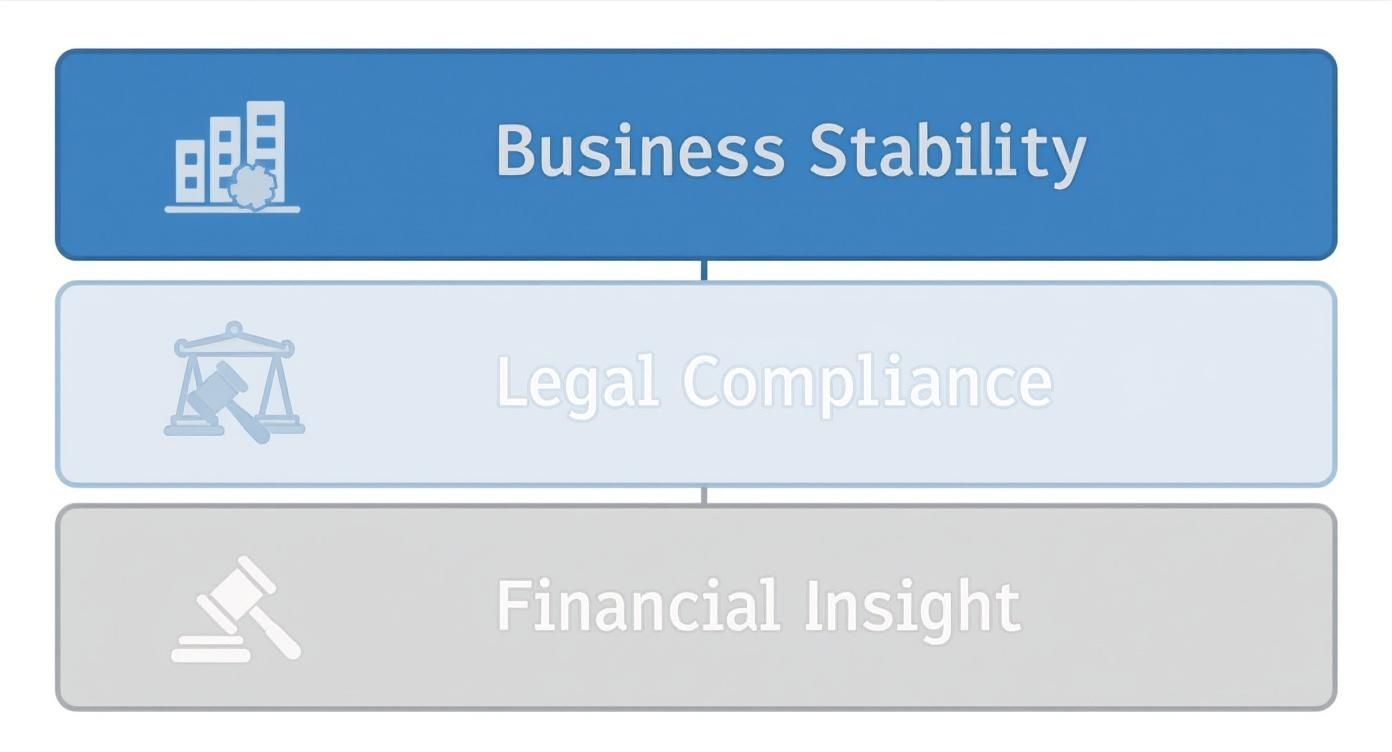
As you can see, compliance is a huge piece of the puzzle, but good record-keeping is also about having the data you need to grow and operate a healthy business. Let’s dive into the main record categories and their typical retention timelines.
To give you a quick overview, here’s a table summarizing the general retention periods for common business documents. Keep in mind that these are based on federal guidelines, and your specific industry or state might have different rules.
| Record Type | Example Documents | General Retention Period |
|---|---|---|
| Tax & Accounting | Invoices, bank statements, receipts, ledgers | 3-7 years (or indefinitely for some records) |
| Employee & Payroll | Time cards, applications, W-4s, performance reviews | 1-6 years after termination (varies by document) |
| Corporate Governance | Articles of incorporation, bylaws, stock ledgers | Permanently |
| Legal & Contracts | Major agreements, leases, patents, trademarks | Life of contract + 7 years (or permanently) |
| Industry-Specific | OSHA logs, HIPAA patient files, SEC filings | Varies by regulation (e.g., 5-10+ years) |
This table is a great starting point, but let's explore what goes into each category in more detail.
Tax and Accounting Records
Your financial documents tell the story of your business. They’re also the first thing an agency like the IRS will want to see. Keeping these files in order isn't just a good habit—it’s absolutely essential for handling audits, planning your finances, and proving your company's fiscal health.
The rule of thumb is to keep any document that backs up an item of income, a deduction, or a credit on your tax return. This means everything from bank statements and ledgers to expense reports and receipts. For example, if you want to claim a business expense, you need a clear record of it. Using a consistent sales receipt template for every transaction is a simple way to make sure your documentation is always clean and audit-ready.
Key Takeaway: The IRS generally gets three years to audit your tax returns. But that window stretches to six years if you've underreported your income by more than 25%. And if there’s fraud involved? There's no time limit at all. That’s why most pros will tell you to hang onto tax records for at least seven years, just to be safe.
Here's what you should be holding onto:
- Income Records: Invoices, deposit slips, cash register tapes, and annual financial statements.
- Expense Records: Canceled checks, vendor invoices, and credit card slips. Even for small cash purchases, using a Generic POS Receipt template ensures nothing gets missed.
- Asset Records: Any paperwork showing what you paid for business property, like purchase invoices or real estate closing statements. You'll need to keep these until you sell the asset.
Employee and Payroll Files
Human resources and payroll records are a whole different ballgame. They’re filled with sensitive personal and financial data, and they're governed by a complex web of federal and state laws from agencies like the Department of Labor (DOL) and the Equal Employment Opportunity Commission (EEOC).
Getting this right is crucial. Proper records are your best defense if you're ever faced with a wrongful termination claim, a discrimination lawsuit, or a dispute over wages. One critical thing to remember is that retention periods often start after an employee leaves the company, not when the document was created.
Be sure to keep these files on hand:
- Hiring Records: Job applications, resumes, and interview notes for everyone who applied, not just who you hired. Keep these for at least one year from the date of the hiring decision.
- Payroll Information: Time cards, wage rate details, and tax withholding forms should be kept for a minimum of three years.
- Employee Benefit Information: Anything related to pension plans or other benefits should be stored for at least six years after the plan ends.
- Personnel Files: Performance reviews, promotion details, and termination papers should be kept for at least one year after the employee's departure.
Corporate Governance and Legal Documents
Some documents are so fundamental to your business that they are considered permanent. These are the records that define your company's legal existence, its structure, and its ownership. They are, in essence, your company’s birth certificate and constitution.
There’s no "clean out" date for these files. They should be stored in a secure location indefinitely, as you'll need them for major events like a merger, an acquisition, or even dissolving the company.
These permanent records include:
- Formation Documents: Your articles of incorporation, business licenses, and company bylaws.
- Ownership Records: Stock ledgers and minutes from shareholder meetings.
- Intellectual Property: All patents, trademarks, and copyright registrations.
- Key Contracts: Major business agreements, property leases, and loan documents should be kept for the life of the agreement, plus an additional seven years.
Operational and Industry-Specific Records
Finally, there's a whole category of records where the rules change dramatically depending on your industry and where you operate. These retention periods are dictated by specific regulatory bodies and reflect what's most important in that field.
For example, under HIPAA, healthcare providers must keep patient records for six to ten years. Financial firms have to follow SEC rules, which often mean keeping records for three to seven years. Publicly traded companies, thanks to the Sarbanes-Oxley Act, have to keep audit documents for seven years.
This bucket includes everything else you need to run your business day-to-day, from project files and customer emails to safety logs required by OSHA. The best advice here is to do your homework. Always research the specific rules that apply to your sector to make sure you’re fully compliant.
Understanding the Laws That Drive Retention Rules
The rules for how long you need to keep business documents aren't just good advice—they're legal requirements set by government agencies. To really get a handle on record retention requirements for businesses, you have to understand why these rules exist in the first place. They’re all about ensuring fairness, safety, and transparency.
Think of it this way: regulatory bodies are like the building inspectors for your business. Each one is responsible for a different part of your operations, from your financial foundation to your employee safety plans. If you don't follow their blueprints, you risk some serious structural damage in the form of fines and legal trouble.
The Major Players in Record Retention
A few key federal agencies set the baseline for what you need to keep and for how long. They all have different areas of focus, but their end goal is the same: making sure businesses operate responsibly and can prove it when asked. Knowing who they are is the first step to creating a rock-solid retention policy.
Here are the main regulators you need to know:
- The Internal Revenue Service (IRS): When it comes to financial records, the IRS has the final word. Their rules are all about making sure the income and deductions you claim on your taxes are legitimate. This is exactly why it’s so critical to keep detailed proof of every expense, from big-ticket purchases down to small cash transactions documented with a petty cash receipt.
- The Department of Labor (DOL): The DOL is all about protecting your employees. It enforces laws covering wages, work hours, and job conditions. Their retention rules ensure you have the documents to prove you’re following key regulations, like the Fair Labor Standards Act (FLSA), which sets the rules for minimum wage and overtime.
- The Occupational Safety and Health Administration (OSHA): If you have employees, OSHA requires you to keep records related to workplace safety. This means maintaining logs of any on-the-job injuries, illnesses, or exposure to hazardous materials. These documents are your proof that you’re providing a safe environment for your team.
At its core, regulatory compliance isn't just about dodging penalties. It's about being able to prove that your business runs on integrity, transparency, and a real commitment to your legal and ethical duties. Your records are the evidence.
State and Local Laws Add Another Layer
Federal laws set a national standard, but your work isn't done there. States and even cities often have their own specific retention rules that can be stricter than the federal ones. A business operating in California, for example, might have to follow different guidelines for employee files than a similar business in Texas.
This is why a one-size-fits-all retention policy is a bad idea. Some states have longer statutes of limitations for things like contract disputes or personal injury claims, which means you’ll need to hold onto related documents for much longer than the federal baseline. You absolutely have to look into the specific laws for every location you do business in.
Keeping Up with Evolving Regulations
Retention laws aren't set in stone. They change all the time in response to new court decisions, legislation, and even shifts in the economy. This means staying current is an ongoing job. For example, some heavily regulated industries have seen retention periods increase significantly. In March 2025, the U.S. Treasury's Office of Foreign Assets Control (OFAC) actually doubled the recordkeeping requirement for economic sanctions compliance from five years to ten years.
You can read more about how U.S. Treasury legislation impacts recordkeeping to see just how critical it is to stay informed. For many businesses, one simple way to create consistency when rules are always changing is to use standardized forms, like a generic receipt from ReceiptMake, for every single transaction.
How to Build Your Record Retention Policy
Knowing the rules is one thing, but actually putting them into practice? That’s where the real work begins. Creating a formal record retention policy is the step that turns abstract legal jargon into clear, actionable guidelines your team can actually follow. Without one, you’re just guessing, leaving your business exposed and disorganized.
Think of it like drawing up a blueprint before building a house. You wouldn't just start nailing boards together without a plan. Your company’s critical information deserves the same forethought. This policy becomes your single source of truth—the definitive guide on what to keep, where to keep it, and when it’s finally okay to let it go.
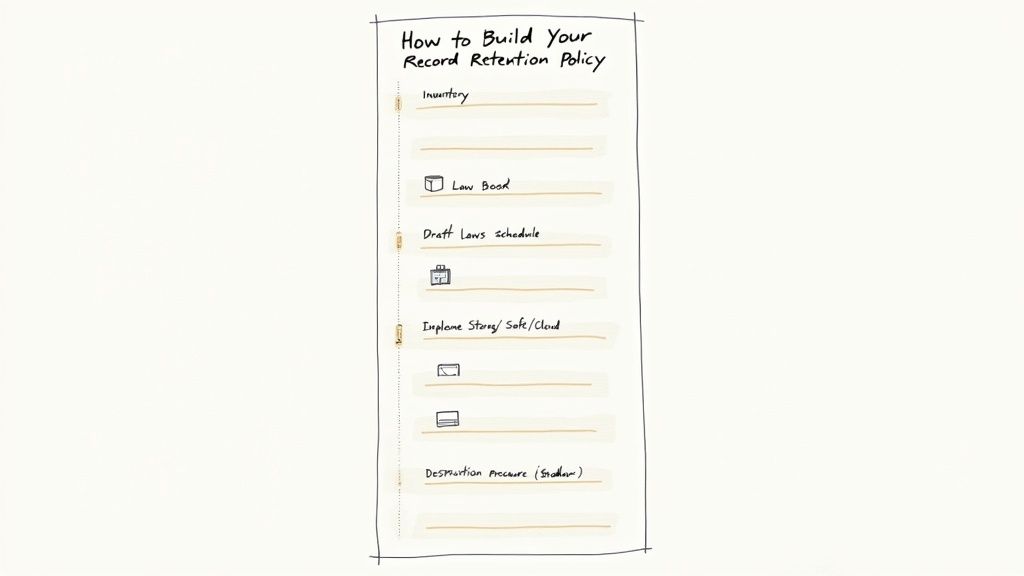
Step 1: Perform a Thorough Record Inventory
First things first: you can't organize a mess you don't understand. The starting line is a complete inventory of every single record your business creates and receives. This means digging into everything from dusty invoices in filing cabinets to the countless digital files floating around in the cloud.
Get different departments involved. Talk to finance, HR, legal, and operations to see what their worlds look like and what kinds of documents they handle day-to-day. The goal here is to get a complete, 360-degree view of your company’s information.
A simple way to bring order to the chaos during this stage is to standardize your documents. For example, using a petty cash receipt template for all small cash purchases ensures every transaction is recorded the same way, which makes them a breeze to categorize and manage later.
Step 2: Identify Applicable Laws and Regulations
Okay, you know what you have. Now you need to figure out which rules apply to each type of document. As we’ve covered, these regulations can be a tangled web, changing based on your industry, location, and the kind of data you’re holding. This is where you connect the dots between your records and the laws that govern them.
This is not a time for guesswork. You'll want to consult with legal counsel to make sure you’ve covered all the relevant federal, state, and local laws. Getting this wrong can come with some painful consequences.
Your research needs to answer a few key questions for each record type:
- What’s the absolute minimum time we are legally required to keep this?
- Are there specific storage rules, like needing encryption for sensitive HR files?
- What does the law say about how we must destroy it when the time comes?
Key Insight: Your retention policy needs to be legally defensible. Every timeline you set should be tied directly to a specific law or a well-documented business need. That documentation is your best friend if you ever face an audit or legal inquiry.
Step 3: Draft a Clear Retention Schedule
The retention schedule is the heart of your entire policy. It’s essentially a cheat sheet that translates all your complex legal research into a simple, easy-to-read guide. Anyone in the company should be able to look at it and know exactly how long to keep a specific document.
Your schedule should clearly outline four things:
- Record Category: The type of document (e.g., Employee I-9 Forms, Customer Invoices).
- Retention Period: How long to keep it (e.g., 3 years after termination, 7 years).
- Disposal Method: How to get rid of it (e.g., Shred, Securely Wipe).
- Legal Citation: The specific law or rule that justifies the retention period.
With a schedule this clear, there’s no room for interpretation. Everyone is on the same page, all the time.
Step 4: Implement and Communicate the Policy
A policy sitting in a folder is useless. You have to roll it out and make sure people actually use it. This means doing more than just sending a company-wide email—it requires real training and communication.
Make sure every employee understands their part in protecting the company’s records. Run training sessions on how to handle documents, where to store them, and what the disposal process looks like. Your IT team will be your best ally here, helping set up things like automated deletion rules for digital files. For businesses striving for consistency, using a suite of professional receipt and invoice templates can make this much easier. You can find a whole library of options by exploring the templates available on ReceiptMake.
Finally, remember that this policy isn't a "set it and forget it" document. It needs to evolve with your business. Plan to review it at least once a year to account for new regulations, new technology, or changes in how you operate. Staying on top of it ensures your policy remains a valuable asset, not an outdated liability.
Best Practices for Storing and Disposing of Records
A record retention policy is only as strong as its execution. Knowing how long to keep documents is half the battle; the other half is securely storing them during their lifespan and safely destroying them when their time is up. Without a solid plan for both, even the best policy can fall apart and leave sensitive information exposed.
Think of your records like valuable assets in a vault. You need a system to protect them from theft, damage, or loss while they're needed, and a certified process for removing them once they're no longer valuable. This goes for both the overflowing filing cabinet in the back room and the terabytes of data stored on a server.
Choosing the Right Storage Solution
Where you keep your records has a huge impact on their security, accessibility, and cost. There isn’t a single "best" option that fits everyone. The right choice really comes down to your business's size, budget, and the kind of data you handle.
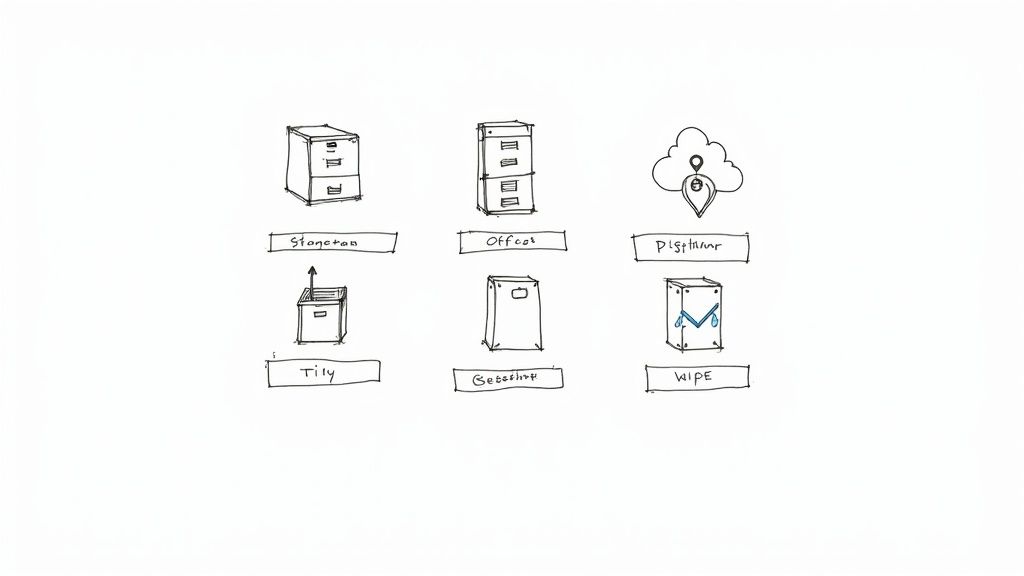
Here’s a look at the most common storage methods:
- On-Site Physical Storage: This is your classic filing cabinet or dedicated storage room. While it offers immediate access, it also comes with real risks like fire, flood, and theft, not to mention it eats up valuable office space.
- Off-Site Physical Storage: Professional facilities designed for document storage offer much better security and climate control. The trade-off? Accessing your records can be slower and more expensive.
- Cloud-Based Digital Storage: Storing files digitally in the cloud gives you fantastic accessibility from anywhere, along with robust security features like encryption and automated backups. This is a great fit for businesses that create digital-first records, like using a service receipt template to bill clients.
Your storage strategy should be media-neutral. That means the rules apply equally to paper files, emails, and database records. The goal is consistent protection, no matter the format.
In the end, most businesses today land on a hybrid approach, keeping active digital files in the cloud while archiving older paper documents securely off-site.
The Critical Final Step: Secure Disposal
What happens when a record hits the end of its retention period is just as important as how it was stored. Improper disposal is a fast track to data breaches, identity theft, and trouble with privacy laws. You can’t just toss old invoices or employee files into the recycling bin.
Secure disposal is all about making sure that information is completely and irreversibly destroyed. This process needs to be consistent and well-documented so you can prove you’re following your own policy. For example, after digitizing paper receipts from a cash receipt template, the original physical copies must be properly destroyed.
Methods for Safe Record Destruction
The method you choose has to match the record's format. What works for paper won't do a thing for a hard drive.
Here are the standard best practices:
- For Paper Records: Cross-cut shredding is the bare minimum. For anything highly sensitive, I always recommend hiring a professional shredding service that gives you a certificate of destruction. That certificate is your proof of compliant disposal.
- For Digital Records: Simply hitting "delete" on a file doesn't actually erase it. To permanently wipe digital data, you need to use secure wiping software that overwrites the data multiple times. For physical hardware like old hard drives or computers, physical destruction—shredding or degaussing—is the only truly foolproof method.
Failing to properly dispose of records that have met their retention requirements creates a huge liability. It expands your "attack surface," leaving more data vulnerable in a breach and complicating legal discovery. A clean, defensible disposal process is a core part of any effective program for record retention requirements for businesses.
Using Modern Tools to Simplify Record Keeping
Let's be honest: managing business records can feel like a full-time job. The stacks of paper, the endless filing—it's a manual chore that drains time and energy. But what if you could turn that compliance headache into a smooth, automated process? Modern tools are the answer, and they're not just another business expense. They're an investment in accuracy, efficiency, and your own peace of mind.
Going digital means swapping out those overflowing filing cabinets for a searchable, organized digital archive. This simple shift makes everything easier, from tracking daily expenses to pulling documents for an audit. The key is to start digital from day one, creating clean records for every transaction and kicking manual data entry to the curb for good.
The Power of Digital-First Documentation
The secret to simpler record-keeping is to create a digital record at the moment a transaction happens. When you generate a digital receipt or invoice right away, that data flows directly into your systems, ready to be filed, sorted, and analyzed automatically.
Think about it. If you run a service business, using a service receipt template is a game-changer. You create a professional, standardized document that gets emailed to your client and simultaneously saved to your accounting software or cloud drive. No more lost paper copies, no more inconsistencies.
Here’s a look at how straightforward creating a digital record can be with the right tool.
The interface is clean and intuitive, so anyone on your team can create a professional receipt in moments without needing any design skills. That kind of simplicity is what gets everyone on board with a new process.
Automating Compliance and Organization
Once you've got a steady flow of digital records, you can unlock the real power of automation. Modern tools can handle the most tedious parts of record-keeping for you.
- Document Management Systems (DMS): Think of a DMS as your central digital library. You can set it up to automatically tag, categorize, and even apply the correct retention period to documents as they come in.
- Accounting Software: Tools like QuickBooks or Xero are so much more than calculators. They can grab data directly from digital receipts, categorize your expenses, and build financial reports on the fly, making tax season far less painful.
- Receipt Generators: Creating professional, digital-first documents has never been easier. With a tool like ReceiptMake, you can generate a custom receipt online in just a few seconds, ensuring every single transaction is documented perfectly from the start.
The goal here isn't just to make digital copies of your paper mess. It's to completely rethink your workflow for efficiency. You're building a system where compliance happens automatically in the background, not as a manual task you constantly have to remember.
Common Questions About Record Retention
When it comes to record retention, most business owners have the same few questions pop up. Let's get straight to the answers you need to build a smart, compliant strategy.
What Happens If My Business Ignores Retention Rules?
Ignoring retention rules is a bit like playing with fire. You might get away with it for a while, but the consequences can be serious.
Think of it this way: you could face hefty IRS fines if you can't back up your tax filings. If you're in a regulated industry, the penalties for non-compliance can be even worse. And if you ever find yourself in a lawsuit, not having the right documents puts you at a huge disadvantage. It’s not just about fines, either—it’s about the operational headache of your team scrambling to find documents that were tossed out years ago.
How Long Should a Small Business Keep Receipts?
Receipts are the lifeblood of your financial records. For a small business, the golden rule is to keep all tax-related receipts for at least seven years.
Why seven? While the standard IRS audit window is three years, it extends to six if they suspect you've significantly underreported your income. Tacking on an extra year gives you a safe buffer.
The best way to manage this is to go digital. Scanning receipts makes them easy to store and find later. For cash transactions, it helps to be consistent from the get-go. Using a standard cash receipt template ensures every sale is documented cleanly, which makes life a lot easier for your bookkeeper.
Are Digital Records Legally Acceptable?
Absolutely. Digital records are widely accepted, but you have to do it right. Government bodies like the IRS have a few key requirements for digital or scanned documents:
- Accurate: The digital file must be a complete and true copy of the original.
- Legible: It has to be clear and easy to read.
- Securely Stored: You need to protect the files from being altered, deleted, or accessed by the wrong people.
As long as you scan your documents properly and have a secure digital filing system, your digital archive will be just as valid as a room full of paper—and a whole lot easier to manage.
Stop drowning in disorganized paperwork. ReceiptMake offers over 100 professional templates to help you create clean, digital-first records in seconds. Generate your first receipt for free and see how simple compliance can be.

