A Definitive Point of Sale Systems Comparison for Small Business
When you start comparing point-of-sale systems, you’ll find they generally fall into two camps: the old-school, on-premise systems and the newer, cloud-based solutions. It's no surprise that cloud-based POS systems have taken over, now making up 59% of the market. Their flexibility and lower initial investment make them a perfect fit for new or mobile businesses. Still, traditional systems have their place, especially for established retailers who need rock-solid stability and the ability to work offline.
Navigating the Point of Sale Landscape
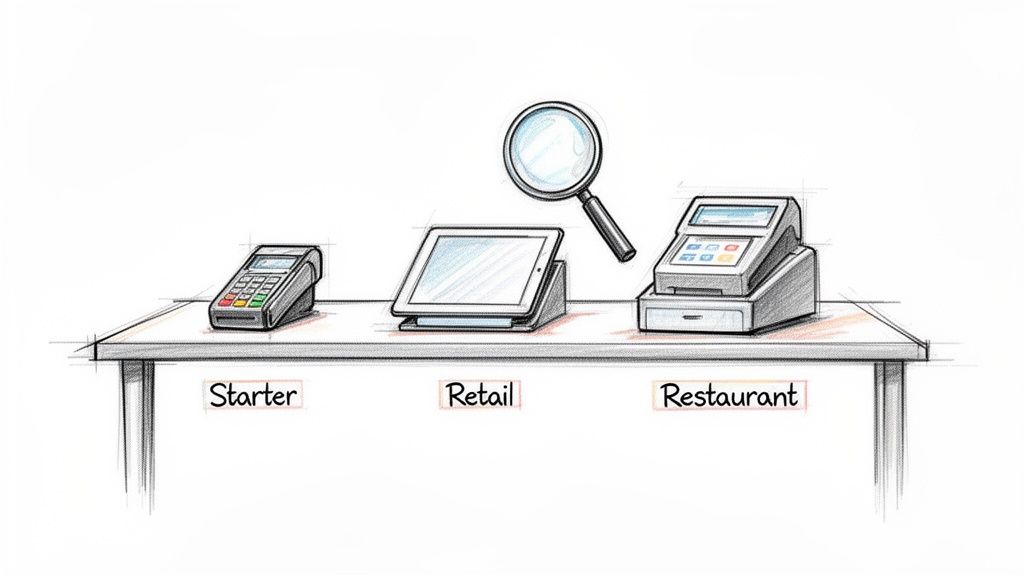
Choosing a Point of Sale (POS) system can feel like a massive task. It’s so much more than a cash register—it's the nerve center of your business, managing everything from payments and inventory to customer relationships. The right system makes your day-to-day operations smooth. The wrong one just creates headaches. This guide offers a practical point of sale systems comparison to help you choose wisely.
We're going to look past simple payment processing and dig into how different POS solutions can actually shape your business. The most important things to think about are your specific industry, your business size, your budget, and what other tools you need it to connect with.
Understanding the Market Shift
The POS world has changed dramatically, with a massive pivot toward cloud-based technology. The retail sector alone accounts for a huge 49% market share, showing just how critical these systems are for businesses that handle tons of transactions. This move to the cloud is all about freedom—you can check sales data in real-time or manage stock from your phone, without being chained to a clunky terminal. For a deeper dive, check out the latest POS market trends on Fortune Business Insights.
No matter which system you go with, clean record-keeping is non-negotiable. It's crucial that every transaction is documented properly. Complementary tools, like ReceiptMake's straightforward invoice receipt template, work alongside your POS to keep your financial tracking accurate from the start.
A great POS system doesn't just process sales; it provides the data and tools you need to understand your customers, manage your inventory, and grow your business intelligently.
The table below gives you a quick snapshot of the two main types of POS systems to get your comparison started.
| Feature | On-Premise (Legacy) POS | Cloud-Based (Modern) POS |
|---|---|---|
| Data Storage | Data is stored on local servers at your business location. | Data is stored remotely on the provider's secure servers. |
| Initial Cost | High upfront cost for hardware and software licenses. | Low upfront cost, typically a monthly subscription fee. |
| Accessibility | Accessible only from terminals within your business network. | Accessible from any device with an internet connection. |
| Maintenance | You are responsible for all software updates and maintenance. | The provider handles all updates and system maintenance. |
Understanding Core POS Features for Your Business
When you start comparing point-of-sale systems, it's easy to get lost in a sea of feature lists. But the real goal is to figure out how those features will actually help you run your business day-to-day. A modern POS shouldn't just be a cash register; think of it as the central nervous system for your sales, stock, and customer data.
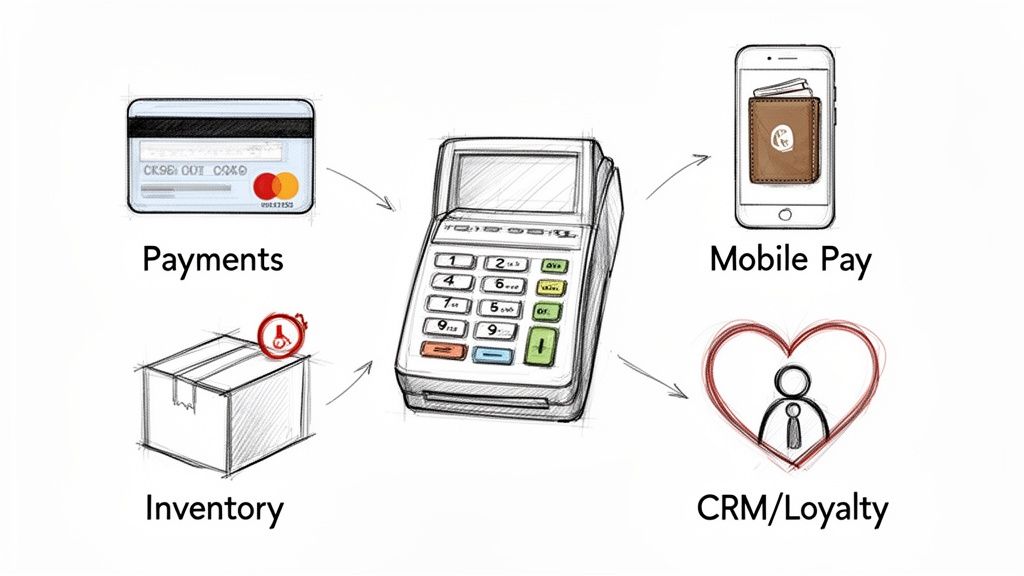
Essentially, every great POS is built on three pillars: payment processing, inventory management, and customer relationship management (CRM). Each one is critical, but what makes them work for you depends entirely on your industry. Let’s dig into what really matters.
Secure and Flexible Payment Processing
First and foremost, your POS has to take money, and it has to do it securely. Today’s customers expect to pay however they want, whether that’s with a traditional credit card or a quick tap of their phone using Apple Pay or Google Pay. Offering more ways to pay simply makes it easier for people to buy from you.
But it’s not just about what you accept, it’s about how. A food truck owner needs a simple, reliable card reader hooked up to a tablet. A busy retail shop, on the other hand, needs a sturdy countertop terminal that processes payments in a flash to keep the checkout line moving.
And let's be clear: security is non-negotiable. Any system you even consider must be PCI-compliant. This is the industry standard for protecting payment data, and it’s what stands between you and the kind of data breach that can ruin a business.
Real-Time Inventory Management
Good inventory management is often the unsung hero of a profitable business. A POS that automates this for you—tracking stock levels in real-time with every sale—is a game-changer. It’s how you avoid running out of your best-selling items or tying up cash in products that just aren't moving.
The details here really depend on what you sell:
- A clothing boutique needs to track every item by size, color, and style.
- A craft store requires support for fractional inventory to sell fabric by the yard or beads by weight.
- A coffee shop has to manage ingredients, deducting a little milk, a shot of espresso, and a pump of syrup from its inventory with every latte sold.
The best systems even send you low-stock alerts, giving you a heads-up when it’s time to reorder. It’s a simple feature that saves a ton of time and prevents you from ever having to say, "Sorry, we're out of that."
A great POS system doesn't just count what you have; it provides actionable data on what’s selling, what isn't, and when to restock, turning your inventory into a strategic asset.
Once the sale is done, providing clear proof of purchase is a must. A professional receipt closes the loop on the transaction and reinforces trust. To see what a well-structured receipt looks like, check out this generic POS receipt template from ReceiptMake; it organizes all the key details for both you and the customer.
Customer Relationship Management (CRM)
Getting a customer in the door is one thing; getting them to come back is how you build a sustainable business. A POS with integrated CRM features is your best tool for making that happen. It lets you collect and organize customer information right at the point of sale.
With a good CRM, you can:
- Build customer profiles: Keep track of contact details, see what they’ve bought before, and even add personal notes (like their usual coffee order).
- Run loyalty programs: Easily create a points-based system or offer special deals for regulars to give them a reason to choose you next time.
- Send smarter marketing: Use their purchase history to send promotions they’ll actually care about, like a discount on their favorite product.
This is especially powerful for service businesses. A hair salon, for example, can use its POS to track appointment history, service preferences, and even color formulas. That kind of personalized touch is what turns a first-time visitor into a lifelong client.
A Head-to-Head Look at the Top POS Systems
Choosing a point of sale system isn't about picking the one with the flashiest ads; it's about digging into the nuts and bolts that will run your business day in and day out. The perfect system for a new food truck is worlds away from what a multi-location retail boutique needs.
Let's cut through the noise and compare the heavyweights—Square, Shopify POS, Lightspeed, and Toast—on the things that actually affect your bank account and your sanity. We’ll look at the real trade-offs between them, from payment fees to hardware costs, and see how they stack up for different types of businesses.
Feature and Pricing Comparison of Leading POS Systems
Here's a quick, side-by-side look at how the top POS providers stack up on the essentials. This table gives you a high-level view of their pricing, key features, and who they're best suited for before we dive deeper into the details.
| Provider | Best For | Pricing Model | Key Features | Hardware Cost |
|---|---|---|---|---|
| Square | New businesses, cafes, freelancers, and small retailers | Flat-rate processing, free basic software plan | Simple setup, versatile hardware, all-in-one payment processing. | Low. Starts with a free magstripe reader. |
| Shopify POS | E-commerce businesses expanding to physical retail | Subscription-based, with lower rates on higher plans | Seamless online/offline inventory sync, unified reporting. | Moderate. Uses iPads and proprietary card readers. |
| Lightspeed | Established retail and restaurants with complex inventory | Subscription + custom payment rates | Advanced inventory management, purchase orders, granular reporting. | Higher. Requires specific hardware kits, usually iPad-based. |
| Toast | Restaurants, bars, and food service of all sizes | Custom-quoted software and processing fees | Kitchen display systems, online ordering, tableside payments. | Higher. Uses proprietary, durable, restaurant-grade terminals. |
This comparison highlights a key takeaway: there is no single "best" system. The right choice depends entirely on your industry, sales volume, and growth plans.
Unpacking Payment Processing Fees
Those little percentages on every transaction? They add up fast and can take a serious bite out of your profits. Each company handles fees differently, so understanding the models is key.
Square: The king of simplicity. You’ll pay a predictable flat rate, typically 2.6% + 10¢, for most in-person card transactions. For a new business or a pop-up shop, this is a huge advantage. There are no surprise monthly fees on the basic plan, so you know exactly what to expect.
Shopify POS: If you're already running a Shopify store online, using Shopify Payments is a no-brainer. In-person rates start at 2.7% + 0¢ and actually get cheaper as you move up their subscription tiers. Try to use an outside payment processor, though, and they’ll tack on an extra fee, making their built-in option the clear winner for Shopify users.
Lightspeed: This is where things get more tailored. Lightspeed Payments offers custom rates based on your sales volume and business type. For an established shop with consistent, high-volume sales, this can mean saving a significant amount of money compared to a one-size-fits-all flat rate.
Toast: Built exclusively for restaurants, Toast also creates custom-quoted processing plans. They get that a restaurant’s sales are a mix of in-person dining, online orders, and delivery, and they structure their rates to match that reality.
Choosing a fee structure is a strategic move. A new coffee cart loves Square’s predictability, but a bustling retail store could save thousands a year by negotiating a custom rate with Lightspeed.
Evaluating Hardware Costs and Compatibility
Your hardware is where every sale happens, so it needs to be reliable. The upfront cost can swing wildly from one system to another, and whether you can use devices you already own makes a big difference.
Square makes getting started incredibly easy. They’ll send you a free little magstripe reader, and their terminals, like the Square Stand that converts an iPad into a full-fledged register, are affordable and look great on a counter. For small businesses, it's a very low barrier to entry. And when a transaction is done, good records are essential. A tool like ReceiptMake's parking receipt template is perfect for when you need specific documentation for your books.
Shopify POS also leans into existing tech, primarily using iPads paired with their own card readers like the WisePad 3. If you’re already an Apple user, this keeps your startup costs down. The hardware is designed to sync flawlessly with a Shopify online store, which is the whole point—it unifies your sales channels.
Lightspeed and Toast are a different breed. Lightspeed is built for more complex setups, offering entire hardware kits with barcode scanners, printers, and cash drawers that all center around an iPad. Toast goes even further, providing its own proprietary Android terminals. These things are built like tanks—durable, restaurant-grade hardware designed to survive the chaos of a hot, busy kitchen.
This is a crucial distinction. A freelance photographer just needs a Square reader and a phone. But if you’re running a packed restaurant on a Saturday night, you'll be glad you invested in Toast's spill-proof, purpose-built hardware. When comparing systems, especially for restaurants, it's worth checking out detailed analyses. For instance, Tackon Table's comprehensive POS comparison breaks down the nuances between top food-service options.
Assessing Software Scalability for Growth
A POS that’s perfect today could be holding you back in a year. You need software that can grow with you, offering more muscle as your operation gets more complex. This is where you really see the core philosophies of these companies shine through.
Square is the ultimate starter pack. The free plan has everything a new business needs. As you grow, you can easily add on specialized services like Square for Retail or Square for Restaurants. This modular design means you only pay for the advanced tools—like deep inventory tracking or kitchen display systems—when you actually need them.
Shopify POS is the obvious path for anyone who started their business online with Shopify. Its entire existence is about creating a seamless bridge between your e-commerce site and physical store. Inventory, customer profiles, and sales reports are all one and the same. For any retailer aiming for a true omnichannel experience, this is the most scalable option. Even with a powerful system, you sometimes need to make a simple sale. Keeping a clean cash sale receipt template handy is great for those one-off situations.
Lightspeed isn't really a starter system; it’s a growth engine. Its inventory management is arguably the most powerful in its class, perfect for retailers juggling thousands of products, managing purchase orders, and syncing stock across multiple locations. For restaurants, it offers incredibly detailed table management and analytics. It's built for businesses that are already established and need serious operational control.
Toast is laser-focused on the food and beverage world, and it shows. The software is designed to solve every problem a restaurant faces, from integrated online ordering and delivery fleet management to loyalty programs and menu-costing reports. Its scalability is entirely vertical. It might not be for a clothing store, but for a restaurant growing from one location to a national chain, Toast has a clear, powerful roadmap.
Matching a POS System to Your Specific Industry
The POS system that keeps a busy coffee shop humming will almost certainly frustrate a boutique owner trying to manage a complex inventory. When you're comparing point of sale systems, you have to look past the generic feature lists and get real about the daily demands of your industry. This isn't a one-size-fits-all situation; the right system should feel like it was designed with your exact workflow in mind.
Sure, every POS processes transactions. That’s the easy part. The magic is in the details—the nuances that can either supercharge your efficiency or create constant headaches. A retail store lives and dies by its inventory accuracy. A restaurant's success hinges on seamless order and table management. Let's dig into what really matters for different types of businesses.
Before we get into specifics, there are a few universal things every business owner needs to weigh: the processing fees, the hardware investment, and whether the system can grow with you.
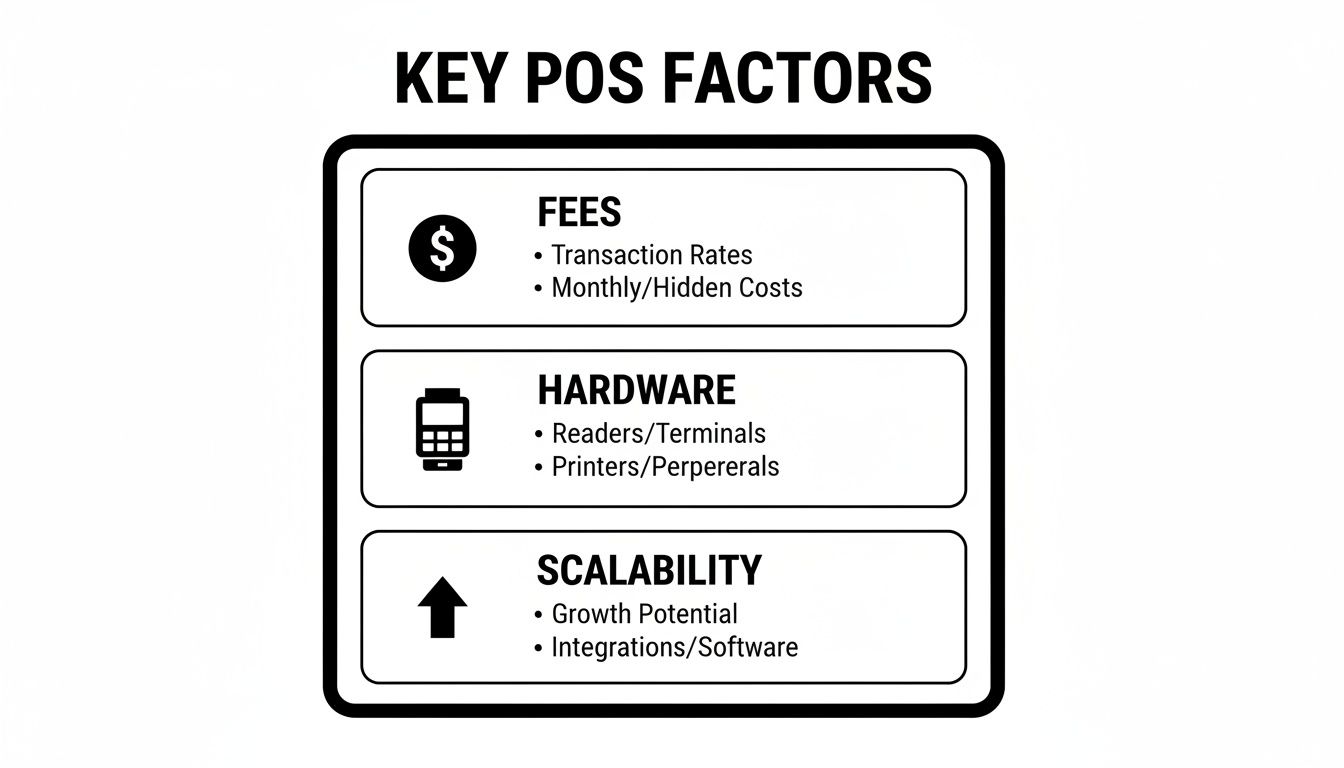
Think of these three pillars—cost, equipment, and future potential—as the foundation. Get this right, and you're already on the path to making a smart POS decision, no matter what you sell.
POS Systems for Retail Businesses
For anyone in retail, from a clothing boutique to a hardware store, your world revolves around one thing: inventory management. This is the single most critical feature, and it has to do a lot more than just count items. A good retail POS needs to handle the real-world messiness of stock.
That means easily tracking product variants like size and color, generating purchase orders to restock, and keeping all your supplier information in one place.
A real game-changer is the ability to manage fractional inventory. If you sell fabric by the yard or coffee beans by the pound, you need a system that can handle those non-standard units without requiring a clunky workaround. The same goes for creating product bundles or gift baskets, where selling one item automatically deducts all the individual components from your stock count.
For a retail business, the POS system is the single source of truth for inventory. A system that seamlessly syncs stock between your physical store and your e-commerce platform is non-negotiable for modern omnichannel retail.
Look at systems like Lightspeed Retail or Shopify POS. They were built from the ground up with these advanced inventory tools, giving you the granular control you need to avoid stockouts and make smarter purchasing decisions.
Solutions for Restaurants and Cafes
The restaurant world moves at a breakneck speed, and the POS has to keep up. Here, table management is everything. Your servers need a way to see open tables at a glance, split bills without a fuss, and fire orders to the kitchen instantly.
This is where a Kitchen Display System (KDS) integration becomes a non-negotiable. It replaces messy paper tickets with a clear digital queue, leading to faster prep times and way fewer mistakes.
Order customization is another must-have. When a customer asks for extra cheese, no onions, and the sauce on the side, your POS has to make it simple for the server to punch that in and for the kitchen to understand it perfectly. It's also becoming standard to integrate with tools like digital restaurant menu QR code solutions for a more modern customer experience.
Finally, the hardware needs to be tough enough for the job. Restaurant-grade terminals, like those from Toast, are built to handle the inevitable spills and heat of a busy kitchen. And when the meal is done, the final touch is a clear, professional bill. You can see how a well-structured final receipt should look with this Restaurant Bill template, which makes it easy for customers to see exactly what they ordered.
Mobile POS for Service-Based Businesses
If you're a freelancer, contractor, stylist, or personal trainer, your business happens anywhere but a traditional storefront. For you, the most important feature is mobility. You need a POS that runs smoothly on a smartphone or tablet, letting you take payments on-site, in a client's home, or at a pop-up market.
Appointment scheduling is another huge piece of the puzzle. A system that combines your booking calendar, sends out automatic reminders, and helps manage staff schedules can save you from hours of administrative work. In fact, the global beauty salon market is expected to grow by 8.0% annually through 2030, largely because of tech that streamlines these very tasks.
Good customer management is also key. A salon owner, for example, needs to track a client's service history, product preferences, and even specific formulas. Systems like Square Appointments are built for this workflow, weaving payments, scheduling, and client notes into a single, mobile-friendly platform. It turns your payment device into a complete business management tool.
Integrating Your POS with Other Essential Tools
A POS system on its own is useful, but it really starts to shine when it talks to the other software you use to run your business. Picture your POS as the central hub of a wheel. The spokes should connect out to your accounting, e-commerce, and marketing tools. When everything is linked up, you create a connected system where data moves automatically. This saves you from hours of boring data entry and helps you sidestep those frustrating human errors.
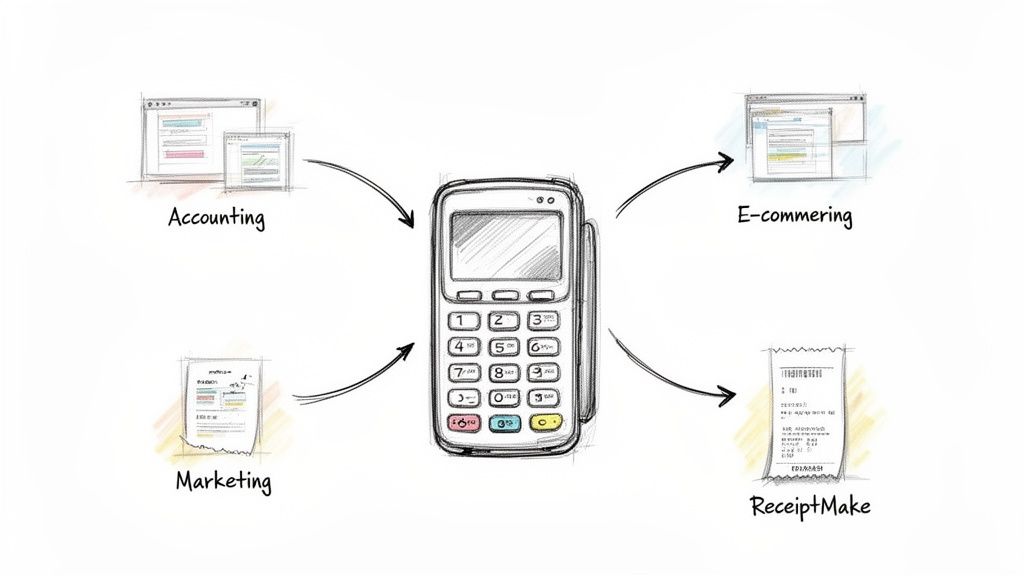
When your systems are in sync, you get a clear, live view of your business's performance. Sales data from your register can instantly appear in your accounting software, making your books clean and simple. This kind of connectivity is a crucial part of any good point of sale systems comparison; a system that traps your data is one that holds your business back.
Syncing with Accounting and E-commerce Platforms
For any small business, the most important integration is with accounting software. Trying to manually match up your daily sales with your financial records is just asking for trouble and wasted time. A direct link to a platform like QuickBooks or Xero puts this entire process on autopilot. Every sale, refund, and bit of tax you collect gets logged correctly, giving you a perfect financial snapshot whenever you need it.
If you sell both in-person and online, e-commerce integration isn't just nice to have—it's essential. Connecting your POS to a platform like Shopify or BigCommerce keeps your inventory levels consistent everywhere. When someone buys that last blue sweater in your physical store, your website knows about it immediately. No more accidentally selling something you don't actually have.
The real aim of integration is to have one single source of truth for all your business data. When your POS, website, and accounting software all agree on the numbers, you can make smarter decisions because you're seeing the full, accurate picture.
Extending Functionality with Marketing and Customization Tools
Good integrations go beyond just the back-office stuff. They can also help with customer engagement and branding. Many POS systems can link up with email marketing services like Mailchimp. This lets you automatically add new customers to your mailing list and send out promotions based on what they've bought in the past.
But one area where many POS systems drop the ball is in customizing documents like receipts. Their built-in templates are often pretty rigid. You might not be able to add your logo, a thank-you message, or detailed descriptions. This is where a dedicated tool becomes a huge help in keeping your brand looking professional.
Let's say your POS just spits out a basic sales slip. You can use a flexible tool to create a custom receipt for any kind of transaction in just a few clicks. Whether you need a simple cash receipt, a detailed invoice for a service, or a gas receipt, your documents will always look polished, branded, and easy to read. This level of control reinforces your brand identity with every single sale, filling a critical gap that many standard POS systems leave open.
Your POS System: The Final Sanity Check
Alright, you've done the research and narrowed down your options. Making that final call on a POS system can feel daunting, but a methodical final check can make all the difference. This isn't just about picking the one with the most features; it's about choosing a true partner for your business operations.
Think of this as your last look before you leap. By running your top contenders through this checklist, you can confidently sign on the dotted line, knowing you haven't missed a critical detail.
A 5-Point Checklist for a Confident Decision
Let's pressure-test your finalists. These questions will help you cut through the marketing noise and focus on what really matters for your day-to-day.
Does It Actually Fit Your Business?
Look past the generic features. If you run a cafe, does it handle modifiers and tipping with ease? For a boutique, can it manage inventory by size and color? Make sure it solves your specific problems, not just general ones.What's the Real Price Tag?
The monthly fee is just the beginning. Tally up everything: the hardware, the payment processing fees (this is a big one!), and any extra charges for the integrations you absolutely need. What will this system truly cost you over the course of a year?Will It Play Nice with Your Other Tools?
Your POS system needs to connect smoothly with the software you already use, like your accounting platform or e-commerce store. Ask if the integrations are direct and reliable—you don't want to be stuck with a clunky workaround that breaks every other week.Get Your Hands on It (Seriously).
Never, ever buy a POS without trying it first. Schedule a live demo and have the salesperson walk you through the exact tasks your team performs every day. Is it genuinely easy to use, or will it create headaches for your staff?Who Answers the Phone When Things Go Wrong?
Picture this: it's your busiest day of the year, and the system freezes. What happens next? Look into their support. Are they available 24/7? Do they offer phone support, or just email? Check recent reviews to see what real customers say about their response times.
Choosing a POS system isn't about finding a flawless solution. It’s about finding the one whose strengths align with your needs and whose weaknesses you can live with.
Once you've made your choice, the last piece of the puzzle is getting your paperwork in order. Using a tool like ReceiptMake to create a standard delivery receipt or a clean sales receipt ensures every transaction looks professional and stays consistent from the moment you go live.
Still Have Questions About POS Systems?
After digging through all the details of different point-of-sale systems, it's totally normal to have a few questions pop up. You're not alone. Let's tackle some of the most common ones we hear from business owners so you can feel good about your final choice.
What's the Real Difference Between a POS System and a Credit Card Reader?
Think of it this way: a credit card reader has one job—to take the payment. It's a single-task tool.
A full POS system, on the other hand, is the central hub of your entire business. It processes payments, sure, but it also tracks your inventory in real-time, gives you detailed sales reports, manages customer information, and even handles employee permissions. The reader is just one piece of a much bigger puzzle designed to run your whole operation.
Can I Just Use My own iPad or Computer?
That’s the million-dollar question, and the answer is... it depends.
Many of the newer, cloud-based players like Square and Shopify POS are built to run on devices you probably already own, like an iPad. This is a huge win for keeping startup costs down. However, some of the more traditional or specialized systems lock you into their own proprietary hardware.
Bottom line: Always check the hardware requirements before you sign up for any software. The last thing you want is an unexpected hardware bill.
My POS Has Awful Receipt Options. What Can I Do?
This is a surprisingly common headache. If your POS system spits out generic, unbranded receipts, a dedicated receipt generator is your best friend.
A tool like ReceiptMake lets you bypass those rigid templates and create professional receipts that actually look like they came from your business. You can add your logo, break down line items, and put in specific tax info. It’s a simple way to maintain your branding on every sale, whether it's a standard retail receipt or a more complex service receipt.
Ready to create professional, branded receipts for your new POS system in seconds? With ReceiptMake, you can generate unlimited custom receipts for free, ensuring every transaction looks polished and your records are always accurate. Try ReceiptMake's free receipt generator today.

