How to Organize Business Receipts and Stop Dreading Tax Time
Organizing business receipts really boils down to building a consistent habit. It's not about creating some beast of an accounting system overnight. Instead, focus on three simple things: deciding on your expense categories, picking a method you’ll actually use (digital or paper), and setting aside time each week to sort through everything.
Getting this right turns a chaotic chore into just another part of running your business.
Why a Simple System Is Your Best Bet
Is your glove compartment, wallet, or the classic shoebox overflowing with crumpled receipts? We’ve all been there. The goal isn't perfection; it's about building a practical system that saves you from that year-end panic when tax time rolls around.
A reliable process means you can confidently claim every possible deduction, get a real-time pulse on your cash flow, and be ready for any financial questions that come your way. Honestly, consistency beats complexity every single time. It doesn't matter if you're a freelancer juggling project costs or a small cafe managing daily supplier invoices—the core idea is the same. Finding a good rhythm starts with exploring the different ways of record keeping to see what clicks for you.
This visual lays out the basic flow of a solid receipt organization system.
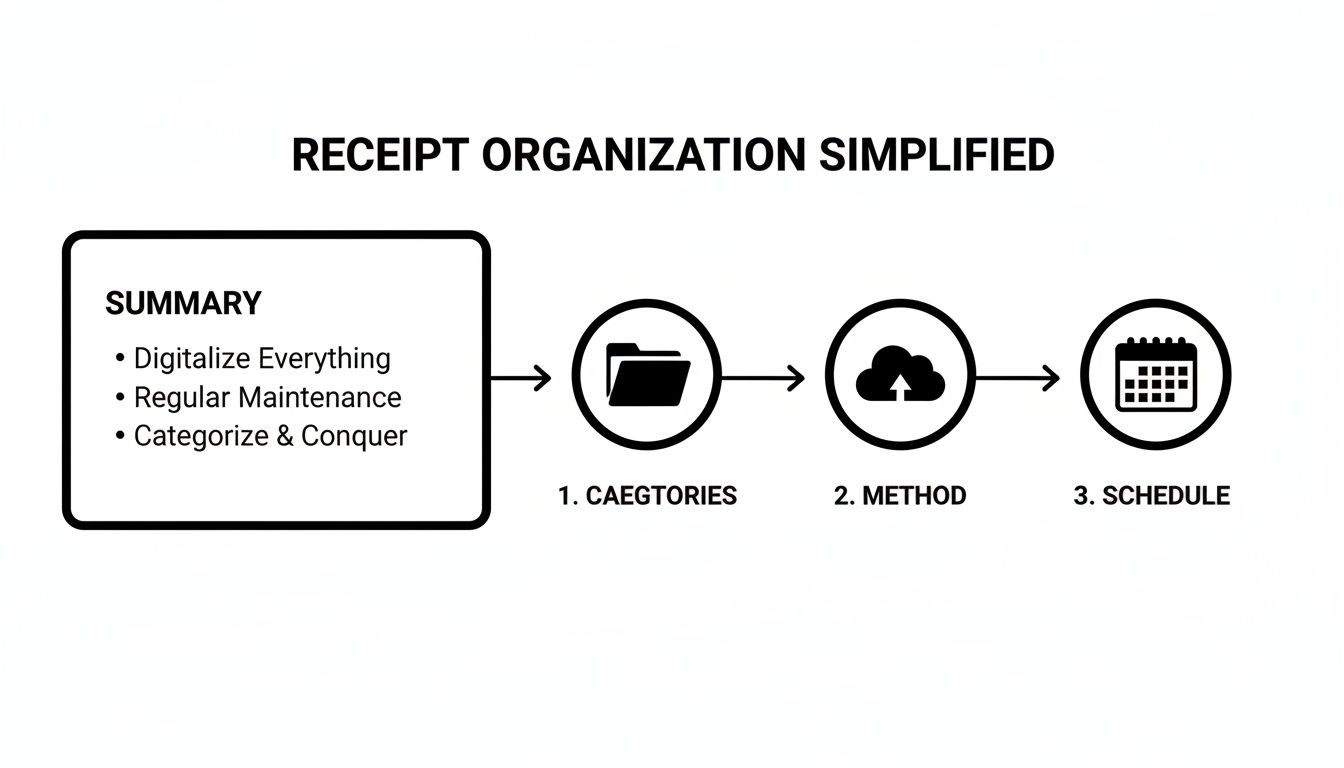
As you can see, it all comes back to that simple loop: categorize, capture, and maintain.
Digital vs Physical Receipt Organization at a Glance
The first real choice you have to make is whether to go digital, stick with physical paper, or maybe find a middle ground. While paper might feel old-school and familiar, digital systems offer incredible search capabilities and backup security.
This table breaks down the main differences to help you decide.
| Feature | Digital System | Physical System |
|---|---|---|
| Accessibility | Accessible from anywhere with an internet connection | Limited to the physical location of your files |
| Searchability | Instantly search by date, vendor, amount, or keyword | Requires manual sorting through folders or binders |
| Storage Space | Takes up minimal physical space; stored in the cloud or on a hard drive | Requires significant physical space (filing cabinets, boxes) |
| Durability | Safe from physical damage (fire, water); can be backed up | Vulnerable to fading, damage, or loss |
| Initial Setup | Requires choosing software and setting up a scanning/naming convention | Simple to start; just need folders, binders, and a filing cabinet |
| Ongoing Effort | Quick daily/weekly scans and uploads | Requires consistent manual filing and sorting |
In my experience, a hybrid approach often works best, especially when you're just starting. You can scan and digitize paper receipts as they come in while easily managing the invoices and receipts that are already digital (like from online purchases).
A quick tip from the trenches: The IRS accepts digital or scanned receipts for tax purposes, as long as they are clear, accurate, and complete. This little fact has made digital-first systems the go-to for most modern businesses.
Ultimately, the best system is the one you will consistently use. Both paths lead to better organization, but one will almost certainly fit your day-to-day operations—and your personality—better than the other.
Choosing Your Receipt Management Toolkit
Once you’ve settled on a digital or physical system, it's time to pick the right tools. The toolkit you choose becomes the backbone of your entire receipt organization process, so it pays to find one that actually fits how you work.
For a freelancer or a tiny business, a simple setup is often the best. Honestly, tools you probably already use—like Google Drive or Dropbox paired with a good smartphone scanning app—can be more than enough. You just snap a picture of a receipt, name it based on your system, and drop it into the right cloud folder. It’s dead simple and costs next to nothing.
Scaling Up Your Tools
But as your business grows, so does the mountain of receipts. This is where dedicated receipt scanning apps and full-on accounting software start to make a lot of sense. Apps like Expensify or Zoho Expense use Optical Character Recognition (OCR) to automatically pull key details—vendor, date, amount—right from a photo. It’s a huge time-saver compared to typing everything in by hand.
Full-service accounting platforms like QuickBooks or Xero take it even further. They build receipt capture right into your bookkeeping, automatically categorizing expenses and matching them up with your bank transactions. This gives you a powerful, single source of truth for all your financial data, which is a must-have for businesses juggling multiple employees or complex inventory.
The massive shift toward these solutions is undeniable. The Digital Receipts Market was valued at USD 2.1 billion in 2023 and is projected to skyrocket to USD 5.1 billion by 2033. This boom is fueled by businesses of all sizes hunting for smarter ways to manage their money. If you're interested in the data, you can dig deeper in this cloud-based receipt management report.
Standardizing Your Records for Consistency
No matter what software you use, you're going to run into a missing or unreadable receipt. It happens. A faded thermal slip from the gas pump or a handwritten note for a cash purchase can throw a real wrench into your otherwise pristine digital system. This is where standardization becomes your secret weapon.
Key Takeaway: Consistency is more important than complexity. A simple system you use every single time is far more effective than a sophisticated one you only use now and then. Your tools should make being consistent easy, not hard.
When a receipt goes missing, you can keep your records accurate and professional by creating a digital replacement. For example, you might use a Gas Receipt Template to document that fuel-up or a Retail Receipt Template for an in-store purchase. This simple step ensures every single transaction has a clean, properly formatted document to back it up.
Using a tool to create uniform records bridges the gap between different transaction types. You can find a huge variety of templates for just about any business need at https://receiptmake.com/. This practice doesn't just keep your files tidy; it makes life a whole lot easier come tax time or, heaven forbid, an audit.
Nail Down a Foolproof System for Categories and Naming
Alright, you've picked your tools. Now for the real work: building a system that actually makes sense. This is more than just shoving files into a folder. We're talking about creating an intelligent structure that takes the panic out of tax time and shows you exactly where your money is going. A solid categorization and naming system is the engine that drives everything else.
The whole point is to create expense categories that line up with your business deductions. Think of them as digital buckets for every dollar you spend. When you sort receipts into these buckets right away, you completely sidestep that year-end scramble to make sense of a shoebox full of paper.
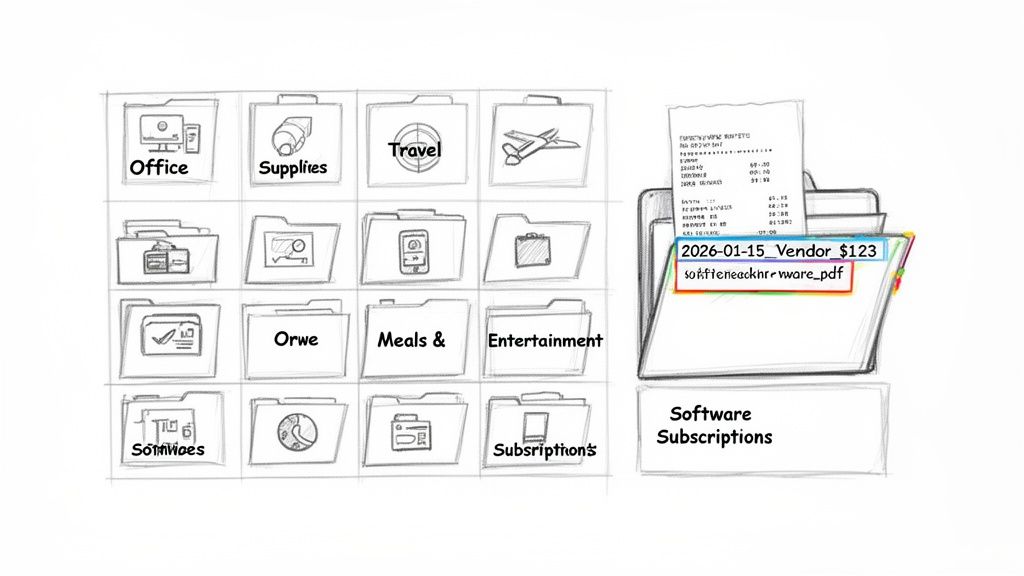
Essential Expense Categories to Get You Started
Your exact categories will shift a bit depending on what you do, but most small businesses, freelancers, and restaurants can build from the same core list. The best part? These categories often match up directly with the lines on your tax forms, which is a huge time-saver.
Here are the fundamental categories I always recommend setting up first:
- Office Supplies and Equipment: This is your catch-all for everything from printer paper and pens to new laptops or that standing desk you finally bought.
- Software and Subscriptions: All those recurring digital costs—think Adobe Creative Cloud, your project management tool, or web hosting fees.
- Travel Expenses: This covers flights, hotels, rental cars, and any other costs you rack up while on the road for business. For lodging expenses, a consistent Hotel Receipt Template can keep records uniform.
- Meals and Entertainment: Document every coffee meeting and client lunch. Just make sure to note the business purpose, since the tax rules here can be tricky.
- Marketing and Advertising: Your social media ads, website design costs, business cards, or fees for that industry conference.
- Utilities: Your internet, phone, and electricity bills, especially if you have a dedicated home office.
This kind of structure works no matter what you do. A freelance designer can instantly see how much they've spent on software for the year, and a cafe owner can track their weekly supplier invoices with the same level of clarity.
The Hidden Power of a Consistent Naming Convention
Once you have your categories, the next step is deceptively simple but incredibly powerful: create a file naming formula. A consistent naming convention transforms your cloud storage from a digital junk drawer into a searchable database. You'll never again have to wonder what "Scan_2024_final.pdf" actually is.
Pro Tip: The goal is to name files so you can find anything you need without ever opening the document. The filename itself should tell you the date, vendor, amount, and category.
Here’s a simple formula you can start using today:
YYYY-MM-DD_Vendor_Amount_Category.pdf
Let's see how that plays out. Say you bought a new monitor from Best Buy on March 15, 2024, for $249.99.
- Bad filename:
receipt123.pdf(This tells you nothing.) - Better filename:
BestBuy_monitor.pdf(Getting warmer, but you can't sort it by date.) - Perfect filename:
2024-03-15_BestBuy_249.99_Equipment.pdf(Instantly searchable and perfectly sortable.)
This small habit makes finding a specific transaction just a few keystrokes away. It’s a game-changer.
What to Do With Messy or Missing Receipts
Of course, the real world is messy. Not every transaction comes with a perfectly itemized, digital receipt. You're going to get faded thermal slips, handwritten invoices, or have cash payments with no formal record. The key is to stay professional and accurate.
For these situations, creating your own standardized digital record is the only way to go. If you paid a supplier in cash or got a crumpled slip from a client lunch, you can use a Restaurant Receipt Template to generate a clean, legible document for your records. The same goes for local travel—a simple Taxi Receipt Template can capture those costs perfectly.
This approach ensures every single expense, no matter how small or informal, is accounted for in a consistent, professional format.
Implementing Your Daily and Weekly Workflow
Let's be honest: the most perfectly designed system for organizing business receipts is useless if you don't actually use it. The real trick isn't creating flawless folder structures; it's building a habit so simple that it becomes second nature. To avoid that dreaded shoebox full of crumpled paper, you need a straightforward workflow that fits into your life.
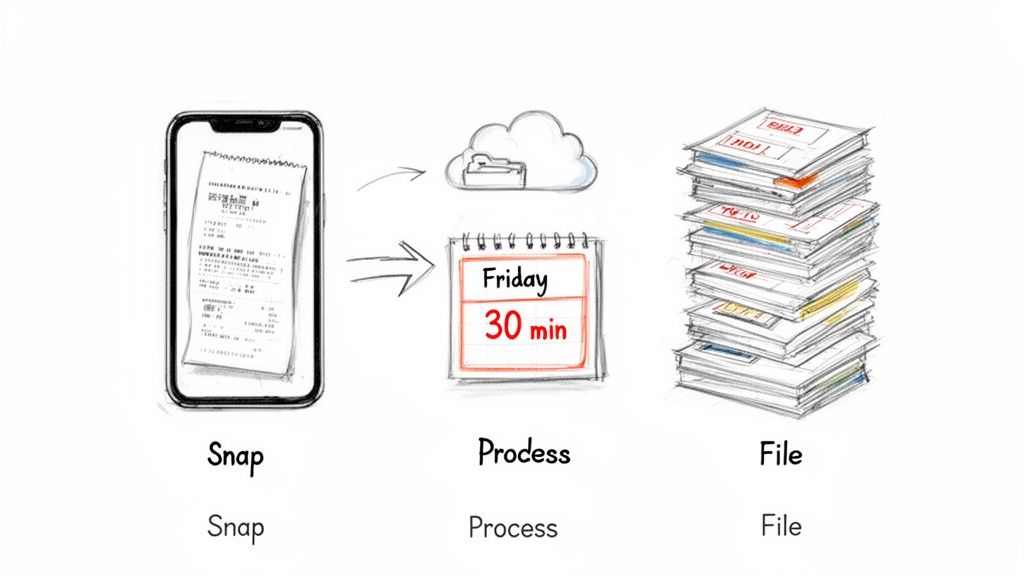
This doesn't have to be complicated. In fact, the simpler it is, the more likely you are to stick with it. It all starts with one tiny action you take every day.
The Five-Second Daily Habit
The moment a cashier hands you a receipt, pull out your phone. Snap a picture of it right then and there with your chosen scanning app. Do it before it gets shoved into a pocket, lost in the car, or buried at the bottom of a bag.
This one tiny, five-second habit is the bedrock of an organized system. Capturing receipts on the spot eliminates the biggest hurdle—facing a mountain of paperwork and trying to remember what each purchase was for. It's a small win that prevents a massive headache down the road.
Your Non-Negotiable Weekly Review
With all your receipts captured in real-time, your weekly task is just a quick review and filing session. I tell all my clients to block out 30 minutes on their calendar every Friday for this. Treat it like a client meeting—it's non-negotiable.
During this half-hour block, your job is simple:
- Quickly review the scans from the week to make sure they're all clear and readable.
- Double-check your naming convention (e.g., YYYY-MM-DD_Vendor_Amount_Category) is on point for each file.
- Drag and drop each digital receipt into the correct category folder in your cloud storage or accounting software.
- Fix any problems. Notice a receipt is missing or unreadable? Now's the time to act. Use a Parking Receipt Template to create a record for that client meeting downtown or a Hotel Receipt Template to document a recent business trip.
This consistent, small-time investment saves you from hours of soul-crushing manual work later. And that manual work isn't just slow; it's expensive and full of errors.
Think about this: research shows it costs an average of $8 to process a single supplier payment, and labor eats up 62% of that cost. Worse, manual, paper-based systems have an error rate of about 18%, which can put your business at financial risk. You can read more about the hidden costs of B2B payments.
Turning receipt management into a predictable weekly routine transforms a chaotic mess into a smooth, reliable business process. If you have informal transactions that don't come with a standard slip, generating a consistent document with a Cash Receipt Template keeps your books clean and ready for anything. This workflow isn't just about being tidy; it's about building a solid financial backbone for your business, one week at a time.
Ensuring Compliance and Preparing for Tax Time
Let's be honest, organizing receipts isn't just about keeping a tidy office. It's a core part of your financial and legal responsibility. When tax season rolls around, or if you ever face an audit, that organized system is your first and best line of defense.
Tax authorities like the IRS are pretty clear about their expectations. As a general rule, you need to hang onto all your business records, receipts included, for at least three years after filing your return. In certain cases, that requirement can stretch to seven years, so playing it safe is always the smarter move.
What Makes a Receipt "Audit-Proof"?
An "audit-proof" receipt is one that tells the whole story, leaving no doubt about the expense. It needs to have all the critical details to be considered valid proof of a business purchase. This is where a good digital system really shines—everything is legible, searchable, and ready to go at a moment's notice.
To make sure your records will stand up to scrutiny, every single receipt should clearly show:
- The Vendor's Name: Who you paid.
- The Transaction Date: When the purchase happened.
- The Amount Paid: The total cost of the item or service.
- A Clear Description: An itemized list of what you actually bought.
If you're missing key details, especially the description, a tax agent could easily disallow the deduction. That's why a faded thermal receipt for a "business lunch" with no other information is a classic red flag.
This push for better compliance is a huge reason the expense management software market is exploding. Valued at USD 7.08 billion in 2023, it's expected to rocket to USD 16.48 billion by 2032. Financial institutions especially are jumping on these tools to boost efficiency and stay on the right side of strict regulations. You can get more details on this growing market on Fortune Business Insights.
A Critical Takeaway: Your receipt system isn't just a personal preference. It's a formal record-keeping process that proves your financial integrity. A messy system can cost you dearly in lost deductions, fines, and audit-related stress.
Handling Informal Transactions While Staying Compliant
Of course, the real world is messy. Not every transaction comes with a perfect, itemized receipt from a cash register. Maybe you paid a vendor in cash, bought supplies at a flea market, or just plain lost the slip. You still have to account for that money.
This is where creating your own standardized record becomes non-negotiable. For any cash payment or purchase that doesn't have a formal receipt, you can use a Generic Receipt Template to document the expense properly. This fills the gap, ensuring every dollar you spend is accounted for with the right details.
For those looking for a more hands-off approach to financial organization and tax prep, bringing in professional help like virtual assistant bookkeeping can be a game-changer.
Common Questions About Organizing Business Receipts
Even with a solid workflow, curveballs will come. Here are practical answers to the questions you most often hear from small business owners and freelancers. Tackle these pain points with confidence.
Are Digital Copies Of Receipts Legally Acceptable
In nearly all jurisdictions—including the IRS in the United States—a scanned or photographed receipt carries the same weight as the paper version. What matters most is clarity and completeness.
Your scan should clearly show:
- Vendor Name
- Transaction Date
- Amount Paid
- Description Of The Purchase
Keep files organized and easy to retrieve. That way, if an auditor asks, you can produce a legible digital copy right away.
What Should I Do If I Lose A Business Receipt
It happens to the best of us. First, reach out to the vendor for a replacement. Many retailers and service providers can email you a duplicate.
If you still can’t get the original, a credit card or bank statement is a valid substitute. Jot a quick note explaining the business purpose next to the entry.
For cash expenses without a formal ticket—like a local delivery fee—use a Generic Receipt Template to fill in details. This step ensures your records stay bulletproof.
Key Takeaway: Misplacing a receipt doesn’t mean giving up your deduction. Use statements, notes, or a generated draft to keep your books accurate.
How Often Should I Back Up My Digital Receipts
Think of backup like insurance. A simple way to remember is the 3-2-1 Backup Strategy:
- Keep three copies of your data
- Store them on two different media (for example, cloud storage and an external drive)
- Place one copy off-site
Most cloud accounting tools automatically save your records, but I still export a copy at least every quarter. Store that file in a separate location so you’ve always got a fallback. For trips, scan receipts or create a uniform record using a Hotel Receipt Template before uploading to your archive.
Can I Throw Away Paper Receipts After Scanning Them
Once your scans are sharp and backed up, you can usually shred the paper version. Going digital saves space and cuts clutter.
Yet, for big-ticket items—equipment, vehicles, or property—it’s wise to hold onto the original for at least a year. Chat with your accountant to make sure you’re in line with any specific rules in your industry or region.
Ready to build neat, searchable records for every expense? With over 100 templates, ReceiptMake lets you generate polished receipts in seconds for free. No sign-up required. Try ReceiptMake today and take control of your expense tracking.

