How to Categorize Business Expenses a Practical Guide
Organizing your business expenses is much more than just a bookkeeping chore. It’s about creating a clear, structured system—think of it as a chart of accounts—that sorts every dollar you spend into a logical group like "Payroll," "Marketing," or "Utilities."
This process is the bedrock of smart financial management. After all, for many businesses, payroll alone can eat up 25% to 50% of the entire budget. Without a clear way to track it and every other cost, you're flying blind.
Why Accurate Expense Categories Matter
It's easy to see expense categorization as something you only do for your accountant come tax time, but that’s a huge missed opportunity. This is where your company's financial intelligence truly begins.
When you know exactly where your money is going, you shift from just recording transactions to making strategic decisions that actually fuel growth. Think of it as creating a detailed map of your spending. With it, you can navigate your business's financial future with confidence.
An organized system gives you a real-time snapshot of your company's health, helping you answer critical questions on the fly. Are you spending too much on software subscriptions? Is that marketing campaign actually delivering a return? Getting your categories right turns raw data into powerful, actionable insights.
Beyond Compliance to Strategic Insight
The benefits of diligent expense tracking go way beyond just keeping the tax authorities happy. A well-organized system helps you:
- Budget Smarter: With clear historical data, you can build future budgets that are realistic and effective, not just hopeful guesses.
- Find Hidden Savings: Noticing a sudden spike in your "Office Supplies" category might point to an inefficient purchasing habit you can easily fix.
- Forecast with Confidence: Reliable financial data is essential for planning your next big move, whether that's hiring new staff, launching a product, or expanding to a new market.
- Secure Funding: If you're looking for investors or a bank loan, they'll want to see clean, transparent financial records. Organized expenses show them you're a serious, professional operator who understands the business inside and out.
A great way to begin is by setting up a handful of broad categories that reflect how your business actually operates. For example, marketing and advertising are crucial growth drivers. In fact, 67% of marketing leaders say digital marketing directly increases their sales. Without a specific category for it, how can you possibly know if your ad spend is paying off?
One of the biggest mistakes I see is businesses lumping everything into a "Miscellaneous" category. This essentially becomes a financial black hole, hiding valuable details about smaller, recurring costs that you could otherwise optimize or cut completely.
Common Business Expense Categories at a Glance
To get you started, here is a quick-reference table that breaks down some of the most common expense categories. This will give you a solid foundation for building out your own chart of accounts.
| Category Name | Description | Common Examples |
|---|---|---|
| Cost of Goods Sold (COGS) | Direct costs related to producing the goods you sell. | Raw materials, inventory purchases, direct labor costs. |
| Payroll & Compensation | All expenses related to your employees. | Salaries, wages, bonuses, payroll taxes, benefits. |
| Marketing & Advertising | Costs associated with promoting your business. | Online ads, social media campaigns, print materials, SEO services. |
| Office Supplies & Software | Day-to-day items and digital tools needed for operations. | Stationery, printer ink, subscription fees (e.g., Adobe, Slack). |
| Rent & Utilities | Expenses for your physical workspace. | Office rent, electricity, internet, water, gas. |
| Professional Services | Fees paid to outside consultants or freelancers. | Legal advice, accounting services, IT support, consulting fees. |
| Travel & Entertainment | Costs incurred for business-related travel and client meetings. | Flights, hotels, client dinners, conference tickets. |
Using a clear and consistent set of categories like these is the first step toward transforming your financial data from a messy shoebox into a strategic asset.
Getting Started with Common Categories
To make this process foolproof, every single transaction needs a proof of purchase. This is non-negotiable.
Generating a detailed, professional receipt is the first step in creating a clean, audit-ready trail for every expense. When you need to document a transaction quickly and accurately, you can use a free online receipt generator to ensure every important detail is captured correctly. Making this a habit is a simple way to support your entire financial system from the ground up.
Building Your Chart of Accounts
Alright, you get why categories are a big deal. Now, let’s get into the how. The backbone of any solid bookkeeping system is what’s called a Chart of Accounts, or COA. Don't let the name intimidate you. It's really just a customized list of all the financial categories and sub-categories your business uses to track where money comes from and where it goes.
A well-thought-out COA is the framework that lets you categorize every single transaction consistently. It starts with the big-picture, IRS-friendly categories and then lets you drill down into the nitty-gritty details that tell the true story of your business. This is how you turn a shoebox full of receipts into reports that actually mean something.
The goal here isn't to create a ridiculously long list of accounts. It's about building a logical system that can grow with you. Get this right, and you won't have to face a painful financial overhaul when your business starts to take off.
This infographic gives a great visual of how major expense types branch out.
As you can see, just breaking expenses down into core functions like payroll, marketing, and operations immediately shows you where your money is really going.
Starting with the Big Buckets
First things first, your COA needs to align with standard accounting and tax rules. These are the main categories that nearly every business uses. Think of them as the foundational buckets that an accountant, investor, or the IRS would expect to see.
Here are the usual suspects:
- Operating Expenses (OpEx): These are the everyday costs of keeping the lights on. Think rent, utilities, and office supplies—anything not directly tied to making your product.
- Cost of Goods Sold (COGS): This is for direct costs tied to what you sell. If you’re a baker, this is your flour and sugar. If you're a retailer, it's the cost of the inventory you buy.
- Payroll Expenses: Everything related to paying your people—salaries, benefits, and the fun stuff like payroll taxes.
- Marketing & Advertising: Any money you spend to get the word out and bring customers in the door.
Starting with these general groups keeps you compliant and gives you a solid base. But if you stop here, you're leaving a ton of valuable insight on the table.
Drilling Down with Sub-Categories
This is where your COA goes from a simple list to a powerful business tool. Sub-categories let you break down those big buckets into granular details that actually mean something for your specific business. They help you answer the real questions about your spending.
For instance, a single "Software" category is fine, but it doesn't tell you much. Is that monthly charge for your sales team's CRM, the project management tool the dev team loves, or your accounting platform?
By creating sub-categories like 'SaaS - Marketing' or 'SaaS - Operations,' you can see at a glance which departments are driving up software costs. That's the kind of detail you need to make smart budgeting decisions and spot places to save money.
The trick is to be specific enough to be helpful without creating so many categories that it becomes a nightmare to manage. A café owner might see a receipt for "Milk - $50" and just toss it into COGS. But a more detailed POS receipt might break that down by whole milk, oat milk, and almond milk, giving them much better insight for inventory management.
Make It Your Own
There’s no such thing as a one-size-fits-all Chart of Accounts. The structure has to mirror how your business actually works. A freelance graphic designer's expenses look completely different from a local coffee shop's, and their COAs should reflect that.
Let’s look at two different businesses:
- The Freelance Designer: Their COA would be heavy on sub-categories under 'Professional Services' (like 'Sub-contractor Fees') and 'Software' ('Adobe Creative Cloud,' 'Project Management Tools'). Their COGS section might be tiny or even empty.
- The Coffee Shop: Their COA is all about COGS. You’d see sub-categories like 'Coffee Beans,' 'Dairy & Alternatives,' and 'Paper Goods.' They'd also have specific operating costs like 'Equipment Maintenance' and 'Point-of-Sale System Fees'. For them, getting a clear cafe receipt for every purchase is crucial for tracking those costs accurately.
Remember, your COA is a living document. As your business evolves—maybe you launch a new product line or open a second location—you should revisit your categories. The whole point is to have a system that gives you the clarity you need to make smart moves, not to force your unique business into a generic box.
Your Practical Guide to Sorting Transactions
Alright, you've got your Chart of Accounts set up. The theoretical work is done. Now comes the real-world part: rolling up your sleeves and actually assigning every single transaction to the right category. This is where good habits make all the difference, turning a jumble of bank statements into a clear picture of your business's financial health.
Every single purchase, from that coffee with a client to a big software subscription, needs a home in your COA. The idea is to make this process almost automatic, so you're not staring at a mountain of uncategorized expenses when the month ends.
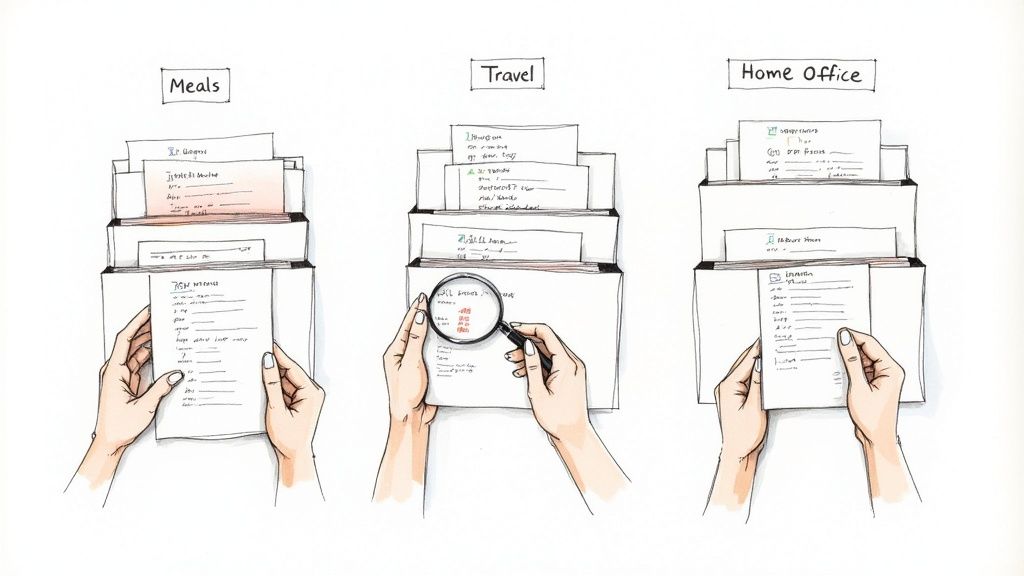
This is also the moment your receipts become your best friends. They're the single source of truth for every transaction. A simple line item on your credit card bill can be vague, but a receipt gives you the context and itemization you need to back up your decisions.
Making the Right Call on Tricky Expenses
Let's be honest, not every transaction fits perfectly into one neat little box. You'll constantly run into purchases that could technically fall into a couple of different categories. The trick is to create a consistent rule based on the expense's main purpose and then just stick to it.
Here are a few common scenarios I see all the time:
The Multi-Purpose Lunch: You take a client out for lunch while you're on a business trip. Is that a 'Meals & Entertainment' expense or a 'Travel' expense? While it has elements of both, the reason for the lunch was the client meeting. So, it should consistently go under 'Meals & Entertainment'. This helps you accurately track what you're spending to win and maintain business.
The Home Office Dilemma: You just bought a new printer for your home office. It feels like an 'Office Supplies' purchase, right? But hold on. A significant piece of hardware like a printer is usually considered an 'Office Asset' or 'Equipment'. That’s because it’s a tangible item with a lifespan of more than a year, which means you might need to depreciate it over time instead of expensing it all at once.
Software with Overlap: You pay for a project management tool that your marketing and operations teams both use. Instead of trying to split the cost (which can get messy), just assign it to the department that gets the most value from it. If 70% of its use is for running marketing campaigns, categorize the entire subscription under 'Marketing Software'. Easy.
Decoding Your Receipts for Perfect Categorization
Your receipts are so much more than just proof you bought something. Think of them as detailed roadmaps that tell you exactly where an expense belongs. A vague credit card statement that just says "AMAZON MKTPLACE" is basically a mystery. An itemized receipt, on the other hand, tells you if you bought office paper, a new keyboard, or inventory for your shop.
To get your categories right every time, look for these key details on each receipt:
- Vendor Name: This is your first clue. A charge from "GoDaddy" is almost certainly a 'Website Expense,' while one from "Staples" is a strong hint for 'Office Supplies'.
- Date of Transaction: This is non-negotiable for logging the expense in the correct month or quarter.
- Itemized List of Goods/Services: This is the goldmine. It breaks down a lump sum into its individual parts, which is crucial for accurate categorization.
- Total Amount and Taxes Paid: You need this for accurate bookkeeping and to identify any sales tax you might be able to claim back.
For example, a single receipt from a big-box store might have cleaning supplies for the office ('Office Supplies') and coffee for the breakroom ('Employee Welfare'). The itemization allows you to split the transaction or, if that's too complicated, assign it based on what cost more.
The real power of an itemized receipt is its clarity. It removes all guesswork, which is vital for maintaining accurate books and being prepared for any potential tax audit. A clean, detailed record is your best defense.
The more detailed the receipt, the easier your life is. For small, everyday cash purchases, using a generic POS receipt template can help you capture the necessary details right on the spot, so you're not trying to remember what that $20 was for two weeks later. By paying attention to the details on your receipts, you build an accurate and defensible financial record, one transaction at a time. This disciplined approach is the foundation of mastering how to categorize business expenses.
Using Expense Categories for Strategic Decisions
You’ve done the hard work of sorting transactions and building a solid Chart of Accounts. Great. But that’s just the beginning. Now it's time to make all that organized data work for you, transforming your expense reports from a simple tax-time headache into a powerful roadmap for growth.
By shifting how you look at your spending, you can start answering the big, important questions. Are we putting enough money into innovation? Is our customer acquisition cost going to sink us? The answers are sitting right there in your expense data, waiting for you to find them.
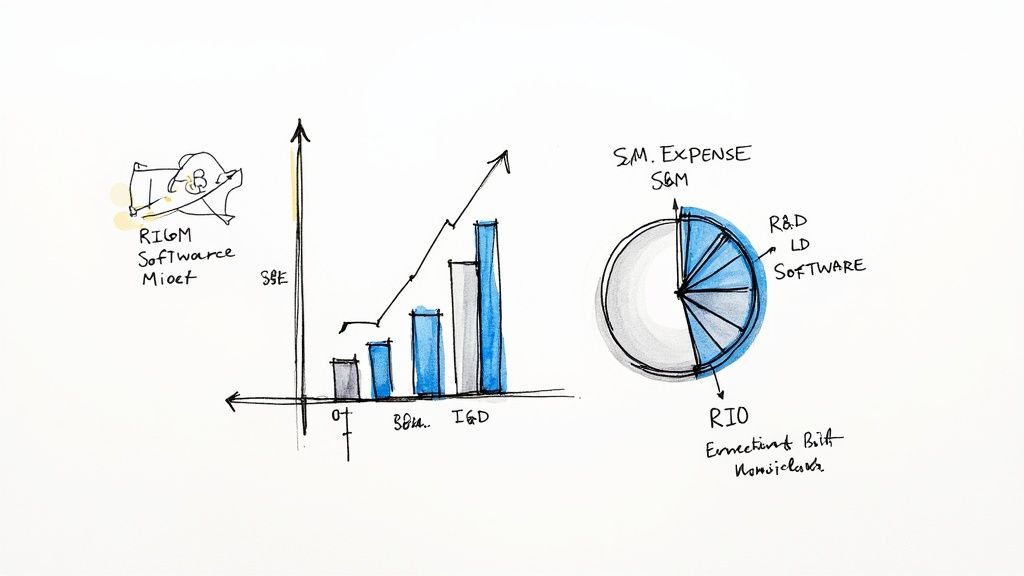
This next-level approach is all about grouping your costs into functional categories. These are broad buckets that reveal how you’re really investing your resources across the core parts of your business.
Unlocking Insights with Functional Categories
Think of it this way: operational categories like "Rent" or "Software" tell you what you bought. Functional categories tell you why you bought it. It’s a strategic lens that shows you how you’re deploying cash to hit your goals.
The three big ones you need to know are:
- Sales & Marketing (S&M): This is everything you spend to get and keep customers. It's not just ad spend; it includes sales commissions, the CRM software your team lives in, and trade show costs.
- General & Administrative (G&A): These are the essential, keep-the-lights-on costs that aren't directly tied to making or selling your product. We're talking about legal fees, accounting services, and salaries for your office admin.
- Research & Development (R&D): All the money you pour into creating new products or making your existing ones better. This covers everything from your engineers' salaries to the materials you use for prototyping.
Adopting this framework is a game-changer because it lets you benchmark your spending against others in your industry, which is fantastic for spotting opportunities and red flags. A tech startup might discover it’s spending twice the industry average on marketing but only half on R&D. That’s an immediate signal of a potential innovation problem that needs fixing. You can dig deeper into how companies track these metrics by reading this insightful analysis on total expenses.
By viewing your spending through a functional lens, you stop asking "How much did we spend?" and start asking "What did that spending achieve?" It's the difference between just recording history and actively shaping your company's future.
To get a clearer picture, it helps to see how these two categorization methods stack up against each other. One gives you a nuts-and-bolts view of your spending, while the other provides a C-suite-level strategic overview.
Operational vs Functional Expense Categorization
| Categorization Type | Primary Goal | Example Categories | Key Business Question Answered |
|---|---|---|---|
| Operational | Accuracy in bookkeeping and tax reporting. | Rent, Utilities, Office Supplies, Software Licenses, Payroll | What did we buy and how much did it cost? |
| Functional | Strategic analysis and resource allocation. | Sales & Marketing (S&M), General & Administrative (G&A), Research & Development (R&D) | How are we investing our money to grow the business? |
As you can see, both are valuable, but they serve very different purposes. You need the operational view for day-to-day financial health, but the functional view is where you find the insights that drive long-term strategy.
Answering Critical Business Questions
Once you have your expenses grouped functionally, you can analyze the data to make smarter, more informed decisions. The goal is to shift from being reactive—just paying bills—to being proactive and strategic.
For example, a sudden spike in your S&M spending isn't just a number on a spreadsheet. It's a signal. It should make you ask more questions. Did we launch a new ad campaign? Did we hire another salesperson? And most importantly, is this extra spending actually bringing in more revenue?
To find out, you need proof for every single transaction. Having an itemized invoice from a marketing agency or a clear bill of sale for an equipment purchase is what allows you to connect a specific cost to a specific outcome.
From Data to Decisions: A Real-World Scenario
Let's say you run a small e-commerce business. You’re looking at your numbers and notice your G&A costs seem way too high for a company your size. You start digging into the sub-categories and find that "Software Subscriptions" is a huge chunk of that total.
After reviewing each subscription, you find out you’re paying for three different project management tools for three different teams. On top of that, there's a scheduling tool that nobody has logged into for months.
Boom. That single insight, uncovered through proper categorization, gives you a clear path to saving money. You can consolidate everyone onto one project management platform and cancel the redundant subscriptions. Just like that, you’ve cut your monthly overhead without hurting your operations one bit.
This is the real power of strategic categorization. It turns your expense report into a diagnostic tool that shines a light on waste and reveals opportunities to reinvest that cash into things that will actually grow your business. Whether you’re tracking small purchases with a simple cash receipt or large ones with a detailed invoice, every piece of data helps you build a smarter, more profitable company.
Documentation and Tax-Ready Record Keeping
Getting your expense categories right is a fantastic start, but it's only half the story. Without solid proof to back up every single transaction, even the most perfect categories can crumble under scrutiny. This is where diligent documentation becomes your best friend in business.
Think of it like this: every expense you claim on your taxes is a statement you're making to the government. Your receipts and records are the evidence that proves your statement is true. Building an audit-proof system isn't about being scared of an audit; it's about being confident that your financial records are accurate, complete, and can stand up to any questions.
This is the crucial link: meticulous categories paired with detailed proof. It’s what lets you maximize your deductions without losing sleep. A well-documented expense is a slam-dunk deduction. An undocumented one? That's a potential liability.
What Makes a Receipt "Audit-Proof"?
Not all receipts are created equal. A simple line on your credit card statement showing a store name and an amount just won't cut it for the tax authorities. They need to see the whole picture, and a detailed receipt provides exactly that.
To make sure your records are rock-solid, every receipt you keep—whether it's a slip of paper or a PDF—should clearly show these key details:
- Who you paid: The vendor's name.
- When you paid: The transaction date.
- How much you paid: The total amount.
- What you bought: An itemized list of goods or services. This is the big one. It proves the purchase was for your business.
- How you paid: The method of payment (e.g., Visa, cash).
Here's the bottom line: Keeping detailed, itemized receipts is non-negotiable. It clears up any confusion about a transaction and gives you an indisputable record that validates your expense categories and supports every deduction you claim.
Best Practices for Keeping Your Records Straight
Once you have the right documentation, you need a system to keep it all organized and easy to find. The old shoebox stuffed with faded receipts is a recipe for a major headache. The modern approach is to build a secure, searchable digital archive.
Go Digital Right Away
The best time to digitize a paper receipt is the second it lands in your hand. Use your phone’s camera or a scanner to grab a clear image. This instantly protects it from getting lost, smudged, or fading into a blank piece of paper.
Organize by Category and Year
Set up a simple folder system on your computer or cloud drive. Something like [Year] > [Expense Category] is perfect. For example, a file path could be 2024 > Office Supplies > PrinterInk-Staples-Oct15.jpg. This makes finding anything you need a breeze.
Know How Long to Keep Things
The IRS generally suggests keeping records for at least three years after you file your taxes. But some situations require holding onto them longer. To be on the safe side, a good rule of thumb for any business is to keep records for at least seven years.
Documenting Expenses That Get a Closer Look
Some expenses, like travel and meals, tend to get a bit more attention from tax agencies. For these, you need to be extra thorough with your documentation. For example, global business travel is a massive expense category, with spending expected to hit $1.64 trillion by 2025. Because these costs are high and can sometimes blur the line with personal spending, your records have to be flawless. You can learn more about the latest business travel statistics and trends here.
So, for a business trip, you'd want to have:
- Proof of travel: A flight itinerary or train ticket showing your dates and destinations.
- Accommodation receipts: Hotel bills that itemize the room charges, taxes, and any other expenses.
- The business purpose: A quick note on your calendar or in your files explaining who you met, what you discussed, and how it directly related to your business.
Using standardized proof of purchase, like a detailed travel expense receipt, gives you the documentation you need. If you ever misplace an original receipt, you can find a huge variety of receipt templates for any business need to create a clean, itemized record for your files. This ensures every claim is backed by solid proof, no exceptions.
Answering Your Top Expense Questions
Even the most organized business owner hits a snag now and then when categorizing expenses. You’re staring at a transaction, and it just doesn't fit neatly into a box. Let's tackle some of those common "what do I do with this?" moments.
How Often Should I Be Doing This?
Honestly, the more often, the better. If you let receipts pile up for months, you’re setting yourself up for a massive, headache-inducing task at the end of the year.
My advice? Make it a weekly habit. Block out 30 minutes every Friday to go through the week's transactions. This turns a dreaded chore into a manageable routine and keeps your financial picture up-to-date. If you’re using accounting software that syncs with your bank, you still need to eyeball its suggestions. A monthly check-in is the absolute bare minimum to catch mistakes.
Cost of Goods Sold vs. Operating Expenses: What's the Real Difference?
This is one of the most important concepts to get right because it gets to the heart of your business's profitability.
Cost of Goods Sold (COGS) are the direct costs of making what you sell. If you run a bakery, COGS is your flour, sugar, and the wages for the person baking the bread. A detailed grocery receipt is perfect for tracking these direct ingredient costs.
Operating Expenses (OpEx) are what you pay to keep the lights on, separate from creating your product. Think office rent, marketing software, or the salary for your administrative assistant.
Why does this matter so much? Because separating them lets you calculate your gross profit (Revenue - COGS). It shows you if the thing you’re selling is actually profitable before you even account for all your overhead.
Understanding the COGS vs. OpEx split is a game-changer. It tells you if your core business idea is working and making money on its own—a vital sign of a healthy company.
Should I Make My Own Custom Categories?
Absolutely. In fact, this is where the real magic happens. Starting with the standard, IRS-friendly categories is a great foundation, but custom sub-categories are what give you powerful insights.
For instance, a single "Software" category is pretty vague. But what if you broke it down into 'Marketing Tools,' 'Project Management,' and 'Accounting Software'? Suddenly, you can see exactly how much you're spending to acquire customers or manage your team. That’s actionable data. Keeping a clear invoice receipt for each software subscription makes this kind of detailed tracking a breeze.
What If an Expense Fits Into Two Categories?
This happens all the time. The key is to pick a lane and stay in it. Decide on a rule for your business based on the primary purpose of the expense, and then apply that rule consistently.
Let's say you buy a new laptop. You use it 80% for graphic design work (a direct project cost) and 20% for sending emails. In this case, categorize the whole thing under 'Design Equipment'. While some fancy accounting software lets you split a single transaction, the primary-use rule is simpler and works perfectly for most small businesses. And if you bought it with cash, a straightforward cash receipt helps you note its main purpose right then and there.
Ready to create flawless, professional receipts for every single business expense? With ReceiptMake, you can generate accurate, itemized receipts in seconds from over 100 templates. Start organizing your finances the right way today by visiting https://receiptmake.com.

