Your Guide to Free Cash Receipt Templates
A free cash receipt template is essentially a ready-to-go document that lets you create a professional proof of payment for any cash sale. It’s a must-have for small businesses, freelancers, or really anyone who needs to keep clean financial records without shelling out for pricey accounting software.
Why a Good Receipt System Matters More Than You Think

It’s tempting to think of a cash receipt as just another piece of paper. But when you're running a business or freelancing, it's so much more. A solid receipt system isn't just about tracking money; it’s about building trust with your customers and heading off potential arguments before they start.
Picture this: a client calls you up, questioning a payment they made three months ago. Instead of a "he said, she said" situation, you can just pull up a clear, detailed receipt and solve the problem in seconds. That same simple document can also turn tax season from a frantic nightmare into a manageable, organized process.
Safeguard Your Business and Boost Credibility
Having a reliable way to issue receipts is just good business. It gives you concrete proof of every transaction, which is critical for your own bookkeeping and gives your customers peace of mind. This isn't just about ticking a box for compliance; it's about showing people you're transparent and professional.
Poor record-keeping is a silent business killer. In fact, a shocking 82% of small businesses fail because of poor cash flow management, and a big part of that is not having the right financial documents in place. You can find more insights about small business finance on ailawyer.pro.
Key Benefits of a Consistent Receipt Process
When you get into the habit of issuing a receipt for every single cash payment, you’ll start to see some real benefits that affect both your workflow and your wallet.
Improved Financial Accuracy: Each receipt acts as a breadcrumb, creating a clear paper trail that cuts down on errors and makes tracking your income a breeze.
Enhanced Professional Image: A clean, branded receipt sends a powerful message. It tells your customers you’re a serious, organized business they can trust.
Simplified Tax Preparation: Come tax time, you'll be glad you did this. With every cash sale documented, verifying your income and claiming deductions is straightforward, not stressful.
Faster Dispute Resolution: If a customer ever questions a payment, a signed receipt is your best defense. It provides undeniable proof and protects you from potential headaches and lost revenue.
What Every Professional Cash Receipt Needs

Before you jump on the first free template you find online, let's talk about what makes a cash receipt a legitimate, professional document. It’s more than just a piece of paper confirming a sale. A proper receipt is your proof of transaction, a crucial tool for bookkeeping, and your first line of defense if a dispute ever arises.
Getting these details right from the start protects both you and your customer. It clears up any confusion and gives everyone a solid record, which you'll be thankful for come tax season.
The Non-Negotiable Fields
Think of these as the absolute must-haves. Without them, your receipt is just a note. These components answer the basic questions of who, what, when, and how much, turning a simple slip of paper into a valid financial document.
A good receipt always starts with the essentials:
Your Business Info: Your business name, address, and contact details (phone or email). This establishes who the seller is and makes you look professional.
Customer's Info: At a minimum, get the customer's name. For bigger jobs or high-value sales, I always recommend adding their address or contact info, too.
Transaction Date: The exact date you received the payment is critical for accurate accounting on both sides.
The Anatomy of a Transaction
Once you have the basics down, you need to detail the transaction itself. This part breaks down what the customer paid for, leaving zero room for questions down the road.
The single most important detail here is a unique receipt number. I can't stress this enough. A simple sequential system—like #001, #002, #003—is a lifesaver. It prevents duplicates and makes finding a specific transaction a breeze if you ever need to reference it.
To make sure your receipt is complete, you'll also want to include:
Itemized Description: List each product or service, its quantity, and the individual price. Don't just put "services rendered"—be specific!
Cost Breakdown: Clearly show the subtotal, any sales tax you collected, and the final grand total. Transparency is key.
Payment Method: Simply state how they paid—cash, check, etc. This helps with your own cash flow tracking.
To make things easy, every single one of the receipt templates on ReceiptMake is designed with these essential fields already built in.
A well-crafted receipt isn’t just good practice; it's a reflection of your professionalism. To help you double-check your work, here’s a quick breakdown of what every valid receipt needs.
Essential Components of a Valid Cash Receipt
This table covers the critical information your cash receipt must include to be considered professional and legally sound.
| Component | Why It's Important | Example |
|---|---|---|
| Your Business Details | Identifies you as the seller and adds legitimacy. | "Smith's Landscaping, 123 Main St, Anytown, USA" |
| Customer's Name | Specifies who made the purchase. | "John Doe" |
| Receipt Number | Provides a unique identifier for easy tracking and auditing. | "Receipt #0054" |
| Date of Payment | Crucial for accurate bookkeeping and financial records. | "October 26, 2023" |
| Itemized List | Clearly describes what was purchased, preventing disputes. | "Lawn Mowing Service: $50.00" |
| Subtotal, Tax, & Total | Breaks down the costs for complete transparency. | "Subtotal: $50.00, Tax: $4.13, Total: $54.13" |
| Payment Method | Confirms how the payment was made. | "Paid by: Cash" |
Having all these components in place ensures your receipts are clear, complete, and serve their purpose for both you and your customers.
How to Find and Personalize Your Free Receipt Template
Finding a free cash receipt template is pretty straightforward, but the real magic happens when you customize it to match your business. A generic, cookie-cutter receipt gets the job done, sure, but it doesn't do anything for your brand. A personalized one, on the other hand, makes you look organized, professional, and trustworthy.
You could start with tools you already know, like Google Docs, Google Sheets, or Microsoft Word. They have basic templates you can tweak. But honestly, for a smoother process, I usually point people toward specialized online tools. They’re built for this specific task, so all the guesswork is gone.
Sourcing a Reliable Template
A quick search will throw a ton of options at you, but they're not all built the same. There's a huge demand for these tools, globally, you can find over 128 free cash receipt templates across different platforms. You can check out a solid collection of these templates and resources at Invoicefly.com.
When you're sifting through them, look for templates that are clean and easy to read. You want all the essential fields we talked about earlier, without any confusing clutter. Clarity is your friend here; you're aiming for professionalism, not a flashy art project.
This is why I often recommend a dedicated receipt generator. These tools are designed for one thing: making perfect receipts, fast.
Pro Tip: My best advice is to find a generator with a live preview. Being able to see your changes as you make them is a game-changer. You know exactly what the final receipt will look like before you hit download.
Adding Your Personal Touch
Okay, you've got your template. Now it's time to make it yours. This is how you turn a simple document into a branding tool that reinforces your business every time you make a sale. First things first: get your logo on there.
Here’s a great example of a clean interface that makes customizing your receipt a breeze.
As you can see, a good tool lets you plug in your details, add what you sold, and watch the preview update right away.
With the big stuff out of the way, you can dial in the details to create a consistent look.
Adjust the Color Scheme: Swap out the default colors for your brand’s palette. A consistent look across all your documents makes your business feel more established and professional.
Set Up Custom Fields: Do you regularly offer discounts or need to add a specific tax? Set up those fields so they’re ready to go every time.
Add a Personal Note: A simple “Thank you for your business!” at the bottom is a small touch that really helps build customer loyalty.
By taking a few minutes to customize it, your free cash receipt template becomes more than just proof of purchase—it’s a quiet piece of marketing. If you want to jump right in, you can create a custom receipt right now with our free receipt generator.
Choosing Between Digital and Paper Receipts
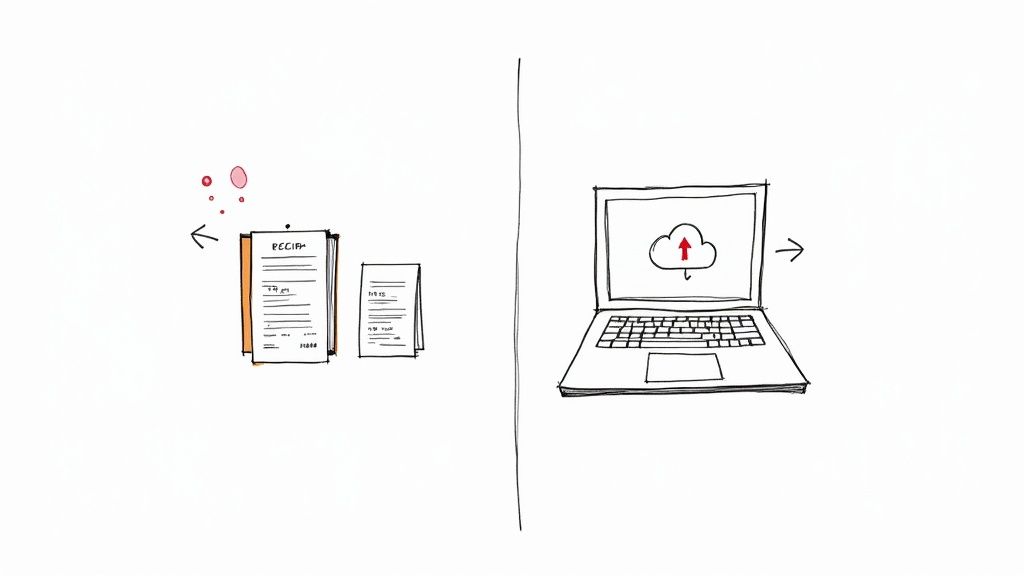
Alright, so you've got your cash receipt template looking sharp. Now for the practical part: do you email it as a PDF or hand over a printed copy? There's no single right answer here—it really comes down to your business, your customers, and what works best for your day-to-day operations.
There's no denying that digital receipts are taking over. They’re quick, green, and incredibly easy for everyone to keep track of. In fact, over 70% of retail and service businesses have switched to digital templates for their cash sales. You can dig deeper into this trend and what it means for business documentation on wise.com.
But don't count paper out just yet. If you’re a landscaper on a job site or a vendor at a craft fair with flaky internet, a classic carbon copy receipt book is your best friend. It’s foolproof and gives both you and the customer an immediate physical record, no tech required.
Keeping Your Digital Receipts in Order
If you're going the digital route, you need a system. A cluttered downloads folder is a recipe for disaster come tax time. Start a simple, consistent naming convention right away to save yourself a massive headache later.
I've found a great format is "Receipt_ClientName_Date". For example, Receipt_JohnSmith_2023-10-26. It makes searching for a specific transaction a breeze.
Key Takeaway: Always, always back up your digital receipts. Use a cloud service like Google Drive or Dropbox. This simple step is a lifesaver if your computer ever dies, keeping your financial records safe and accessible from anywhere.
Making Paper Receipts Work for You
Sticking with paper? The same rule applies: stay organized.
Have a designated spot. A dedicated binder or folder for your receipt copies is non-negotiable.
Create a digital backup. Make it a weekly habit to scan your paper copies. It only takes a few minutes and gives you a secure backup in case anything happens to the originals.
Print on good paper. Make sure your receipts look professional and are easy to read. Our
Walmart receipt template is designed to print cleanly and clearly.
In the end, it doesn't matter if you choose digital, paper, or a mix of both. What matters is that you build a system that's reliable, organized, and easy for you to manage. A clean system means your financial records are always accurate and ready when you need them.
Common Receipt Mistakes to Avoid
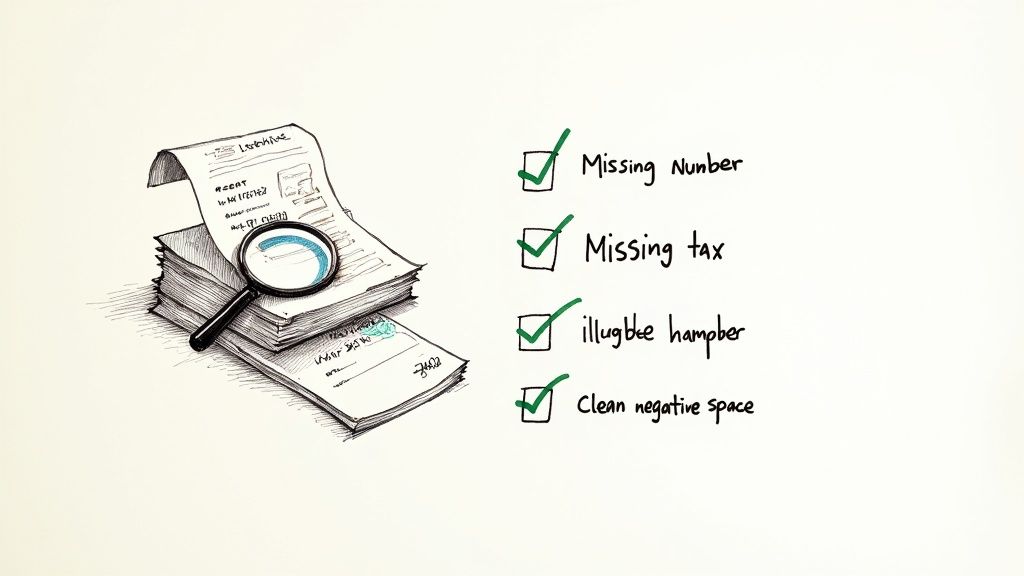
It’s amazing how a tiny mistake on a simple cash receipt can snowball into a massive headache down the line. While a good free cash receipt template is a great starting point, the real secret is building solid habits. Getting your process right now will save you a world of pain if you ever face a financial review or tax audit.
One of the easiest traps to fall into is forgetting to add a unique receipt number to every single transaction. Without one, trying to match a payment to a specific sale is like searching for a needle in a haystack. I've also seen plenty of handwritten receipts that were so messy they were completely useless—if you can't read it, it might as well not exist.
Keeping Your Records Compliant
Let's be honest, staying organized is the best defense you have against future financial trouble. Simple, avoidable slip-ups can quickly escalate into compliance issues, so it pays to be meticulous with the details.
Pay extra attention to these surprisingly common (and costly) errors:
Missing Sales Tax Details: If you're not clearly breaking out the sales tax you collected, you're setting yourself up for a bookkeeping nightmare.
Incomplete Descriptions: An entry that just says "Services" won't cut it. You need to be specific about exactly what the customer paid for.
Forgetting Payment Method: Always note that the payment was "Cash." It confirms how you were paid and makes reconciling your books much easier.
Here's a pro tip: You absolutely have to think about record retention. The general rule is to hold onto all your business receipts for at least three years. Some tax agencies even recommend keeping them for up to seven. A simple digital filing system makes this a non-issue.
Answering Your Top Questions About Cash Receipts
Even when you've got a great template, a few questions are bound to come up. Let's walk through some of the most common things business owners ask about using a free cash receipt template so you're ready for anything.
Do I Really Need a Unique Number for Every Single Receipt?
Yes, you absolutely do. Think of a unique, sequential receipt number as your secret weapon for clean bookkeeping. It stops duplicates in their tracks, makes it a breeze to track down specific sales, and is a lifesaver if a customer ever comes back with a question about a payment.
Good templates and online generators will let you set a starting number. This is super handy because you can just pick up right where your last receipt book left off without breaking your sequence.
My Two Cents: Treat that receipt number like a unique fingerprint for each transaction. It's hands-down the easiest way to keep your financial records organized and ready for tax time.
Can I Use These for Credit Card Payments, Too?
You sure can, but you'll want to make one tiny change. Just update the "Payment Method" field on your template from "Cash" to "Credit Card." Simple as that.
One thing to keep in mind, though: for any card payment, the little slip that prints from your terminal or POS system is the official proof of that transaction. The receipt you create from a template acts as a more professional, branded copy for your customer and your own records. It’s a nice touch that makes you look more polished.
How Long Do I Need to Hang on to My Receipt Copies?
The rules can change depending on where you are, but a safe bet is to follow the guidance from your local tax authority. For instance, here in the U.S., the IRS generally suggests keeping business records for at least three to seven years.
Honestly, going digital is the way to go here. Storing your receipts in a secure cloud backup keeps them organized, safe from being lost or damaged, and easy to find when you need them. It saves you from drowning in a sea of paper files.
Ready to stop worrying and start creating perfect receipts in seconds? With ReceiptMake, you can browse over 100 templates, add your logo, and download a professional PDF with zero sign-ups. Try ReceiptMake's free generator today!

