10 Best Practices for Document Management in 2025
In the fast-paced world of small business and freelance work, digital files are the lifeblood of your operation. From client contracts and project plans to critical financial records like invoices and expense receipts, the way you handle these documents directly impacts your efficiency, security, and bottom line. When files are scattered, poorly named, or hard to find, you lose valuable time, create confusion, and expose your business to unnecessary risks. A disorganized system isn't just a minor headache; it's a significant operational bottleneck that can stifle growth and compromise professionalism.
This guide provides a clear, actionable roadmap to reclaim control. We're moving beyond generic advice to deliver a comprehensive roundup of the 10 most critical best practices for document management. You will learn precisely how to build a robust, streamlined system from the ground up. We will cover everything from creating a centralized repository and establishing logical naming conventions to implementing version control and securing sensitive data.
Each practice is designed to be immediately applicable, whether you're managing complex project files or simply trying to organize your business expenses using a professional receipt template. By implementing these strategies, you can transform your document handling from a source of stress into a powerful asset. You'll not only save time and reduce errors but also build a scalable foundation that supports your business as it grows. This isn't just about getting organized; it's about creating a more resilient, efficient, and professional operation.
1. Implement a Centralized Document Repository
The first and most critical step in effective document management is creating a single source of truth. A centralized document repository is a unified, cloud-based location where all your business's essential files are stored, organized, and managed. Instead of documents being scattered across individual hard drives, email inboxes, and various apps, everything lives in one secure, accessible place. This practice eliminates confusion, prevents the use of outdated files, and saves countless hours spent searching for lost information.
This approach is one of the most fundamental best practices for document management because it provides a foundational structure for all other efforts. Think of it as building a library for your business; without the building and shelves, organizing the books is impossible. It ensures that every team member, from a store manager to a freelance contractor, knows exactly where to find the latest project proposal, client contract, or financial record.

Why It's a Game-Changer
Adopting a central repository immediately boosts efficiency and security. When a client requests an invoice from six months ago, you can retrieve it in seconds instead of digging through old emails. When your team needs the latest marketing graphics, they access the approved versions directly, ensuring brand consistency. For freelancers, it means all client work, from contracts to final deliverables, is neatly organized and backed up, protecting your business and reputation. This system is crucial for managing financial documents like a sales receipt template and invoices, ensuring you have clear records for tax time.
How to Implement It
Getting started doesn't have to be overwhelming. Follow these actionable steps to set up your central repository:
- Choose the Right Platform: For small businesses and freelancers, user-friendly cloud storage like Google Drive, Dropbox Business, or Microsoft OneDrive is often the best fit. They offer robust security, version control, and collaboration features at an affordable price.
- Design a Clear Folder Structure: Before migrating any files, map out a logical folder hierarchy. A common structure is
Department > Project > File Type(e.g.,Marketing > 2024_Q4_Campaign > Graphics). Be consistent. - Start Small: Begin with a single department or project as a pilot. This allows you to test your folder structure and get feedback before a full-scale rollout.
- Document Everything: Create a simple guide that explains the folder structure, file naming conventions (our next best practice!), and access permissions for your team. This ensures everyone uses the system correctly from day one.
- Set Up Automatic Backups: Even with cloud storage, an independent backup provides an extra layer of security. Configure a service to automatically back up your entire repository regularly.
2. Establish Clear Naming Conventions and Metadata Standards
Once your centralized repository is in place, the next step is to standardize how you name and categorize your files. Establishing clear naming conventions and metadata standards creates a predictable, logical system that anyone can understand at a glance. Instead of cryptic file names like Final_Draft_v2_USE_THIS.docx, you'll have an organized method that makes searching and retrieval incredibly fast and accurate. This prevents duplicate work and ensures everyone is working from the correct version of a document.
This system is a cornerstone of the best practices for document management because it transforms your digital repository from a simple storage folder into a powerful, searchable database. Think of it as creating a universal language for your files. Whether you’re a freelance designer submitting an invoice or a store manager archiving daily sales reports, a consistent naming rule ensures every document is instantly identifiable and easy to find, even years later.
Why It's a Game-Changer
A standardized naming convention eliminates ambiguity and drastically cuts down on the time spent searching for files. When every document follows the same format, like YYYY-MM-DD_ClientName_DocumentType_v1, you can sort folders by date, client, or project with a single click. For small businesses, this is crucial for tracking financial records; a consistently named receipt or invoice is easy to locate for accounting or tax purposes. A well-named cash receipt template file, for example, can be found in seconds. This systematic approach also simplifies compliance and makes it easier to train new team members, as the logic behind your file organization is clear and documented.
How to Implement It
Creating these standards is a proactive step that pays dividends in efficiency. Here’s how to get started:
- Define a Simple, Scalable Naming Formula: Create a formula that works for your business. A popular and effective format is
Date_Project/Client_DocumentType_Version. For example,2024-10-28_ABC-Corp_Invoice-101_v1. - Use Metadata for Deeper Context: Metadata is data about your data. Use tags or keywords within your document management system to add context like "Q4," "Marketing," or "Paid." This makes your files even more searchable.
- Create and Share a Naming Guide: Document your new rules in a one-page guide. Include examples and explain the logic. Share it with your team and any collaborators to ensure universal adoption from day one.
- Leverage Templates for Consistency: For recurring documents like invoices or receipts, using standardized templates is a great way to enforce naming rules automatically. You can explore a variety of professional receipt templates to ensure financial documents are always uniform.
- Review and Refine Annually: Your business needs will change over time. Schedule a yearly review of your naming conventions to ensure they still make sense and adjust them as needed.
3. Implement Version Control and Document History Tracking
Once your documents are centralized and consistently named, the next step is managing their evolution. Version control is the process of tracking and managing changes to a document over time. Instead of saving over old files or creating confusing duplicates like Contract_FINAL_v2_reallyfinal.docx, version control systems automatically log every modification, creating a retrievable history. This practice is essential for collaborative work, preventing accidental overwrites and ensuring you always have a clear audit trail.
This is one of the most important best practices for document management because it provides a safety net for your work. It allows you to see who changed what, when they changed it, and why. For a freelancer, this means you can easily roll back to a previous design iteration if a client changes their mind. For a small business, it ensures that changes to a critical financial document, like an invoice template created with a tool like ReceiptMake, are fully documented and reversible.

Why It's a Game-Changer
Implementing version control eliminates the chaos of multiple file versions and provides a clear, historical record. Imagine a team collaborating on a project proposal. Without version control, team members might accidentally overwrite each other's contributions. With it, every change is saved as a new version, and platforms like Google Docs or Microsoft 365 even allow you to compare versions side-by-side. This creates a transparent workflow, reduces errors, and is crucial for compliance and accountability.
How to Implement It
Most modern document management systems have built-in version control, making it easy to adopt. Here’s how to get started:
- Leverage Built-in Tools: Platforms like Google Drive, Dropbox, and Microsoft 365 automatically save a history of changes for every file. Take a moment to learn how to access and restore previous versions on your chosen platform.
- Establish a Commenting Policy: Require team members to add a brief, meaningful comment when saving a major new version. For example, "Updated Section 2 with new client feedback." This provides context for the changes.
- Use a Naming System for Manual Versions: If your system requires manual versioning, adopt a semantic versioning system like
v1.0(major release),v1.1(minor feature update), andv1.1.1(minor bug fix). - Archive Final Versions: Once a document is finalized (e.g., a signed contract or a completed project like a Simple Receipt Template), move it to a separate "Archive" folder. This keeps your active workspace clean and prevents accidental edits to completed work.
- Restrict Editing Permissions: Use access controls to limit who can edit critical documents. This ensures that only authorized personnel can create new versions, preserving the integrity of your files.
4. Define and Enforce Access Control and Permission Policies
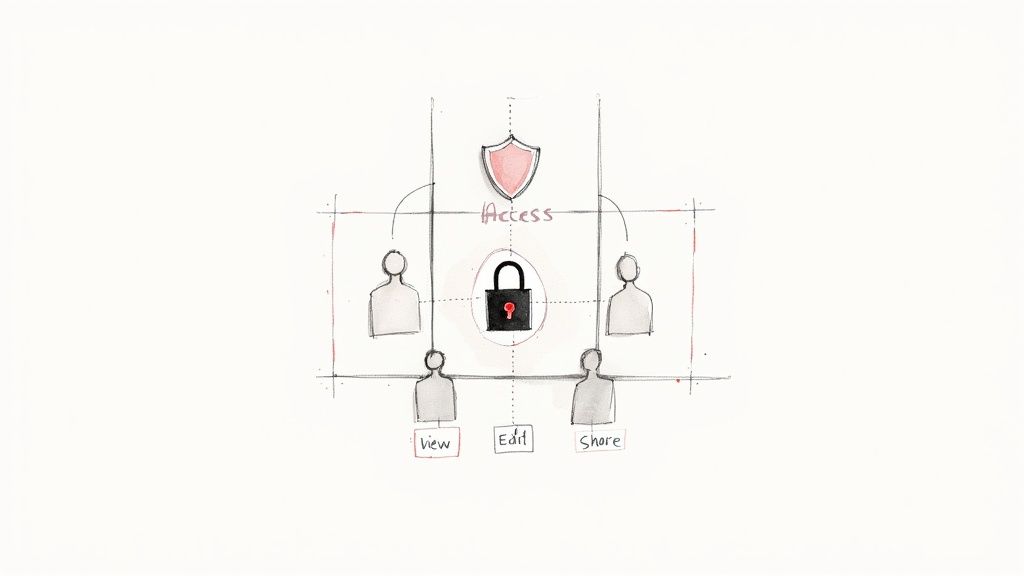
Once your documents are centralized and organized, the next crucial step is controlling who can access them. Defining and enforcing access control policies means setting clear rules about who can view, edit, delete, or share specific files and folders. This practice moves beyond simple organization and adds a critical layer of security, preventing sensitive information from falling into the wrong hands and protecting your business from accidental data loss or unauthorized changes.
This is one of the most important best practices for document management because it directly protects your most valuable assets: your data. For a freelancer, this means a client’s proprietary information remains confidential. For a small business, it ensures that employee payroll details are only visible to HR and that financial documents, like an invoice receipt, are only editable by the accounting team. It's about granting access on a need-to-know basis, not an open-door policy.
Why It's a Game-Changer
Implementing role-based access control (RBAC) significantly reduces risk and improves compliance. Imagine a team member accidentally deleting a folder of critical client contracts or a contractor viewing confidential financial projections. Proper permissions prevent these scenarios. It ensures that when you share a project folder with a freelance designer, they can only access the Graphics subfolder, not the Budget or Strategy documents. This level of control is essential for maintaining client trust and protecting your business's integrity.
How to Implement It
Most modern cloud storage platforms have built-in tools for managing permissions. Here’s how to set them up effectively:
- Apply the Principle of Least Privilege: This is the golden rule. Grant each user the absolute minimum level of access they need to perform their job. If someone only needs to view files, give them "View Only" permission, not "Editor" access.
- Create User Roles: Instead of setting permissions for individuals, create roles like
Manager,Team Member, andContractor. Assign permissions to these roles, then simply add or remove users from the roles as needed. This simplifies management tremendously. - Conduct Regular Access Reviews: Every quarter, review who has access to what. Remove permissions for former employees or contractors immediately upon their departure. This prevents "permission creep," where users accumulate unnecessary access over time.
- Enforce Multi-Factor Authentication (MFA): For highly sensitive folders, like those containing financial records or client data, require MFA. This adds an extra layer of security by requiring a second form of verification, like a code from a user's phone.
- Document Your Policies: Create a simple document outlining your access control roles and policies. This ensures everyone understands the rules and helps onboard new team members correctly.
5. Create and Maintain a Document Classification System
Once you have a centralized repository and a naming convention, the next step is to add a layer of intelligence to your organization. A document classification system is a framework for categorizing files based on their content, sensitivity, and business function. It’s like adding color-coded labels to your folders, enabling you to immediately understand a document's importance and how it should be handled.
This practice is essential because not all documents are created equal. A client contract requires far more stringent security than a public-facing marketing brochure. Properly classifying your files is one of the most impactful best practices for document management as it dictates access controls, retention schedules, and disposal procedures, ensuring sensitive information is protected and compliance requirements are met.
Why It's a Game-Changer
Implementing a classification system enhances security and simplifies compliance. It ensures that confidential financial records are only accessible to authorized personnel, protecting your business from internal and external threats. For freelancers, it means separating client-confidential data from your general business files. When it comes to financial documents, like those created with a Generic POS Receipt template, classifying them as "Internal Use Only" ensures they are handled with the appropriate level of care for bookkeeping and tax purposes.
How to Implement It
You don't need a complex, enterprise-level system to get started. A simple, well-defined framework is highly effective for small businesses and freelancers.
- Define Simple Classification Levels: Start with three to four clear levels. A common model is
Public(e.g., press releases),Internal Use Only(e.g., team meeting notes, transaction records), andConfidential(e.g., client contracts, financial statements). - Establish Clear Criteria: Document what type of information falls into each category. For example, any document containing personally identifiable information (PII) should automatically be classified as
Confidential. - Integrate Classification with Your Tools: Many cloud storage platforms allow you to use tags or labels to apply classifications directly to files and folders. This makes it easy to see a document's status at a glance.
- Link Classification to Actions: Your classification system should directly inform your security and retention policies. For instance,
Confidentialdocuments might require two-factor authentication to access and have a 7-year retention period, whilePublicdocuments can be deleted at any time. - Train Your Team: Ensure everyone who handles documents understands the classification levels and their responsibilities. A short training session and a simple one-page guide can prevent costly mistakes.
6. Establish and Enforce Document Retention and Disposal Policies
Knowing what to keep is just as important as knowing where to keep it. A document retention and disposal policy is a formal guideline that dictates how long specific types of documents must be stored and how they should be securely destroyed once they are no longer needed. Instead of endlessly accumulating files, this policy helps you manage the entire document lifecycle, from creation to secure disposal. This prevents unnecessary storage costs, reduces clutter, and minimizes legal risks associated with holding onto old data.
This strategy is one of the most crucial best practices for document management because it protects your business from compliance penalties and legal liabilities. Think of it as a scheduled cleanup for your digital library; it ensures you aren’t keeping books (documents) that are outdated, irrelevant, or legally risky to hold onto. For a freelancer, this could mean knowing you can safely delete client project files after a set period, while a small business can confidently dispose of old employee records according to labor laws.
Why It's a Game-Changer
Implementing a clear retention and disposal policy brings order and security to your operations. It ensures you comply with legal requirements, like the IRS rule to keep tax records for seven years. When you have a defined policy, you can confidently tell a client that you retain their invoices for a specific period, such as five years. It also protects sensitive information from falling into the wrong hands by mandating secure destruction methods, rather than just dragging a file to the trash bin. For business owners, this systemizes the process of managing financial records, including documents created with tools like ReceiptMake's hotel receipt template, ensuring they are kept for the required duration and no longer.
How to Implement It
Creating and enforcing this policy is a strategic process that requires careful planning. Follow these actionable steps:
- Create a Retention Schedule: Develop a simple matrix that lists document types (e.g., contracts, invoices, tax forms, employee records) and their corresponding retention periods based on legal and business needs. For instance, retain all tax-related documents for at least seven years.
- Automate Where Possible: Use your document management system's features to set automated retention rules. Many platforms can flag documents for review or automatically move them to an archive folder once they reach their expiration date.
- Define Secure Disposal Methods: Outline exactly how documents should be destroyed. For digital files, this means using secure deletion software or the built-in secure disposal features of your DMS. For physical documents, partner with a certified shredding service.
- Document Everything: Record all disposal activities in a log. This creates an audit trail that proves you are following your policy, which can be invaluable in a legal or compliance scenario.
- Review and Update Annually: Laws and regulations change. Schedule an annual review of your retention policy to ensure it remains current and compliant with any new legal requirements.
7. Implement Search and Retrieval Optimization Capabilities
Having a well-organized repository is only half the battle; finding the exact document you need, when you need it, is the other. Implementing search and retrieval capabilities transforms your document storage from a simple digital filing cabinet into a powerful, interactive database. This involves using tools and techniques that allow you to search not just by filename, but by the content within the documents, their creation date, author, and other metadata.
This strategy is a cornerstone of modern best practices for document management because it directly addresses the biggest time-waster: manual searching. Instead of clicking through folders trying to remember where you saved a specific client’s receipt from last year, you can simply type a keyword like "ClientXYZ Invoice 2023" and have it appear in seconds. For a small business, this efficiency frees up valuable time for core activities.
Why It's a Game-Changer
Optimized search functionality dramatically reduces frustration and boosts productivity. Think about how quickly you find information on Google; applying a similar power to your business documents makes your entire team more effective. For freelancers, it means locating a past project brief or a specific clause in a contract instantly, which is critical during client calls. Store managers can quickly pull up supplier invoices or employee records without leaving the shop floor. For financial records, like those created with a custom receipt template, searchable metadata ensures you can find any transaction proof for audits or expense reports with ease.
How to Implement It
Most modern cloud platforms have built-in search, but you can enhance it with a few strategic steps:
- Leverage Built-In Tools: Platforms like Google Workspace and Microsoft 365 already have powerful search functions. Learn to use their advanced search operators (e.g., using quotes for exact phrases or specifying file types) to narrow down results.
- Optimize Your Metadata: Metadata is data about your data. Consistently tag documents with keywords, client names, project codes, and dates. The more consistent your metadata, the more accurate and useful your search results will be.
- Use Faceted Search: When possible, use filters to refine your search. For instance, after searching for "invoices," you could filter the results by year, then by client, and finally by status (paid/unpaid). This is much faster than a single, complex search query.
- Train Your Team: Show your team how to use the search features effectively. A quick 15-minute tutorial on using filters and advanced syntax can save hundreds of hours of collective search time over a year.
- Regularly Review Search Gaps: Pay attention to searches that yield no results. This can indicate that documents are misfiled, misnamed, or missing crucial tags, giving you an opportunity to improve your system.
8. Establish Document Security and Data Protection Measures
Your documents are more than just files; they are valuable business assets containing sensitive information. Establishing robust security and data protection measures is about building a digital fortress around your documents to protect them from unauthorized access, theft, or accidental loss. This involves using a combination of technologies like encryption, secure access controls, and regular monitoring to safeguard everything from client contracts to financial records.
This strategy is one of the most vital best practices for document management because a data breach can be devastating, especially for a small business or freelancer. Think of it like locking the doors to your physical office. You wouldn't leave your cash register or confidential client files out in the open, and the same principle applies to your digital documents. Strong security protects your intellectual property, your clients' data, and your business's reputation.
Why It's a Game-Changer
Implementing strong security measures immediately reduces your risk of data-related disasters. It ensures that sensitive client information remains confidential, building trust and helping you meet compliance requirements like HIPAA or GDPR. For freelancers, it means the creative work you deliver is protected from theft. For small businesses, it protects employee data and financial documents, such as a gas receipt or a sales invoice, from falling into the wrong hands. It’s a non-negotiable step for long-term business survival.
How to Implement It
Securing your documents doesn't require a massive IT budget. You can start with these practical steps:
- Enable Multi-Factor Authentication (MFA): This is the single most effective security measure you can implement. Require a second form of verification (like a code sent to your phone) to access your document repository. All major platforms like Google Drive and Dropbox offer this.
- Use Encryption: Ensure your cloud storage provider uses strong encryption for data both at-rest (stored on their servers) and in-transit (when you upload/download it). For highly sensitive files, consider using an additional layer of end-to-end encryption with tools like VeraCrypt.
- Control Access Permissions: Follow the principle of least privilege. Only grant team members access to the specific folders and files they absolutely need to do their jobs. Regularly review these permissions to remove access for former employees or contractors.
- Secure Your Devices: Protect the computers and mobile devices that access your documents. Use strong passwords, install reputable anti-malware software, and keep your operating systems and applications updated to patch security vulnerabilities.
- Create an Incident Response Plan: Know what to do if a breach occurs. A simple plan should outline who to contact, how to secure the system, and how to notify affected clients or stakeholders.
9. Develop a Document Lifecycle Management (DLM) Process
Beyond simple storage, true document control involves managing a file from its creation to its eventual disposal. A Document Lifecycle Management (DLM) process is a structured workflow that guides every document through its necessary stages: creation, review, approval, distribution, use, maintenance, and finally, archival or deletion. This systematic approach ensures that every file is handled consistently and according to predefined rules at every point in its existence.
This strategy is one of the more advanced best practices for document management because it moves from static organization to dynamic process control. Think of it as an assembly line for your information. Each document, whether it's an employee contract or a client invoice, moves through specific checkpoints, ensuring quality, compliance, and efficiency are maintained from start to finish. This prevents documents from getting lost in review, being used after they've expired, or being kept longer than necessary.
Why It's a Game-Changer
Implementing a DLM process brings order and automation to your operations. For a freelancer, this could be an automated workflow that moves a project proposal from a draft to client review, then to approval and final invoicing. For a small retail store, it means a new supplier contract is automatically routed for legal review, then to the manager for a signature, and finally filed as an active agreement. It eliminates the manual "what's next?" guesswork, reduces bottlenecks, and creates a clear, auditable trail for every important document.
How to Implement It
You can build a DLM process by mapping out your document's journey and using tools to automate its flow. Follow these actionable steps to get started:
- Map the Document Journey: For a key document type, like a client invoice or a project brief, draw out every step it takes. Who creates it? Who needs to approve it? Where is it stored when active? When is it archived?
- Define Stage Gates: Clearly define what criteria must be met for a document to move from one stage to the next (e.g., "manager approval required to move from 'Draft' to 'Final'").
- Leverage Your DMS: Most modern Document Management Systems (like Google Workspace or Microsoft 365) have built-in workflow automation features. Use these tools to build your mapped-out process, automatically routing documents and sending notifications. For instance, you could create a workflow for tracking transaction records, an important step in managing your business finances. You can learn more about creating transaction records here.
- Automate Where Possible: Set up rules to automate routine tasks. For example, once a project is marked "Complete," a rule can automatically move all related documents from the "Active Projects" folder to the "Archived Projects" folder.
- Review and Refine: Your business processes will evolve. Schedule a review every six to twelve months to check your DLM workflows for bottlenecks or inefficiencies and make adjustments as needed.
10. Conduct Regular Audits, Training, and Compliance Reviews
A document management system is not a "set it and forget it" solution. To maintain its integrity and effectiveness over time, you must regularly check, refine, and reinforce your processes. Conducting regular audits, training sessions, and compliance reviews ensures your system remains secure, efficient, and aligned with your business goals and legal requirements. This ongoing oversight prevents bad habits from forming and keeps your entire team on the same page.
This process is one of the most crucial best practices for document management because it transforms your system from a static storage solution into a dynamic, evolving business asset. Think of it as routine maintenance for your car; skipping oil changes and tune-ups leads to major problems down the road. Regular audits act as your system's tune-up, catching small issues before they become costly security breaches or compliance failures.
Why It's a Game-Changer
Implementing a routine of audits and training builds a culture of accountability and continuous improvement. It ensures your security protocols are actually working, your naming conventions are being followed, and your retention policies are being met. For a freelancer, this could be a simple quarterly check to ensure all client contracts and payment records, like invoices and receipts, are correctly filed and backed up. For a small retail store, it means verifying that daily sales reports and employee records are stored securely, protecting sensitive customer and staff data. This proactive approach is essential for demonstrating due diligence and meeting industry-specific compliance standards.
How to Implement It
You don't need a dedicated internal audit team to get started. Follow these practical steps to build a sustainable review process:
- Create a Simple Audit Checklist: Develop a checklist based on your established policies. Does every major project folder have the correct subfolders? Are files named correctly? Are access permissions set appropriately for new employees?
- Schedule Regular Reviews: Set a recurring calendar event for quarterly or semi-annual audits. Consistency is key to making this a manageable habit rather than a massive, dreaded project.
- Provide Ongoing Training: Don't limit training to new hires. Hold brief, annual refresher sessions to cover any process updates and reinforce best practices. This is also a great time to review how to properly document expenses, such as filling out a cash receipt template.
- Review Access Logs: Periodically check who is accessing, modifying, or deleting sensitive files. This helps you spot unusual activity and ensure that only authorized personnel are handling critical documents.
- Gather Feedback: Ask your team what’s working and what isn’t. User feedback is invaluable for identifying bottlenecks and opportunities for improvement in your document workflows.
Document Management: 10 Best Practices Comparison
| Item | 🔄 Implementation complexity | ⚡ Resource requirements | 📊 Expected outcomes | 💡 Ideal use cases | ⭐ Key advantages |
|---|---|---|---|---|---|
| Implement a Centralized Document Repository | High — migration & integrations | High — storage, DMS licensing, admins | Single source of truth; fewer duplicates; faster access — ⭐⭐⭐⭐ | Large/distributed orgs; compliance-heavy environments | Consolidation reduces redundancy; improves collaboration |
| Establish Clear Naming Conventions and Metadata Standards | Medium — design & governance | Low–Medium — templates, training, enforcement tools | Improved findability; enables automation and analytics — ⭐⭐⭐⭐ | Teams needing consistent searchability and reporting | Consistent retrieval; supports automated workflows |
| Implement Version Control and Document History Tracking | Medium — policies & tooling | Medium — extra storage, user training | Traceability; rollback capability; fewer edit conflicts — ⭐⭐⭐⭐ | Collaborative editing; regulated records (legal, dev) | Accountability through audit trails; recovery from errors |
| Define and Enforce Access Control and Permission Policies | High — RBAC design & reviews | Medium–High — auth systems, MFA, audits | Reduced unauthorized access; compliance support — ⭐⭐⭐⭐ | Sensitive-data environments (healthcare, finance, gov) | Protects confidentiality; enforces least-privilege access |
| Create and Maintain a Document Classification System | High — taxonomy design & training | Medium — governance, possible AI/auto-classification | Appropriate handling and retention; improved governance — ⭐⭐⭐ | Organizations with varied sensitivity/retention needs | Consistent handling tied to security and retention rules |
| Establish and Enforce Document Retention and Disposal Policies | Medium–High — legal coordination | Medium — retention rules, DMS automation, legal input | Reduced legal risk; lower storage costs; compliance — ⭐⭐⭐⭐ | Regulated industries; long-term records management | Risk mitigation; cost savings via automated disposal |
| Implement Search and Retrieval Optimization Capabilities | Medium — indexing and tuning | Medium — search engine, indexing, metadata cleanup | Faster access; higher user adoption; discoverability — ⭐⭐⭐⭐ | Large repositories; research and knowledge teams | Quick discovery; analytics to spot metadata gaps |
| Establish Document Security and Data Protection Measures | High — security architecture & controls | High — encryption, DLP, monitoring, specialists | Strong protection; integrity and regulatory compliance — ⭐⭐⭐⭐ | Organizations handling PII, IP, payment data | Prevents breaches; ensures authenticity and integrity |
| Develop a Document Lifecycle Management (DLM) Process | High — process mapping & automation | Medium–High — workflow engines, stakeholder effort | Consistent lifecycle handling; reduced cycle time — ⭐⭐⭐ | Complex document flows (pharma, publishing, engineering) | End-to-end visibility; fewer manual errors and bottlenecks |
| Conduct Regular Audits, Training, and Compliance Reviews | Medium — audit program and training rollout | Medium — audit resources, training materials, tools | Sustained compliance; continuous improvement — ⭐⭐⭐⭐ | Any regulated org or mature DM program | Detects issues early; improves adherence and user competence |
From Best Practices to Business Advantage
We’ve journeyed through ten foundational best practices for document management, moving from the broad concept of a centralized repository to the detailed work of regular audits and compliance reviews. It’s easy to look at a list this comprehensive and feel overwhelmed, but the goal isn’t to implement every single practice overnight. Instead, view these principles as building blocks for a more efficient, secure, and professional business operation.
The core message is simple: moving from digital chaos to structured clarity is a strategic business decision, not just an administrative chore. Adopting even a few of these practices, such as establishing clear naming conventions or defining access controls, can immediately reduce the time you and your team spend searching for information. This reclaimed time translates directly into more hours spent on revenue-generating activities, customer service, and strategic growth.
Turning Theory into Action
Let's recap the most critical takeaways and how you can start applying them today. The journey from disorganized files to a streamlined system is incremental. The key is to start small, build momentum, and focus on the areas that cause the most friction in your daily workflow.
Your actionable next steps could look something like this:
- Start with One Process: Don't try to overhaul your entire system at once. Pick one document type that consistently causes problems. For many small businesses and freelancers, this is often financial paperwork like invoices and receipts.
- Define Your "Why": What is the biggest pain point you want to solve? Is it finding client contracts quickly? Ensuring financial records are ready for tax season? Reducing security risks? Your primary motivation will guide which best practices you prioritize.
- Master the Basics First: Focus on the foundational pillars we discussed. A logical folder structure (Practice #1), a consistent naming convention (Practice #2), and a simple version control system (Practice #3) form the bedrock of any effective document management strategy. Get these right, and everything else becomes easier.
Key Insight: Effective document management is less about having the most expensive software and more about establishing consistent, repeatable processes that your entire team can understand and follow.
The True Value of Organization
Implementing these best practices for document management delivers benefits that extend far beyond a tidy digital filing cabinet. It’s about building a resilient and scalable business. When your documents are organized and secure, you reduce the risk of costly data breaches, compliance failures, and legal liabilities. You empower your team to work more autonomously and efficiently, knowing they can find what they need when they need it.
For freelancers and small business owners, this level of organization projects professionalism and reliability to clients. When you can instantly retrieve a past contract, a specific project file, or a detailed transaction record, you build trust and demonstrate your competence. Furthermore, as your business grows, a well-defined document management framework ensures that new team members can be onboarded smoothly, without inheriting a legacy of digital clutter. The system supports your growth instead of hindering it.
Think of each document as a piece of your business's history and future potential. By managing these assets with intention, you are not just organizing files; you are safeguarding your company's institutional knowledge, protecting its sensitive data, and paving the way for sustainable success. The effort you invest today in building a structured system will pay dividends for years to come, providing the clarity, control, and confidence needed to navigate the complexities of modern business.
Ready to take the first step towards better financial document management? Create professional, standardized receipts that fit perfectly into any organized system with ReceiptMake. Our easy-to-use templates, including the Simple Receipt Template and the Sales Receipt Template, help you implement best practices from day one. Try it for free at ReceiptMake and bring order to your transaction records.

