The 12 Best Expense Tracking Software for Small Business in 2026
For any small business owner, managing expenses can feel like a constant battle against a rising tide of receipts, invoices, and bank statements. Manual tracking in spreadsheets is not only time-consuming but also prone to costly errors that can impact your cash flow, tax filings, and overall financial health. The right software transforms this chaos into clarity, automating the grunt work so you can focus on growing your business.
This guide dives deep into the 12 best expense tracking software for small business, moving beyond marketing claims to give you a clear-eyed view of what each platform truly offers. We're cutting through the noise to deliver a comprehensive resource designed to help you make an informed decision quickly. We'll analyze core features, from receipt capture to bank synchronization, and pinpoint the ideal use cases for freelancers, retailers, and restaurants.
Effective expense tracking goes beyond simply recording transactions; it's a foundational step toward mastering operational expense metrics like food cost percentage and boosting profitability. Inside this list, you'll find detailed breakdowns, honest pros and cons, screenshots, and direct links for each tool. We'll even cover how tools like a hotel receipt template can supplement your record-keeping when digital options aren't available. Our goal is simple: to help you find the perfect system to reclaim your time and master your finances.
1. Intuit QuickBooks Online
Intuit QuickBooks Online is more than just an expense tracker; it's a comprehensive accounting ecosystem trusted by millions of US small businesses and their accountants. Its strength lies in its ability to centralize all financial activities, from expense categorization to invoicing and tax preparation. The platform’s automatic bank and credit card feeds are a significant time-saver, importing transactions that you can then categorize with a few clicks. This makes it one of the best expense tracking software for small business owners who need an all-in-one solution.
The mobile app’s receipt capture feature is particularly practical, allowing you to snap a photo of a receipt on the go. QuickBooks then uses OCR technology to extract the data and match it to an existing transaction, minimizing manual entry. For freelancers or service-based businesses, the ability to mark expenses as billable and attach the receipt directly to a client invoice streamlines the reimbursement process significantly. For instance, a consultant could attach a taxi receipt directly to a client's bill.
Key Features & Ideal Use Case
QuickBooks Online excels for businesses that are scaling and require detailed financial reporting beyond simple expense lists. It’s ideal for retail stores, established service businesses, and anyone who works closely with an accountant.
- Automatic Bank Feeds: Syncs with your business accounts to pull in transactions automatically.
- Mobile Receipt Capture: Snap photos of receipts, and QuickBooks auto-matches them.
- Billable Expense Tracking: Easily assign expenses to specific clients or projects and add them to invoices.
- Robust Reporting: Generate detailed Profit & Loss statements, cash flow reports, and other financial documents.
Pro Tip: If you occasionally misplace a receipt for a cash expense, you can create a record using a cash payment receipt template to ensure your books in QuickBooks stay accurate and complete for tax time.
| Pros | Cons |
|---|---|
| Widely used by accountants. | Can be overly complex for simple needs. |
| Extensive third-party app integrations. | Monthly subscription costs can add up. |
| Scalable for growing businesses. | The interface can have a steep learning curve. |
Website: https://quickbooks.intuit.com/accounting/track-expenses/
2. Expensify
Expensify is a dedicated expense management platform designed for speed and mobile-first workflows. Its primary strength is in automating the entire expense reporting process, from receipt scanning to reimbursement. The platform is particularly well-suited for teams on the go, making it easy for employees to capture expenses as they happen and for managers to approve them with a single click. This focus on simplifying expense reports makes it one of the best expense tracking software for small business owners who prioritize efficiency and employee adoption.
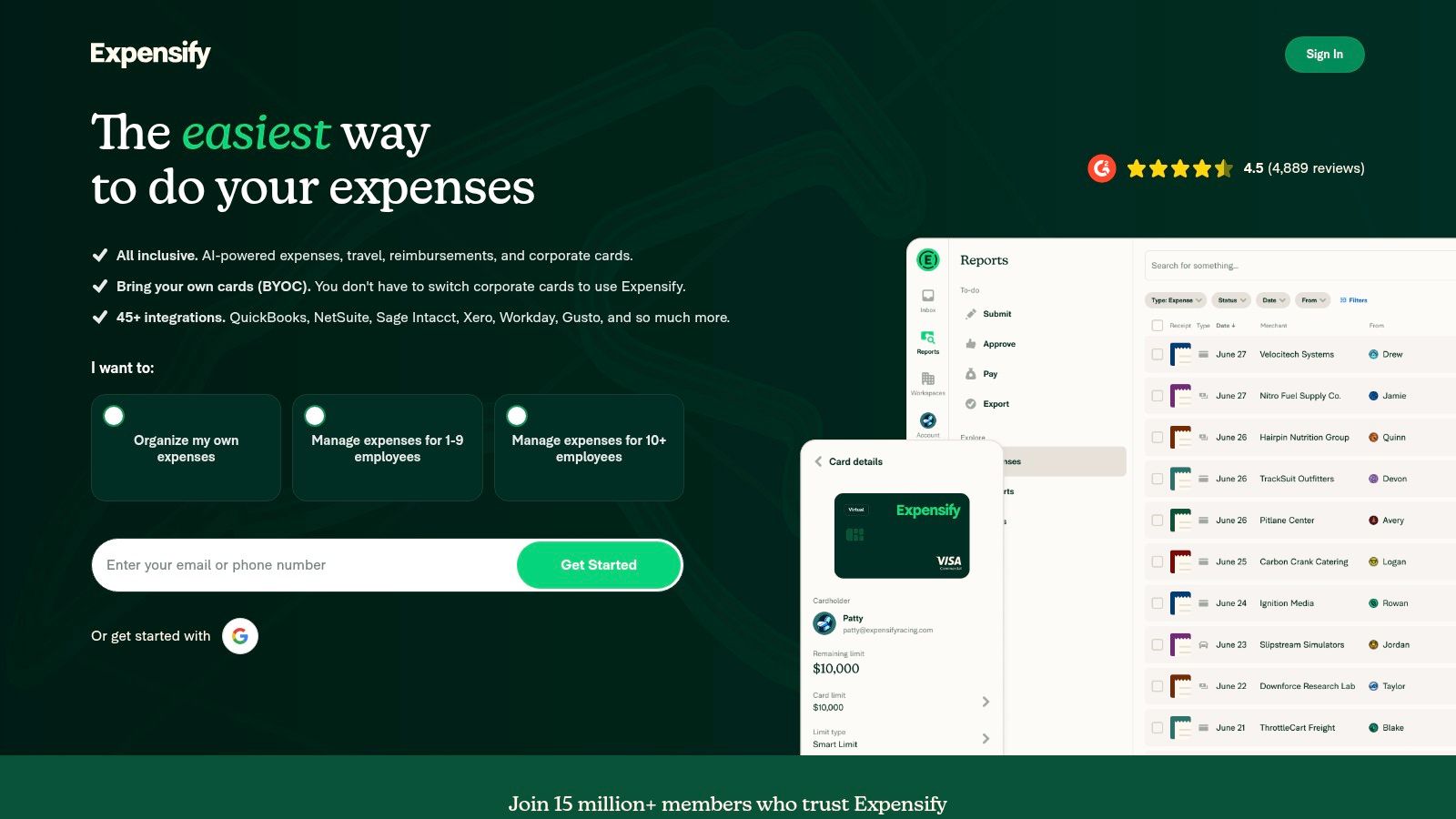
The SmartScan feature allows for unlimited receipt captures, using OCR technology to automatically transcribe the merchant, date, and amount, which significantly reduces manual data entry. Expensify also offers its own corporate card, the Expensify Card, which simplifies reconciliation by automatically matching receipts to transactions. For businesses that travel, its integrated mileage tracking and global reimbursement capabilities in various currencies are huge assets. For example, an employee can easily scan a gas receipt after filling up a company car.
Key Features & Ideal Use Case
Expensify is ideal for consulting firms, sales teams, and any business where employees frequently incur travel or out-of-pocket expenses. Its fast onboarding and intuitive mobile app ensure quick adoption across the team.
- Unlimited SmartScan: Capture and process an unlimited number of receipts with OCR technology.
- Expensify Card: A corporate card that automates expense reporting and provides real-time control over spending.
- Accounting Sync: Integrates directly with accounting software like QuickBooks Online and Xero.
- Mileage Tracking: Uses GPS to track distance for accurate mileage reimbursement.
Pro Tip: When an employee pays for a small item with cash and forgets the receipt, they can use a tool to generate a receipt to fill that documentation gap, ensuring their Expensify report is complete and accurate for reimbursement.
| Pros | Cons |
|---|---|
| Very fast onboarding and mobile-first UX. | Advanced admin controls may require policy setup time. |
| Flat, transparent SMB pricing simplifies budgeting. | Card-centric workflows may be overkill for micro-teams. |
| Excellent for teams with frequent travel. | Some features are tied to using the Expensify Card. |
Website: https://www.expensify.com/
3. Zoho Expense
Zoho Expense is a dedicated expense management tool that excels in automating expense reporting and approvals for teams. As part of the wider Zoho ecosystem, it offers powerful integrations, but it also functions perfectly as a standalone solution. Its strength is its ability to create and enforce spending policies, making it one of the best expense tracking software for small business owners who need to manage team spending and complex approval workflows.
The platform’s OCR receipt scanning is highly effective, allowing employees to submit expenses in seconds from their mobile devices. Managers can then approve, reject, or comment on submissions, ensuring compliance before reimbursement. For businesses with employees who travel, features like per diem rates and mileage tracking (via GPS or manual entry) are incredibly valuable, streamlining what is often a time-consuming administrative task.
Key Features & Ideal Use Case
Zoho Expense is ideal for growing businesses with multiple employees submitting expenses, where control and policy enforcement are critical. It’s also a great fit for companies already invested in the Zoho software suite.
- OCR Receipt Scanning: Automatically scans and extracts data from receipts to create expense entries.
- Multi-Level Approvals: Set up custom approval hierarchies and automate the expense reporting workflow.
- Policy Enforcement: Create rules to flag out-of-policy spending and prevent violations.
- Accounting Integrations: Syncs data seamlessly with platforms like QuickBooks and Xero.
Pro Tip: When employees purchase supplies from a vendor that doesn't provide detailed receipts, they can use a purchase receipt template to document the transaction accurately for submission in Zoho Expense, ensuring compliance.
| Pros | Cons |
|---|---|
| Competitive pricing for growing teams. | Initial policy setup can take time. |
| Tight integration with broader Zoho apps. | Feature depth varies significantly by plan. |
| Flexible active-user billing model. | Interface can feel less intuitive than some rivals. |
Website: https://www.zoho.com/expense/
4. FreshBooks
FreshBooks is designed from the ground up to be an approachable accounting solution for freelancers, solopreneurs, and small service-based businesses. It simplifies financial management by combining robust invoicing features with intuitive expense tracking. The platform's strength lies in its user-friendly interface that doesn't require an accounting background to master, making it one of the best expense tracking software for small business owners who prioritize ease of use and client billing.
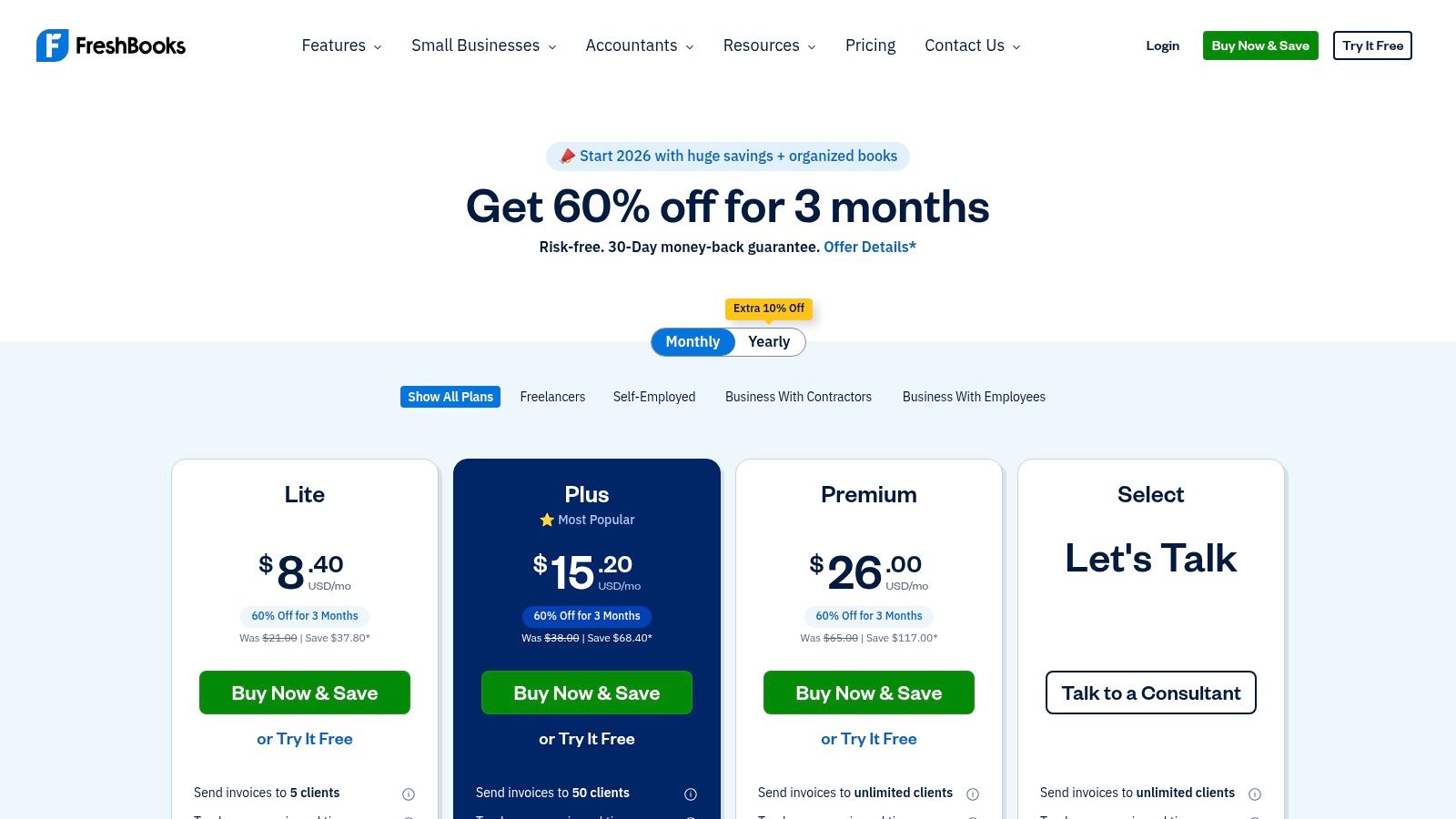
The platform streamlines expense entry with features like automatic receipt data capture, where you can forward receipts from your inbox directly to your account. For businesses that manage client projects, FreshBooks makes it incredibly easy to assign expenses to specific clients and add them to the next invoice, ensuring you get reimbursed promptly. This seamless integration between tracking and billing is a major time-saver.
Key Features & Ideal Use Case
FreshBooks is perfect for consultants, creatives, and service professionals who need an all-in-one tool for sending proposals, tracking time, invoicing clients, and managing expenses without the complexity of a full-blown accounting suite.
- Automatic Receipt Data Capture: Forward email receipts or use the mobile app to scan and automatically pull key data.
- Client Billing with Billable Expenses: Easily track expenses against specific projects or clients and add them directly to invoices.
- Reports and Accountant Access: Generate simple financial reports and provide your accountant with direct access.
- Mobile Apps: Manage invoices, track time, and log expenses from anywhere using their dedicated iOS and Android apps.
Pro Tip: When a client pays for a project in cash, you can generate a professional sales receipt and then log that payment in FreshBooks to keep your income records perfectly aligned with your expenses.
| Pros | Cons |
|---|---|
| Very approachable for non-accountants. | Client and feature caps are tied to pricing plans. |
| Good all-in-one tool for invoicing plus expenses. | Add-ons for teams or payments can increase the total cost. |
| Excellent customer support. | Reporting is less robust than dedicated accounting software. |
Website: https://www.freshbooks.com/pricing/
5. Xero
Xero presents a clean, user-friendly alternative in the accounting software space, appealing to small business owners who value a simple interface without sacrificing powerful features. It offers a comprehensive suite of tools, including bank reconciliation, invoicing, and inventory management. Xero’s approach to expense tracking is seamlessly integrated, making it a strong contender for the best expense tracking software for small business owners who want a complete financial picture in one place.
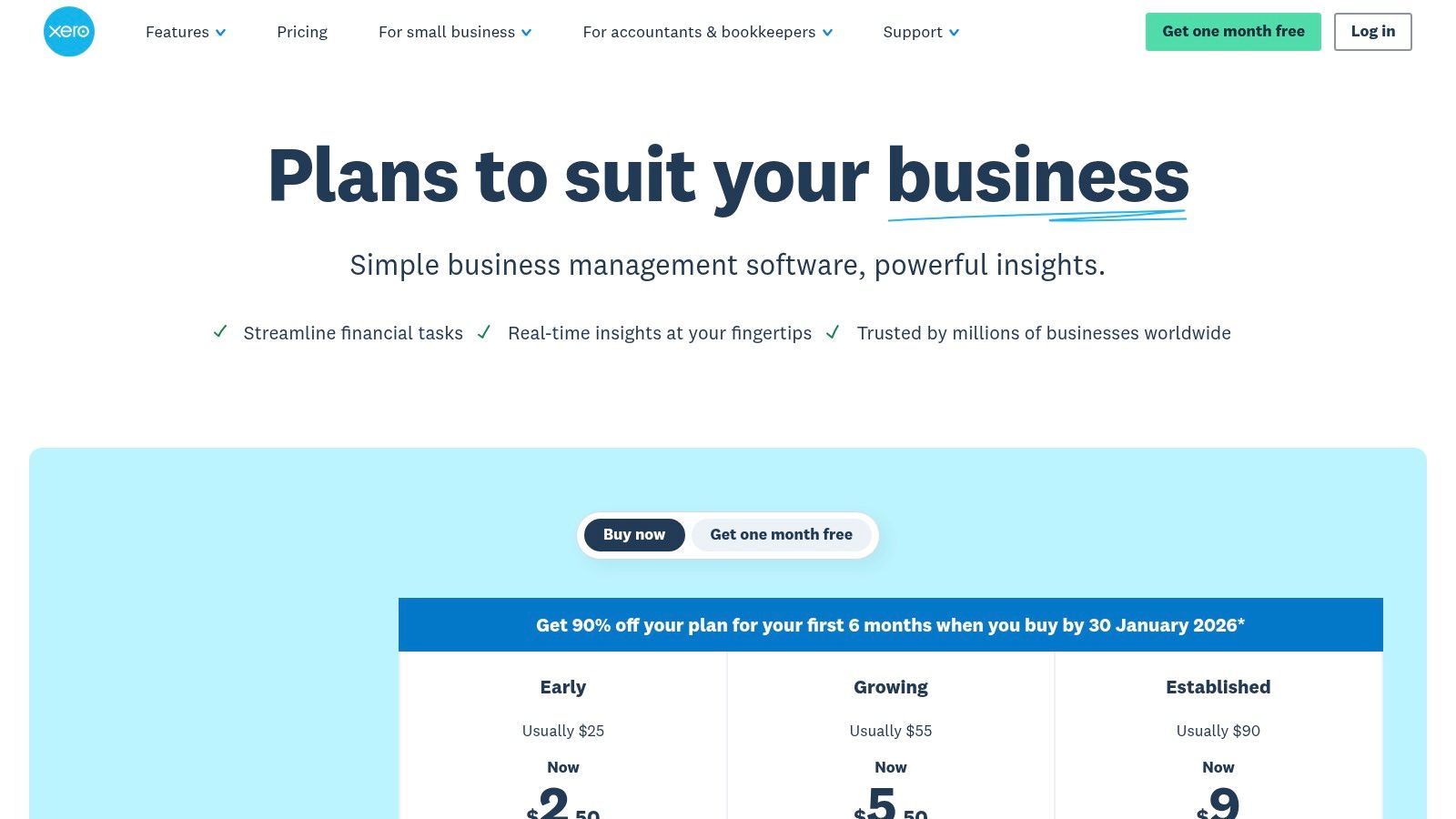
A standout feature is its integration with Hubdoc, which automates data entry for bills and receipts. You can forward receipts via email or snap a photo, and Hubdoc extracts the key information and syncs it with Xero. For businesses with employees, the expense claims feature allows team members to submit expenses for reimbursement directly through the platform, streamlining approvals and keeping all spending organized. This makes it particularly efficient for managing team-related costs.
Key Features & Ideal Use Case
Xero is ideal for service-based businesses, digital agencies, and consultants who appreciate its clean design and strong accountant adoption. It excels for those who want a robust accounting system that’s less intimidating than some competitors.
- Bank Reconciliation: Connects to bank accounts for real-time transaction feeds and easy matching.
- Hubdoc Integration: Automates bill and receipt data capture, reducing manual entry.
- Expense Claims: Allows employees to submit expenses for review and reimbursement within the platform.
- Multi-currency Support: Available on select plans to handle international transactions with ease.
Pro Tip: If an employee makes a cash purchase without a formal receipt, they can use a simple receipt template to document the expense, ensuring you have a record to upload into Xero for accurate claim processing.
| Pros | Cons |
|---|---|
| Clean, intuitive user interface. | Expense features vary significantly by plan. |
| Strong adoption among accountants. | Can have a learning curve if migrating. |
| Good third-party app ecosystem. | Some advanced features may require add-ons. |
Website: https://www.xero.com/us/pricing-plans/update/?utm_source=openai
6. Wave
Wave offers a compelling proposition for freelancers, solopreneurs, and micro-businesses: completely free accounting, invoicing, and expense tracking software. Its core strength lies in providing essential financial tools without a monthly subscription fee, making it a standout choice for those just starting or operating on a tight budget. The platform allows you to connect your bank accounts, automatically importing transactions that you can then categorize to see where your money is going.
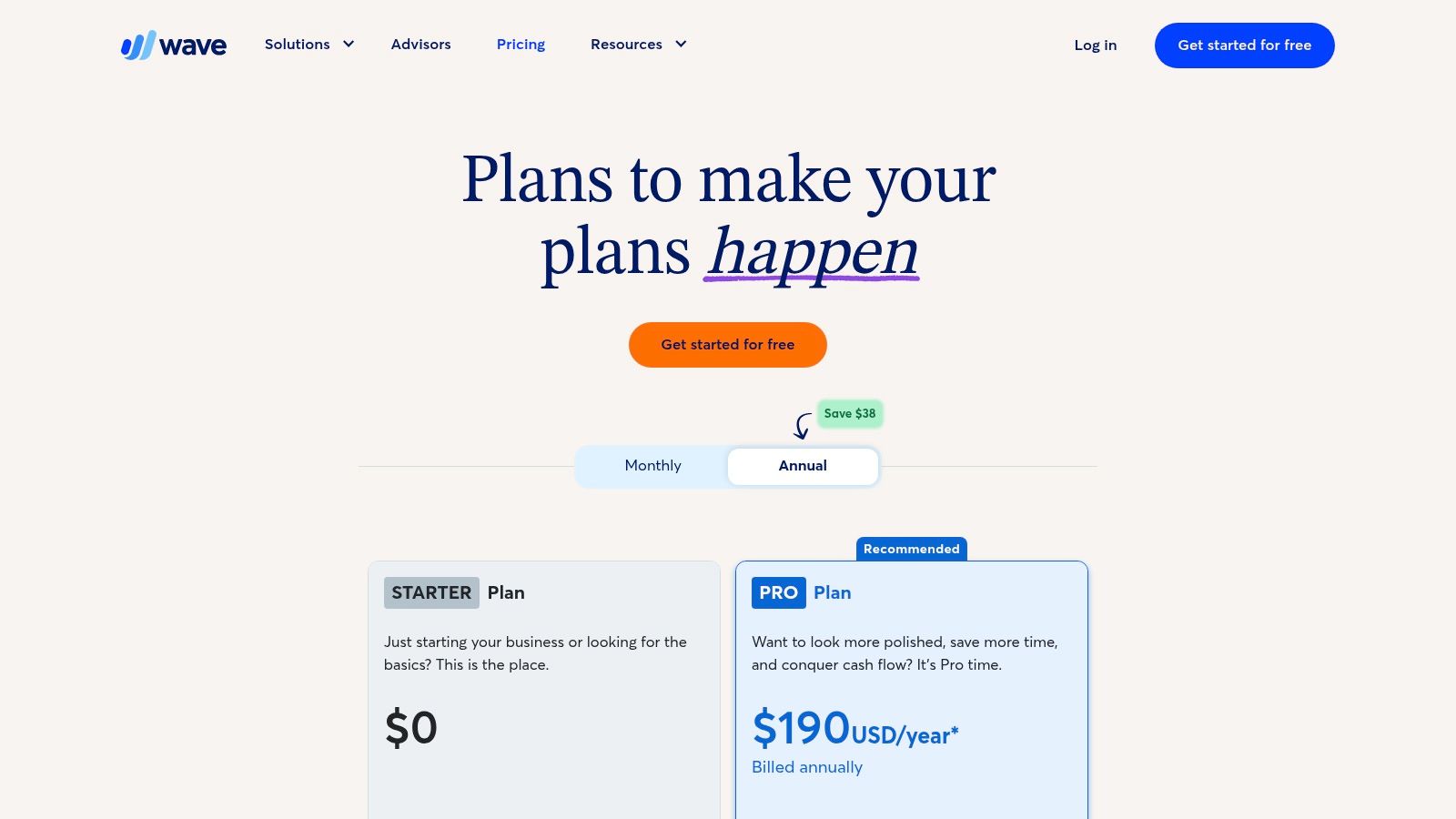
While the main accounting features are free, Wave operates on a pay-per-use model for services like payment processing and offers paid add-ons for advanced features like payroll and receipt scanning. This à la carte approach ensures you only pay for what you actually need. For many, its simple dashboard and basic reporting are more than sufficient, making it one of the best expense tracking software for small business owners who prioritize affordability and ease of use over complex, enterprise-level features.
Key Features & Ideal Use Case
Wave is the perfect fit for service-based freelancers, consultants, and very small businesses that need solid, no-cost accounting fundamentals. It's less suited for inventory-heavy businesses or those requiring project-based accounting.
- Free Core Accounting: Includes unlimited income and expense tracking, invoicing, and bank connections at no monthly cost.
- Automatic Bank Feeds: Connects to your bank to pull in transactions, which you can categorize with simple rules.
- Basic Reporting: Generate essential financial reports like Profit & Loss and Balance Sheet to monitor your business health.
- Optional Paid Add-ons: Add receipt scanning (OCR), payroll, and advisory services as your business needs grow.
Pro Tip: When dealing with out-of-pocket cash expenses, you can create a clear record using a cash receipt template to manually upload into Wave, keeping your free accounting records complete and accurate.
| Pros | Cons |
|---|---|
| Core accounting software is completely free. | Advanced features require paid add-ons. |
| Simple and user-friendly interface. | Bank connections rely on Plaid and can be unstable. |
| Unlimited invoicing and expense tracking. | Limited third-party integrations. |
Website: https://www.waveapps.com/pricing?utm_source=openai
7. SAP Concur
SAP Concur offers an enterprise-grade solution for managing expenses, travel, and invoices, making it a powerhouse for businesses that prioritize compliance and control. It integrates travel booking directly with expense reporting, simplifying the entire business trip lifecycle from planning to reimbursement. The platform's strength lies in its ability to enforce spending policies automatically, flagging out-of-policy expenses before they are even submitted for approval. This level of control makes it one of the best expense tracking software for small business teams that are growing rapidly and need a scalable, auditable system.
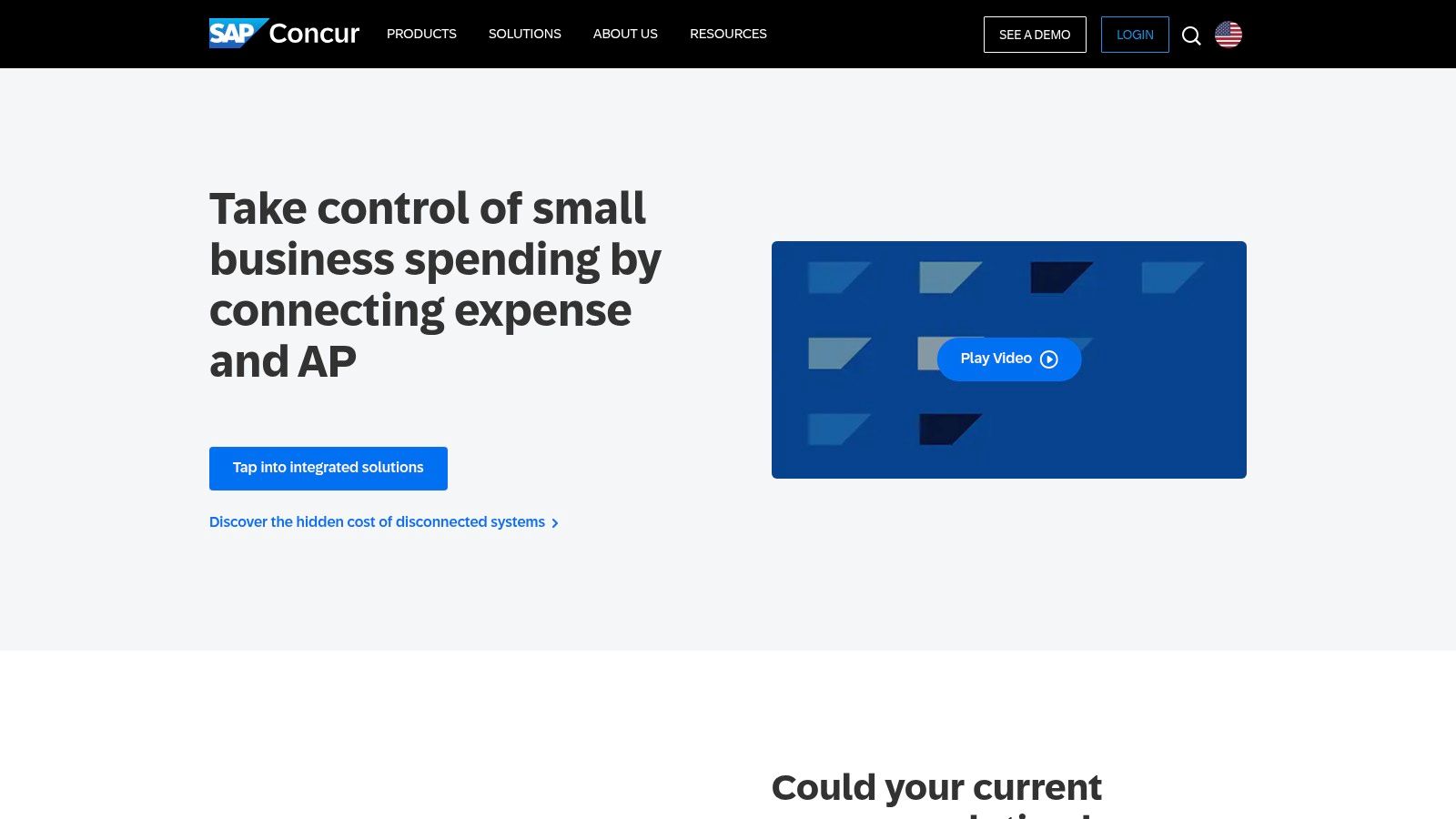
The platform’s sophisticated analytics and reporting tools provide deep insights into spending patterns, helping businesses identify opportunities for cost savings. Its mobile app allows for receipt capture and expense submission on the go, while multi-step approval workflows ensure that every expense is reviewed by the right people. This robust feature set is designed for organizations where financial governance and detailed audit trails are critical operational requirements.
Key Features & Ideal Use Case
SAP Concur is best suited for established small to mid-sized businesses with multiple employees who travel frequently, requiring strict policy enforcement and integrated travel booking. It's ideal for companies that need a scalable solution to manage complex approval chains and detailed financial audits.
- Travel Booking Integration: Book flights, hotels, and rental cars directly within the platform.
- Policy Enforcement: Automatically flags expenses that violate company spending rules.
- Multi-Step Approvals: Customize complex approval workflows for different departments or expense types.
- Advanced Analytics and Audit: Provides powerful reporting and tools to ensure compliance.
Pro Tip: When an employee pays a vendor in person without an official receipt, using a cash payment receipt can help document the transaction properly, ensuring it can be submitted and tracked correctly within Concur’s structured system.
| Pros | Cons |
|---|---|
| Very mature, scalable platform. | No public US list pricing; quote required. |
| Deep compliance and control capabilities. | Implementation can be complex and lengthy. |
| Integrates travel and expense management. | May be overkill for very small businesses. |
Website: https://www.concur.com/small-business?utm_source=openai
8. Ramp
Ramp redefines expense management by pairing a corporate card with powerful, free software. Instead of selling software, Ramp provides a comprehensive platform that automates expense reporting and bill payments, funded by the interchange fees from its card usage. This unique model makes it an attractive choice for businesses looking to eliminate software subscription fees while gaining tight control over spending. Its ability to issue unlimited virtual and physical cards with built-in spending policies is a significant advantage for teams of any size.
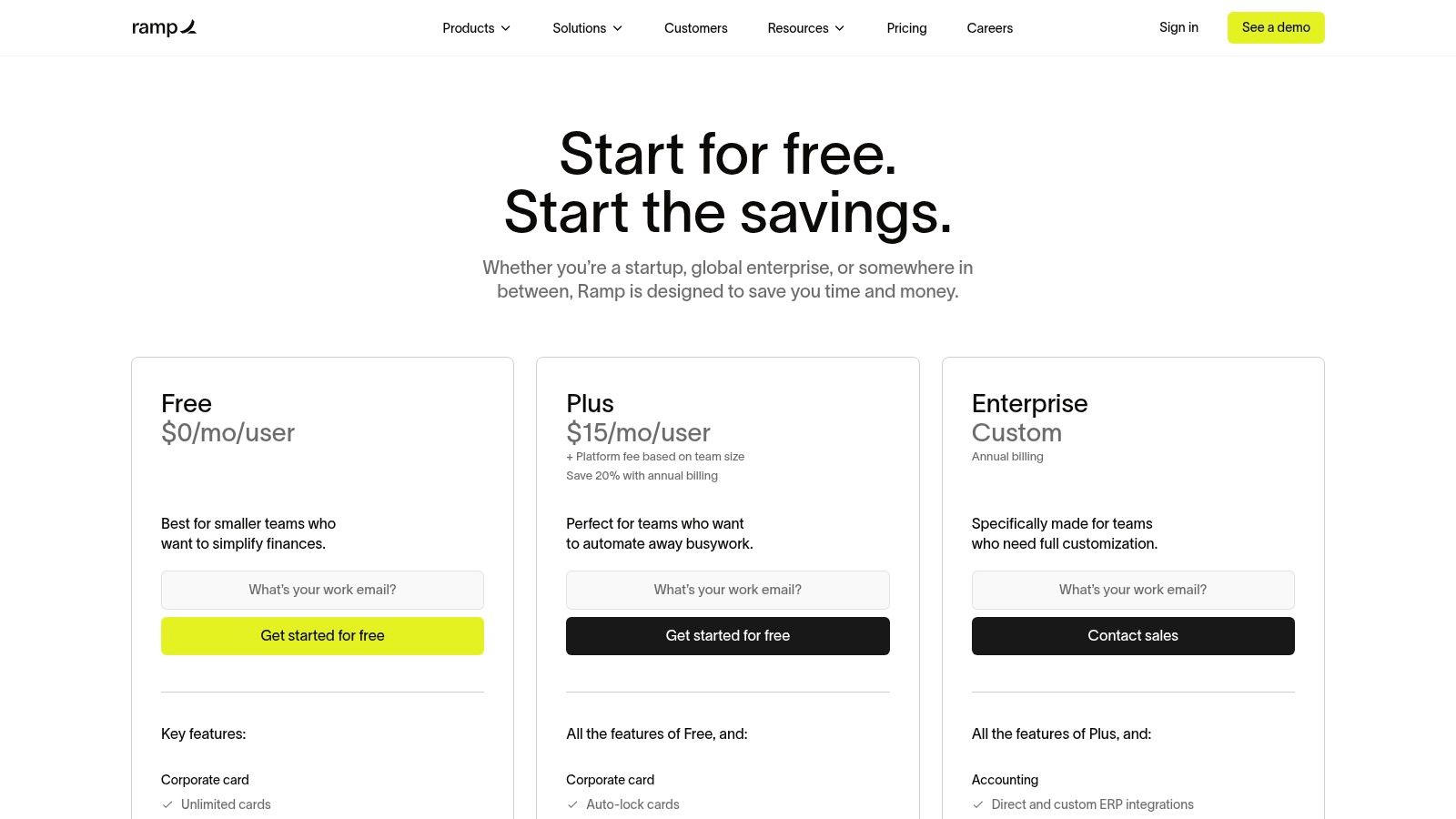
The platform’s strength is its automation. Ramp automatically collects and matches receipts from major vendors, significantly reducing manual data entry for employees and bookkeepers. For any purchases where a receipt isn't automatically captured, employees receive an SMS or email reminder, simplifying compliance. This card-first approach makes it one of the best expense tracking software for small business owners who want to automate financial workflows and enforce spending policies from the point of sale.
Key Features & Ideal Use Case
Ramp is ideal for tech-savvy startups and established businesses that want to empower their teams with corporate cards while maintaining strict financial oversight. It excels for companies seeking to streamline their entire accounts payable and expense management process into one automated system.
- Corporate Cards with Spend Controls: Issue unlimited virtual or physical cards with specific limits and rules.
- Automated Receipt Matching: The platform automatically fetches receipts from vendors like Amazon, Uber, and major airlines.
- Bill Pay and AP Automation: Manage and pay vendor invoices via ACH, check, or card directly from the platform.
- Real-time Reporting: Access live dashboards to monitor company-wide spending as it happens.
Pro Tip: If a vendor doesn't provide a digital receipt for a card transaction, you can create a record using a custom receipt template and upload it to Ramp to keep your expense reports complete.
| Pros | Cons |
|---|---|
| Core expense platform is free for unlimited users. | Requires applying and being approved for a Ramp account. |
| Strong automation for receipts and accounting. | Not ideal if you don’t want to use a corporate card. |
| Fast and intuitive user interface. | Some advanced features are in the paid Plus tier. |
Website: https://ramp.com/pricing?utm_source=openai
9. BILL Spend & Expense (formerly Divvy)
BILL Spend & Expense, formerly known as Divvy, reinvents expense management by combining free software with a smart corporate card system. Its unique model eliminates software subscription fees by bundling its powerful platform with the BILL Divvy corporate card. The core strength of this system is proactive budget control; business owners can set spending limits for employees before they spend, preventing overages and simplifying expense approvals. This forward-thinking approach makes it one of the best expense tracking software for small business owners who want to enforce budgets in real-time.
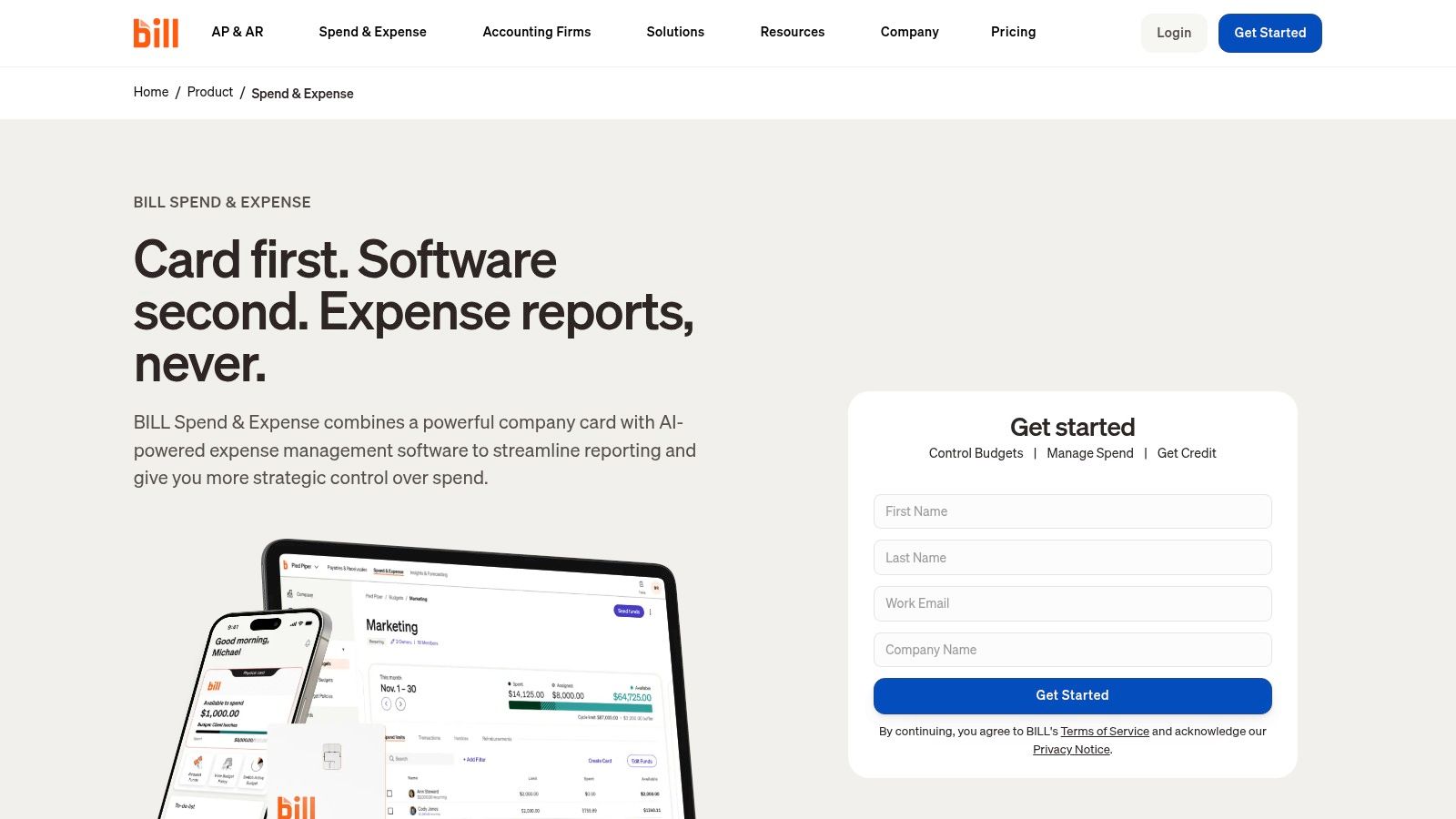
The platform empowers teams with both physical and virtual cards, which can be generated instantly for specific vendors or subscriptions, adding a layer of security and control. When an employee makes a purchase, the mobile app prompts them immediately to capture the receipt and categorize the expense, ensuring records are updated in real-time. The system also handles out-of-pocket reimbursements, keeping all company spending consolidated within one dashboard that syncs with major accounting software.
Key Features & Ideal Use Case
BILL is perfect for businesses with multiple employees who need to make purchases. It’s ideal for tech startups, marketing agencies, and field service companies that want to distribute purchasing power without losing control over their budget.
- Real-time Budget Controls: Set and enforce spending limits for each employee or department before a purchase is made.
- Virtual and Physical Cards: Issue secure, vendor-locked virtual cards or physical cards with built-in controls.
- Automated Expense Reports: Employees simply swipe, snap a receipt, and the system generates the expense report automatically.
- Out-of-Pocket Reimbursements: Manage and pay employee reimbursements directly within the platform.
Pro Tip: For minor cash purchases that fall outside the card system, such as paying a vendor with cash on hand, you can maintain accurate records by creating a formal document using a proof of payment template to upload into BILL.
| Pros | Cons |
|---|---|
| The software is free to use. | Value is tied to using the BILL corporate card. |
| Excellent for enforcing budgets proactively. | Requires credit approval to access the platform. |
| Streamlined mobile experience for employees. | Some features are less developed for non-card expenses. |
Website: https://www.bill.com/product/spend-and-expense?utm_source=openai
10. Shoeboxed
Shoeboxed offers a unique, hybrid approach to expense management that sets it apart from purely digital solutions. It combines powerful OCR receipt scanning with human data verification, aiming for the highest level of accuracy for your records. Its standout feature is the "Magic Envelope" service, where businesses can mail in their physical receipts and have them digitized, categorized, and archived by the Shoeboxed team. This service makes it one of the best expense tracking software for small business owners who are overwhelmed by paper receipts, such as restaurants, contractors, or retail stores.
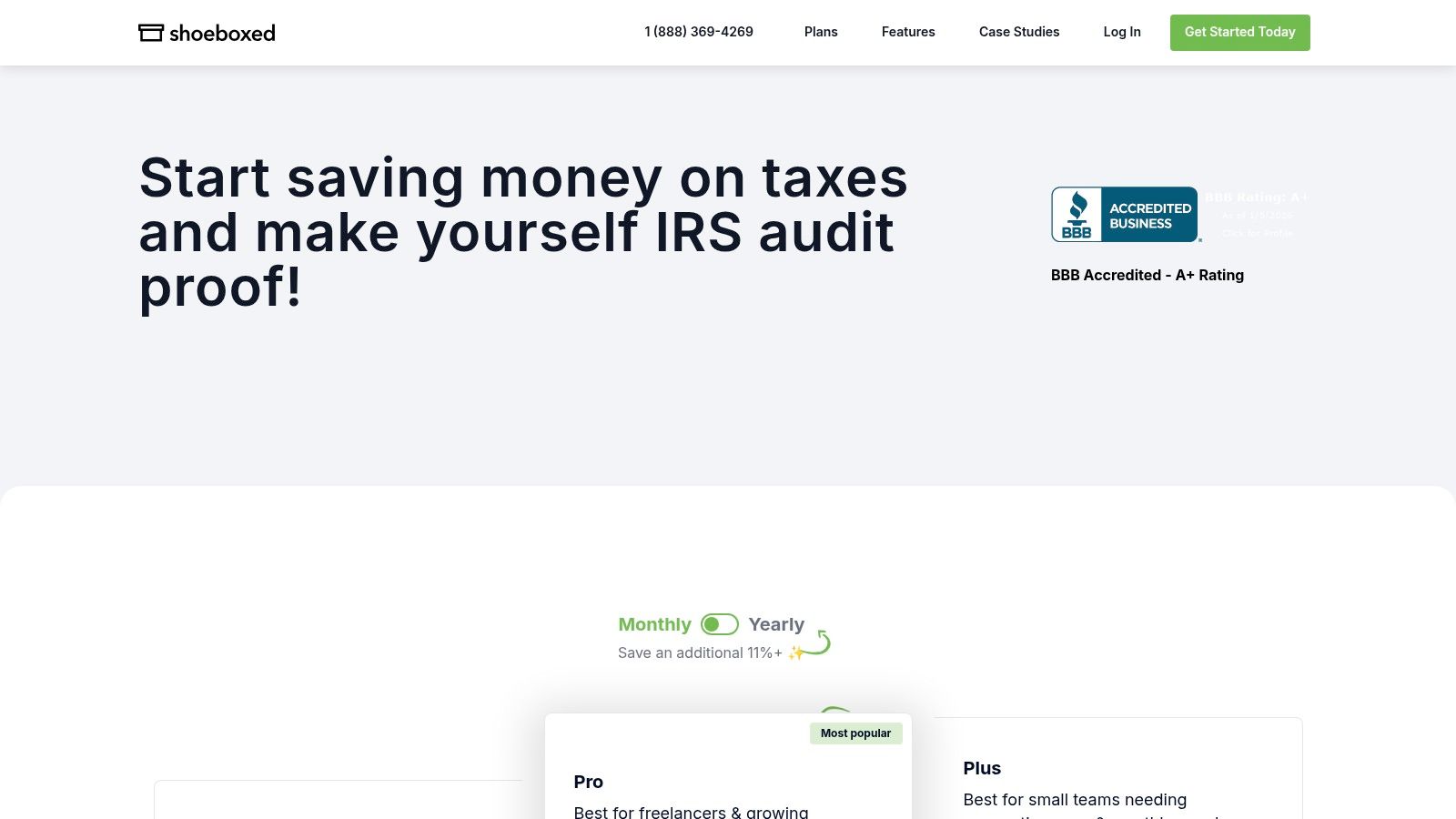
Beyond its mail-in service, Shoeboxed provides a robust mobile app for on-the-go receipt capture and mileage tracking. The platform then transforms this data into organized, IRS-accepted digital archives that can be easily exported to accounting software like QuickBooks and Xero. The human verification layer provides an extra level of confidence, ensuring that your financial data is audit-ready and meticulously documented. This focus on accuracy is a significant advantage for businesses that require precise, paper-backed bookkeeping.
Key Features & Ideal Use Case
Shoeboxed is the perfect solution for businesses drowning in paper receipts that need a "do it for you" service to get organized. It’s ideal for trades, professional services, and any business that values audit-proof, human-verified documentation over instant digital processing.
- Magic Envelope Mail-in Service: Mail your paper receipts in a prepaid envelope for professional scanning.
- OCR with Human Verification: All scanned receipts are reviewed by a human for maximum accuracy.
- Mileage Tracking: Use the mobile app’s GPS to track business mileage for tax deductions.
- Accounting Integrations: Seamlessly export organized expense data to QuickBooks, Xero, and other platforms.
Pro Tip: If a transaction lacks a physical receipt to mail in, you can create a digital record using various receipt templates to ensure no expense is missed in your Shoeboxed archive before year-end.
| Pros | Cons |
|---|---|
| Excellent for paper-heavy businesses. | Mail-in service has a processing turnaround time. |
| Human verification ensures high accuracy. | Digital-only receipt limits on lower-tier plans. |
| Creates audit-ready digital archives. | Can be more expensive than purely digital solutions. |
| Integrates well with major accounting tools. | Less focused on all-in-one accounting features. |
Website: https://www.shoeboxed.com/pricing?utm_source=openai
11. Dext Prepare
Dext Prepare (formerly Receipt Bank) is a specialized data extraction powerhouse designed for businesses that handle a high volume of receipts, bills, and invoices. Its primary strength is its best-in-class Optical Character Recognition (OCR) technology, which goes beyond just capturing totals to extract individual line-item details with remarkable accuracy. This makes it an essential tool for bookkeepers, accountants, and small businesses that need pristine, detailed financial data without hours of manual entry.
The platform isn't a standalone accounting system but an advanced pre-accounting tool that cleans, categorizes, and then publishes data directly to ledgers like QuickBooks or Xero. You can set up custom rules to automatically categorize transactions from specific suppliers, drastically reducing processing time. For businesses working with an external bookkeeper, Dext provides a streamlined workflow for submitting documents, making it some of the best expense tracking software for small business teams prioritizing collaboration and accuracy.
Key Features & Ideal Use Case
Dext Prepare is ideal for businesses with high transaction volumes, such as construction, retail, or consulting firms, and especially those that outsource their bookkeeping. It’s perfect for users who value data accuracy and automation above all else.
- Line-Item Extraction: Advanced OCR technology captures detailed data from each line on a receipt.
- Multi-Channel Submission: Submit documents via mobile app, email, or direct upload.
- Automated Rules Engine: Create rules to auto-categorize and code recurring expenses.
- Direct Accounting Integration: Seamlessly publishes data to major accounting platforms like Xero and QuickBooks.
Pro Tip: For transactions made at pop-up markets or small vendors that don't provide detailed receipts, you can generate a record using a generic POS receipt template to upload into Dext, ensuring no expense is missed.
| Pros | Cons |
|---|---|
| Extremely powerful and accurate data extraction. | Higher price point for small volumes. |
| Excellent for businesses working with a bookkeeper. | Pricing can be complex and oriented to accounting firms. |
| Saves significant time on manual data entry. | Less of an all-in-one accounting solution. |
Website: https://dext.com/
12. G2 (Expense Management Category)
Instead of being a standalone tool, G2 is a software marketplace that functions as a powerful research hub. It aggregates verified user reviews, rankings, and detailed feature comparisons for hundreds of expense management tools. For a small business owner overwhelmed by options, G2 provides a structured way to discover and evaluate potential solutions. Using its filters, you can narrow down the best expense tracking software for small business based on company size, user satisfaction scores, and specific features.
G2's real value lies in its side-by-side comparison grids, which allow you to see how different platforms stack up on key functionalities like receipt scanning, integration capabilities, and reporting. Reading recent reviews from peers offers an unfiltered look into the real-world performance of a tool, helping you identify potential red flags or standout benefits before committing. It’s an essential first stop to create a shortlist of products to trial.
Key Features & Ideal Use Case
G2 is ideal for the research and selection phase of choosing software. It’s perfect for business owners who want to make a data-driven decision based on peer feedback rather than just marketing materials.
- Verified User Reviews: Access authentic feedback and satisfaction ratings from real users.
- Side-by-Side Comparisons: Create custom comparison reports to analyze features and pricing across multiple vendors.
- Category Grids & Reports: View market leaders, high performers, and trending software in the expense management space.
- Small Business Filters: Easily narrow down options to find software specifically suited for smaller teams and budgets.
Pro Tip: While comparing tools on G2, if you find your ideal software lacks a specific receipt generation feature, you can supplement it. For example, use a dedicated business receipt template from Receiptmake to fill any documentation gaps.
| Pros | Cons |
|---|---|
| Helps shortlist tools based on real user data. | Sponsored placements can influence category rankings. |
| Provides up-to-date market snapshots. | Pricing information on G2 may not always be current. |
| Detailed feature matrices for comparison. | Navigating the sheer volume of reviews can be time-consuming. |
Website: https://www.g2.com/categories/expense-management?utm_source=openai
Top 12 Small-Business Expense Trackers Comparison
| Product | Core features | UX & quality (★) | Pricing / Value (💰) | Target audience (👥) | Unique selling points (✨ / 🏆) |
|---|---|---|---|---|---|
| Intuit QuickBooks Online | Bank feeds, receipt capture, P&L, invoicing | ★★★★ — robust, accountant-friendly | 💰 Subscription (mid–high) | 👥 US small businesses & accountants | ✨ Deep integrations & reporting • 🏆 market leader |
| Expensify | SmartScan OCR, approvals, reimbursements, card | ★★★★ — mobile-first, fast UX | 💰 Flat SMB pricing; card options | 👥 Mobile teams & card-centric orgs | ✨ Unlimited SmartScan • 🏆 fast onboarding |
| Zoho Expense | OCR capture, approvals, integrations, billing | ★★★ — configurable & efficient | 💰 Competitive per-user plans | 👥 Growing teams / Zoho users | ✨ Flexible billing models • 🏆 tight Zoho integration |
| FreshBooks | Receipt capture, automatic expense entry, invoicing | ★★★★ — approachable for non-accountants | 💰 Mid plans; add-ons apply | 👥 Freelancers & small service businesses | ✨ Easy invoicing + expenses • 🏆 user-friendly |
| Xero | Bank reconciliation, Hubdoc receipts, expense claims | ★★★★ — clean UI, accountant-friendly | 💰 Mid; features vary by plan | 👥 Small businesses & accountants | ✨ Hubdoc + reporting • 🏆 strong accountant adoption |
| Wave | Free accounting, bank connection, optional OCR/payroll | ★★★ — simple & budget-focused | 💰 Core free; paid add-ons | 👥 Micro & budget-conscious teams | ✨ Free core accounting • 🏆 low cost for microbusinesses |
| SAP Concur | Expense, travel, invoice mgmt, policy & audit | ★★★★★ — enterprise-grade controls | 💰 Quote-based enterprise pricing | 👥 Large enterprises needing compliance | ✨ Travel + audit integration • 🏆 highly scalable |
| Ramp | Corporate cards, auto receipt matching, AP automation | ★★★★ — fast automation & workflows | 💰 Free core platform | 👥 Finance teams wanting card-led automation | ✨ Unlimited cards & automation • 🏆 no-cost core software |
| BILL Spend & Expense (Divvy) | Real-time budgets, virtual cards, reimbursements | ★★★★ — strong mobile & controls | 💰 Free software bundled with card | 👥 Teams using corporate cards | ✨ Real-time budget enforcement • 🏆 rewards & cards |
| Shoeboxed | OCR + human verification, mail-in Magic Envelope, exports | ★★★ — audit-ready but slower | 💰 Paid tiers; mail-in costs | 👥 Receipt-heavy businesses (restaurants, trades) | ✨ Human-verified OCR & mail service • 🏆 audit-ready docs |
| Dext Prepare | Line-item OCR, rules, auto-publish to ledgers | ★★★★ — high accuracy for volume | 💰 Higher-tier pricing | 👥 Accountants, bookkeepers, high-volume SMBs | ✨ Line-item extraction & automation • 🏆 powerful data capture |
| G2 (Expense Mgmt category) | Reviews, side-by-side comparisons, vendor links | ★★★★ — crowd-sourced insights | 💰 Free to browse | 👥 Buyers shortlisting vendors | ✨ Real-user reviews & rankings • 🏆 great for shortlisting decisions |
Choosing Your Best Fit: Software, Strategy, and When You Need a Backup
Navigating the crowded market of expense management tools can feel overwhelming, but the journey to finding the best expense tracking software for your small business is about matching features to your specific reality. We've explored a wide range of options, from all-in-one accounting giants like QuickBooks Online and Xero to specialized, automation-focused platforms like Ramp and BILL Spend & Expense. The key takeaway is that there is no single "best" solution for everyone.
The ideal choice hinges entirely on your business model, scale, and operational needs. A solo freelance designer will find the simple, invoicing-centric design of FreshBooks far more useful than the complex, enterprise-level features of SAP Concur. Similarly, a busy restaurant owner managing daily cash expenses and vendor payments will appreciate the receipt capture capabilities of Shoeboxed or Dext Prepare, which a digital-first agency might not need.
From Software Selection to Smart Strategy
Choosing a tool is only the first step. The real value comes from building a consistent financial workflow around it. Your selection process should be treated as a strategic business decision, not just a software purchase. Here are the core factors to guide your final choice:
- Your Business Stage: Are you a startup, a freelancer, or a growing team? A free tool like Wave is perfect for getting started with zero financial commitment, while a platform like Zoho Expense offers scalability as your team and expense reporting needs expand.
- Transaction Volume and Type: Do you handle a high volume of small digital transactions, or fewer, larger invoices? Is your business cash-heavy? Answering these questions will point you toward tools with robust bank feeds or superior receipt scanning technology.
- Your Existing Tech Stack: The best software integrates seamlessly with what you already use. Consider how a tool connects with your bank, payment processor, project management software, and even your physical office equipment. When planning your overall business technology stack, remember that physical office equipment also plays a role in efficiency and cost management, so be sure to choose the right tools like the best printer for your small business for printing reports or invoices.
- Ease of Use vs. Power: Don't underestimate the importance of a user-friendly interface. A powerful tool that no one on your team can figure out is ultimately useless. Take advantage of every free trial to get a hands-on feel for the software's daily usability.
Bridging the Gaps with a Reliable Backup
Even the most sophisticated expense tracking software has limitations. No app can recover a paper receipt that was lost before it could be scanned. No system can magically create a record for a petty cash purchase that was forgotten in the moment. This is where a proactive backup strategy becomes essential for maintaining complete and accurate financial records.
For those inevitable gaps, a dedicated receipt generation tool is an invaluable asset. When a transaction needs to be documented for your books and the original proof is missing, being able to create a standardized, professional record ensures your financial data remains whole. This is particularly crucial for cash-based businesses, like a cafe or a local retail shop, where small, undocumented expenses can quickly add up. By pairing your chosen software with a tool to fill in the blanks, you create a truly resilient system that protects you from lost data and ensures audit-readiness.
Ultimately, mastering your business finances is about empowerment. The right software lifts the administrative burden, freeing you to focus on growth, innovation, and serving your customers. Choose wisely, implement thoughtfully, and never underestimate the peace of mind that comes from having a complete, accurate, and easily accessible financial picture.
Ready to fill the gaps in your expense tracking and ensure your records are always 100% complete? With ReceiptMake, you can instantly generate custom, professional receipts for any transaction, providing the perfect backup for lost paper slips or undocumented cash expenses. Try ReceiptMake today and build a truly foolproof financial system for your small business.

